


You have a document that needs your signature right now, but you are not near a printer. No pen, no scanner, no time. You are not alone: millions of people face this every day in 2026. The good news is you can download e signature in under two minutes, for free, using just your phone or computer.
Most people think they need expensive software or a special app to sign a PDF. That is simply not true. In fact, you already have everything you need to create a professional, legally valid signature. Let me show you the fastest and cheapest way to get it done today.
How to Download a Digital Signature Quickly and Free
The easiest method is using an online signature generator like Signaturely, SignWell, or DocuSign’s free tool. These sites let you type your name, draw with your mouse, or upload a photo of your handwritten signature. In seconds, you can download e-signature as a PNG file with a transparent background, ready to paste into any document.
If you want something more personal, write your name on a piece of white paper with a dark pen. Take a clear photo with your phone, then use a free tool like Smallpdf or even Microsoft Word to remove the background. This gives you a custom signature image that looks exactly like your real one, and you can reuse it anytime.
Your E-Signature in 2026: Fast Downloads, Real Solutions
Downloading an e-signature is simpler than you think. You have two main ways to get one. You can make a signature image file. Or, you can use a special app. This guide shows you how. It’s all about getting your digital signature quickly and easily.
| Service | Cost | Output |
| Signaturely Generator | Free | PNG, JPG |
| Canva Signature Generator | Free | PNG |
| SignWell Generator | Free | PNG, JPG |
| DocuSign Mobile App | Free Download | In-App Signing |
| Adobe Acrobat Reader | Free Download | In-App Signing |
Get Your Signature Image Fast
Need a signature file for your documents? Online tools are your best bet. They let you create a signature image. You can type your name. You can draw it with your mouse. Some even let you upload a picture. This gives you a downloadable signature PNG. It’s perfect for PDFs or Word files. These tools make it easy to get a signature for Word documents.
Many services offer this for free. Signaturely, SignWell, and Canva are great examples. They provide free signature generator options. You get a clean image, often with a transparent background. This makes it blend right into your documents.
You can also make your own signature image. Write your name clearly on white paper. Take a good photo of it. Then, use a tool to clean it up. You can crop it and remove the background. This is a manual way to get a signature image. It takes a little more effort but works well.
These methods are great for simple needs. They help you sign documents online quickly. Next, let’s look at making it official.
Create Your Official Digital Signature
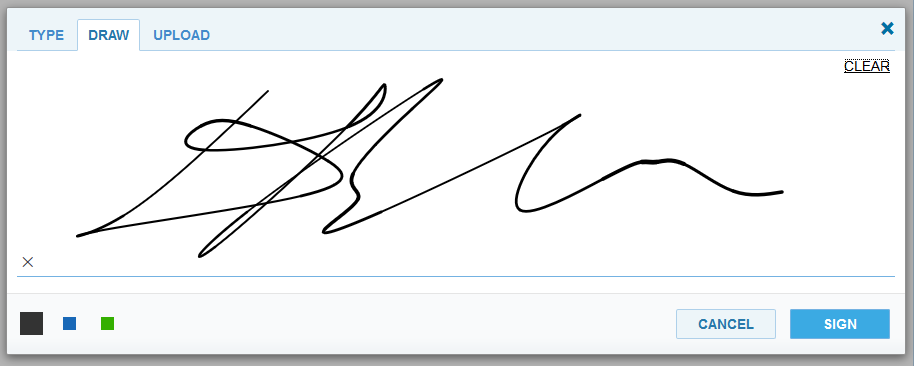
For legally binding needs, think bigger. Dedicated electronic signature apps are key. They handle more than just creating an image. These apps manage the whole signing process securely. They ensure your electronic signature is valid. This is important for business deals. It protects everyone involved.
These apps use strong technology. They use cryptography to prove who signed. They also make sure the document wasn’t changed. This is why they are trusted for important papers. They help you sign PDF documents digitally with confidence.
Using these apps is a smart move. They streamline your workflow. They keep your documents safe. Now, let’s see how to sign specific files.
How to Sign PDF Documents Digitally
Signing PDFs digitally is a common need. Many tools make this easy. You can use free PDF readers. Adobe Acrobat Reader is a popular choice. It lets you add your signature directly to a PDF. You can type it or draw it. Then, you save the signed PDF.
Online signature generators also help. You can create your signature image. Then, upload it to your PDF. Many PDF editors allow this. It’s a straightforward process. You get your document signed and ready.
For more advanced features, consider dedicated platforms. They offer tracking and audit trails. This is useful for multiple signers. It ensures compliance. It makes tracking easy.
Choosing the right tool depends on your needs. For simple PDFs, a free reader works. For business, look at dedicated apps. Let’s explore those next.
Best Electronic Signature Apps
When you need reliability, choose specialized apps. DocuSign is a leading name. Their mobile app is powerful. It lets you sign documents on the go. Adobe Acrobat is another strong option. It integrates well with other tools.
Microsoft offers solutions too. Their ‘Fill’ application is for desktop users. It focuses on PDF editing and signing. These apps are built for security. They ensure your signature is legally valid. They are essential for professional use.
These apps often sync across devices. This means you can start signing on your computer. You can finish on your phone. It offers great flexibility. It saves you time.
Think about your workflow. How often do you sign documents? What kind of documents are they? Your answers will guide your choice. We will now focus on mobile options.
Mobile Signature App Features
Mobile signature apps are vital today. They let you sign anywhere, anytime. DocuSign’s mobile app is a prime example. It’s free to download on iOS and Android. You can review, sign, and send documents from your phone. This is incredibly convenient.
These apps are designed for ease of use. The interfaces are usually simple. You can often sign with your finger or a stylus. The signature is captured securely. It’s then embedded into the document.
Security is a top priority. These apps use encryption. They protect your signature and the document. This is crucial for sensitive information. It builds trust with clients.
Having a mobile signature app means you’re always prepared. You can respond quickly to requests. It keeps your business moving forward. Now, let’s talk about free image tools.
Free Signature Generator for PNG Images
You can get a signature image for free. Many online tools specialize in this. They focus on creating a downloadable signature PNG. Canva’s signature generator is a good example. It’s part of their design platform. It’s very user-friendly.
These free generators are perfect for personal use. They are also good for small businesses. You can create a professional-looking signature image. It can have a transparent background. This makes it easy to place on any document.
The process is usually quick. You might type your name or draw it. The tool then generates the image file. You can download it instantly. It’s a simple way to get a digital signature.
Remember to check the terms of use. Some free tools have limitations. But for basic needs, they are excellent. Let’s look at how to create such an image.
How to Create a Signature Image
Creating a signature image involves a few steps. First, decide how you want it to look. Do you want to type it or draw it? Or perhaps use a photo of your actual signature?
If you draw it, use your mouse or a stylus. Take your time to make it clear. If you use a photo, ensure good lighting. Capture a clear image of your signature on white paper. Use a high-resolution camera if possible.
Next, use an image editor. Tools like Smallpdf or even Word can help. You will crop the image. You will clean up any smudges. The goal is a clear, sharp signature.
For seamless integration, aim for a transparent background. Many online generators do this automatically. If you edit it yourself, look for that option. This makes your signature look professional. It fits perfectly into your documents.
The Future of Signing: Quick and Secure
Downloading an e-signature is now very accessible. Free tools offer quick image creation. Dedicated apps provide secure, legal signing. In 2026, the choice depends on your needs. For everyday documents, a free generator is fine. For important contracts, use a trusted app.
Hands-on Advice: Always use a tool that offers transparency for PNG signatures. This ensures your signature looks professional. For legal documents, verify the app’s compliance. DocuSign and Adobe are industry standards. They offer peace of mind. Choose wisely based on your security and convenience needs.
Your 3-Step Action Plan for E-Signature Download
Ready to get your digital signature today? Follow this simple plan to start signing documents like a pro.
Step 1: Choose Your Path
Decide if you need a signature image or a full signing app. For a one-time use, a free online generator like Canva works perfectly.
Step 2: Create Your Signature
Use a generator to type, draw, or upload your signature. Always download the PNG with a transparent background for the cleanest look.
Step 3: Test and Save
Insert your signature into a test document to check sizing and placement. Store the file in an easy-to-find folder for future use.
What to Avoid
- Don’t use a low-resolution JPEG that looks pixelated when printed.
- Avoid saving your signature on a public computer without deleting it.
- Never rely on a free tool that doesn’t offer transparent backgrounds.
Frequently Asked Questions
Can I use a downloaded e-signature for legal contracts?
Yes, as long as the platform follows e-signature laws like the ESIGN Act. Always verify the tool’s compliance for binding agreements.
What file format is best for my e-signature image?
PNG with a transparent background is ideal for inserting into any document. It ensures no white box appears around your signature.
How do I make my signature look handwritten?
Use a stylus or your finger on a touchscreen to draw it naturally. Alternatively, scan a pen-on-paper signature and clean it up in an editor.
Downloading an e-signature is now a straightforward task that anyone can master. By following the steps above, you ensure your documents are signed professionally and securely.
Your next move is to try one of the recommended tools today. Whether you need a quick signature image or a full app, the solution is at your fingertips.
Imagine a workflow where every agreement is signed in seconds, without printing a single page. That future is here, and it starts with your first digital signature.
