


You want to build custom apps or learn Salesforce without spending a dime. A Salesforce free developer account is your ticket, but many people think it’s complicated or limited. The truth is, it’s a full-powered environment ready for you to use right now.
This account is called a Developer Edition, or DE org, and it’s completely free forever. You get access to Apex, Visualforce, Lightning, APIs, and even new AI tools like Agentforce. The only catch is you need to use it regularly or it might get deactivated.
What Is a Salesforce Free Developer Account (DE Org)?
A Salesforce Developer Edition is a permanent, no-cost environment for building and testing. It includes core features like Apex code, Visualforce pages, and the Lightning App Builder. As of 2026, it also comes with Agentforce for AI automation and Data Cloud for customer data unification.
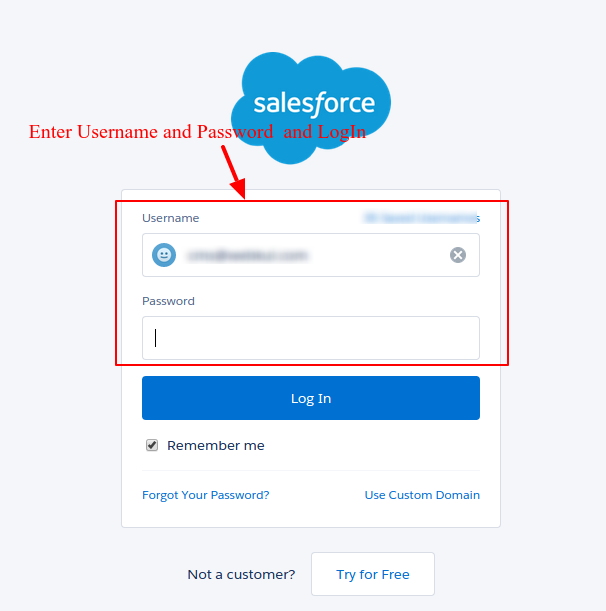
Storage is limited to 5 MB, which is enough for learning and small projects. To sign up, go to developer.salesforce.com/signup, fill in your details, and use a unique username like ‘[email protected]’. After email verification, you set your password and can log in at login.salesforce.com.
For specific Trailhead projects, you might use a special sign-up link that pre-loads sample data. Remember, this is not a trial org that expires — it’s yours to keep as long as you log in occasionally. If you stop using it, Salesforce may deactivate it, so stay active.
Unlock Your Salesforce Potential: The Free Developer Account
The Salesforce Free Developer Account, also known as a Developer Edition (DE org), is your gateway to building and testing on the Salesforce platform. It’s a complete, always-free Salesforce environment packed with essential tools for developers. Think of it as your personal sandbox to experiment with new ideas and learn the platform’s capabilities without any cost.
As of 2026, these DE orgs are even more powerful, including features like Agentforce for AI automation and Data Cloud for a unified customer view. This means you get access to the latest Salesforce innovations to hone your skills and build cutting-edge applications. It’s an invaluable resource for anyone serious about Salesforce development.
| Feature | Details |
|---|---|
| Cost | Free, perpetual |
| Purpose | Development, testing, learning |
| Key Tools | Apex, Visualforce, Lightning App Builder, APIs, Agentforce, Data Cloud |
| Storage | 5 MB (sufficient for development) |
| Activation | Requires regular usage; inactive orgs may be deactivated |
| Signup | Via developer.salesforce.com/signup |
What Is a Salesforce Free Developer Account
A Salesforce Free Developer Account, or DE org, is a fully functional Salesforce instance provided at no charge. It is designed for individual developers, students, and small teams to learn, build, and test applications. This environment gives you hands-on experience with core Salesforce technologies, allowing you to write custom code and create integrations. It’s the perfect starting point for your Salesforce journey.
Read also: Hire Pardot Developers Without the 6-Figure Mistake
The DE org is not a trial; it’s a permanent environment as long as you use it. This means you can return to it anytime to continue your projects or learn new features. You gain access to powerful tools that mirror what professional Salesforce developers use every day, making your learning curve smoother and more practical.
Steps to Create a Salesforce Developer Org
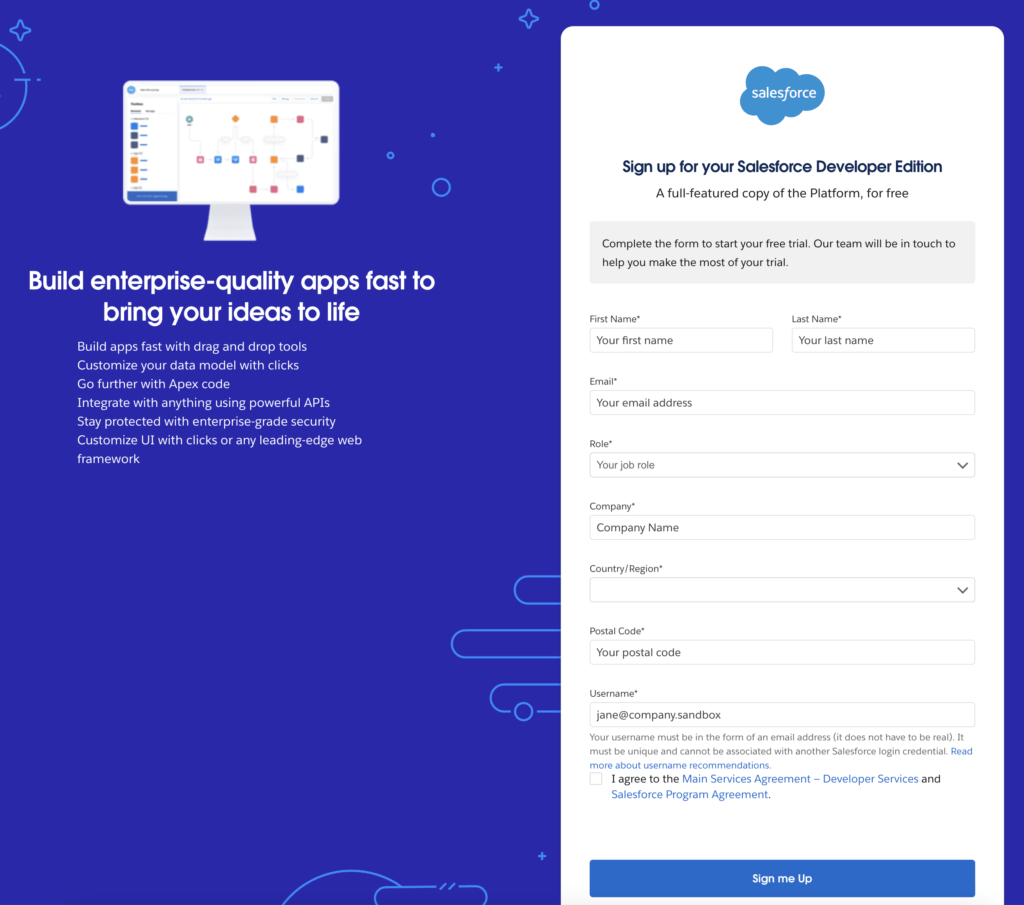
Creating your own Salesforce developer org is a straightforward process. You will need to navigate to the official Salesforce Developers sign-up page. Here, you will fill out a brief form with your personal information. It is crucial to provide accurate details to ensure a smooth setup and verification process.
The system will then prompt you to create a unique username, which must be in an email format, like `[email protected]`. After submitting the form, check your email for a verification link. Clicking this link allows you to set your password and activate your new Salesforce DE org. Remember to bookmark your login URL for easy access later.
Salesforce Developer Edition Signup Process
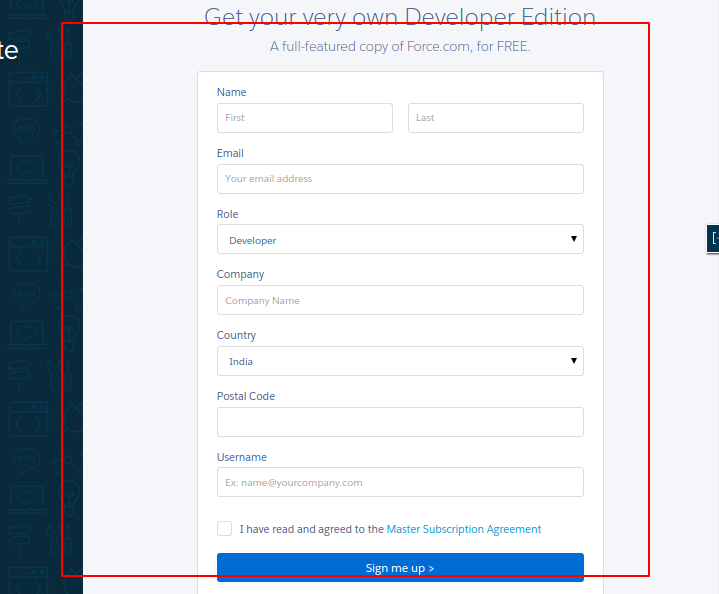
The Salesforce developer edition signup process is designed to be user-friendly and efficient. You begin by visiting the dedicated signup page on the Salesforce Developers website. The form requires basic information, including your name, company, and email address. This data helps Salesforce tailor your experience and manage accounts effectively.
Read also: How to Hire a Developer for an App Without Getting Ripped Off
A key step is choosing a unique username. Salesforce requires this to be in an email address format, even if it’s not a real email address you check daily. This format ensures global uniqueness across the Salesforce platform. Once registered, you’ll receive an email to verify your account and set your password, granting you immediate access to your new free Salesforce environment for developers.
Key Features of a Free Developer Environment
Your Salesforce Free Developer Account comes equipped with a robust set of features essential for development and learning. You get full access to the Apex programming language, allowing you to write server-side business logic. Visualforce pages enable you to build custom user interfaces, and the Lightning App Builder offers a drag-and-drop interface for creating modern applications.
Beyond core development tools, the DE org provides extensive API access for seamless integrations with other systems. In 2026, this includes access to advanced capabilities like Agentforce for AI-driven automation and Data Cloud for managing customer data. This comprehensive feature set ensures you have everything you need to build sophisticated solutions.
The Salesforce DE org is your perpetual sandbox for innovation, offering the latest platform features without any financial commitment.
Developer Org vs Sandbox: Key Differences
It’s important to distinguish between a Developer Org and a Sandbox. A Developer Org is a standalone, free environment for learning and development. It’s your personal playground. Sandboxes, on the other hand, are copies of your production Salesforce environment, used for testing changes before they go live.
Sandboxes are typically created within a paid Salesforce production org and come in various types (e.g., Developer, Partial Copy, Full Copy), each with different capabilities and refresh intervals. While a Developer Org is great for initial learning and coding, a Sandbox is crucial for more controlled testing and deployment scenarios within a business context. Understanding this difference is key for effective Salesforce development.
Developer Org vs Trial Org: What to Choose
When exploring Salesforce, you might encounter both Developer Orgs and Trial Orgs. A Developer Org is a permanent, free environment for ongoing development and learning. A Trial Org, however, is a time-limited, full-featured Salesforce instance designed for businesses to evaluate the platform’s capabilities over a specific period, usually 30 days.
If your goal is to learn, build personal projects, or develop apps without time constraints, the Developer Org is your best choice. If you are a business looking to test Salesforce for your company’s specific needs within a defined timeframe, a Trial Org might be more appropriate. You can learn more about free trials at developer.salesforce.com/free-trials.
Common Uses for a Salesforce DE Org
A Salesforce DE org is incredibly versatile. Developers use it extensively for learning Apex, Visualforce, and Lightning components. It’s also the go-to environment for building and testing custom applications, creating integrations via APIs, and experimenting with new Salesforce features. Many developers also use it to prepare for Salesforce certifications.
Furthermore, the DE org is ideal for participating in Trailhead projects, which often provide specific signup links to pre-configure your org with necessary sample data. For community engagement and troubleshooting, the Trailblazer Community is an excellent resource, with discussions found at trailhead.salesforce.com/trailblazer-community/feed/0D5KX00000j8oQ60AI and trailhead.salesforce.com/trailblazer-community/feed/0D5KX00000gSRkR0AW.
Limitations of a Salesforce Developer Account
While the Salesforce Free Developer Account offers immense value, it does have limitations. The most notable is the storage capacity, typically capped at 5 MB. This is generally sufficient for development and learning but may not be enough for large-scale data storage or complex applications with significant data requirements.
Another important consideration is that DE orgs require regular usage. Salesforce may deactivate inactive orgs, so it’s essential to log in and use your environment periodically to maintain access. For production-level needs or extensive testing with larger datasets, you would need a paid Salesforce edition or a properly configured Sandbox environment. You can find more details on creating a developer org at apexhours.com/how-to-create-a-free-salesforce-developer-account/ and general developer documentation at developer.salesforce.com/docs/atlas.en-us.chatterapi.meta/chatterapi/quickstart_dev_org.htm.
Regularly accessing your DE org is crucial to prevent deactivation. Make it a habit to log in at least once a month.
Developer Org vs Trial Org: What to Choose
When exploring Salesforce, you might encounter both Developer Orgs and Trial Orgs. A Developer Org is a permanent, free environment for ongoing development and learning. A Trial Org, however, is a time-limited, full-featured Salesforce instance designed for businesses to evaluate the platform’s capabilities over a specific period, usually 30 days.
If your goal is to learn, build personal projects, or develop apps without time constraints, the Developer Org is your best choice. If you are a business looking to test Salesforce for your company’s specific needs within a defined timeframe, a Trial Org might be more appropriate. You can learn more about free trials at developer.salesforce.com/docs/atlas.en-us.chatterapi.meta/chatterapi/quickstart_dev_org.htm.
The Future of Free Salesforce Development in 2026
The Salesforce Free Developer Account continues to be a cornerstone for aspiring and established developers. In 2026, its relevance is only growing, especially with the integration of advanced AI and data management tools like Agentforce and Data Cloud. These additions provide an unparalleled learning and development experience, keeping pace with industry demands.
As Salesforce evolves, so too will the capabilities within the DE org. Expect continuous updates and new features that ensure developers remain at the forefront of cloud technology. This commitment to providing a powerful, free development environment solidifies Salesforce’s position as a leader in CRM and cloud platforms, making the DE org an essential tool for anyone building a career in this space.
Your Quick Guide to Getting Started Today
Step 1: Sign Up in 5 Minutes
Go to developer.salesforce.com/signup and fill in the form. Use a real email and a username like [email protected].
Step 2: Verify and Log In
Check your inbox for the verification email and click the link. Set a strong password and bookmark login.salesforce.com.
Step 3: Explore and Build
Start with Trailhead modules to learn the basics. Use the Setup menu to enable features like Apex or Lightning Web Components.
What to Avoid
- Don’t use your work email – create a personal one for your dev org.
- Don’t let the org sit idle – log in at least once a month to keep it active.
Frequently Asked Questions
Will my Developer Edition org expire?
No, it is perpetual as long as you log in at least once every 6 months. Inactive orgs may be deactivated without warning.
Can I install AppExchange packages in my DE org?
Yes, you can install many free and paid packages. However, storage is limited to 5 MB, so choose wisely.
Is the Developer Edition the same as a Sandbox?
No, a DE org is a standalone environment, while a sandbox is a copy of a production org. DE orgs are ideal for learning and prototyping.
Starting with a free Salesforce Developer Edition gives you a risk-free sandbox to master the platform. Thousands of developers have launched their careers using this same tool.
Your next step is to pick a Trailhead project and build your first app today. The skills you gain will open doors to certifications and job opportunities.
Imagine creating custom solutions that automate tasks and delight users. Your journey into the Salesforce ecosystem begins right now.
