


Tired of paying for features you don’t use just to send a few contracts? You’re not alone. Most people sign up for a DocuSign free trial expecting a stripped-down test, but what they actually get is a full Business Pro account for 30 days.
No credit card required. No hidden fees. Just a powerful e-signature tool that lets you send documents, track envelopes, and get legally binding signatures. The catch? It automatically turns into a free account after 30 days, which only lets you sign documents, not send them.
What you actually get with the DocuSign free trial (30 days, no credit card)
The DocuSign free trial in 2026 gives you a full Business Pro plan for 30 days. This means you can send an unlimited number of envelopes, use templates, and access a complete audit trail. It’s the same experience paid users get, but with a timer.
Signing up is quick: just provide your email, verify it, and set a password. No credit card means zero risk. You’ll be sending your first document in under five minutes. After 30 days, your account downgrades to a free account that only lets you sign documents others send you. That’s a big difference.
Many people confuse the free trial with the permanent free account. The trial is for senders; the free account is for signers. If you need to send documents regularly, you’ll want to upgrade to a paid plan before the trial ends. Otherwise, you’ll lose the ability to send.
DocuSign Free Trial in 2026: What You Get
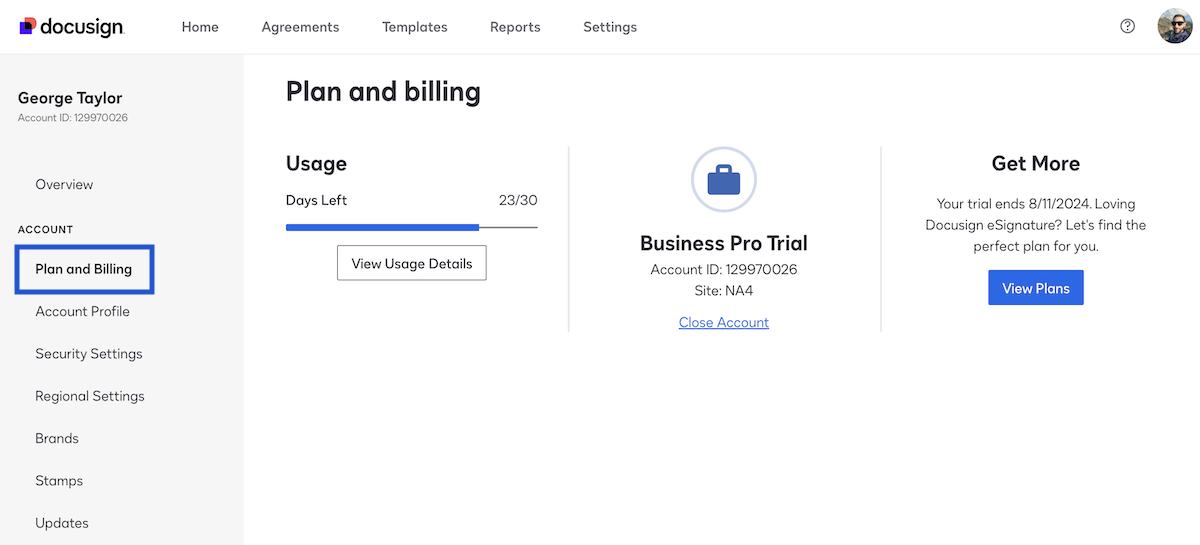
This is your guide to the DocuSign free trial. We break down what it offers. You can test powerful tools without paying upfront. This helps you decide if DocuSign fits your needs.
| Feature | Details | Cost (Trial) |
| Trial Duration | 30 Days | $0 |
| Included Features | Business Pro Plan Access | $0 |
| Credit Card Needed | No | N/A |
| Post-Trial Account | Permanent Free Account | $0 |
| Sending Limits | Potential Envelope Limits | N/A |
No Credit Card Required
You can start your DocuSign free trial no credit card needed. This is a big advantage. It lets you try the service immediately. You do not have to worry about unexpected charges. This lowers the barrier to entry for new users.
The signup process is straightforward. You provide basic contact details. Then you verify your email address. Setting up a password and digital signature is next.
Read also: Sign contract online free in 2026: these 4 tools actually work
This approach makes testing DocuSign easy. It shows confidence in their product. You can explore its capabilities freely.
30-Day Free Trial Access
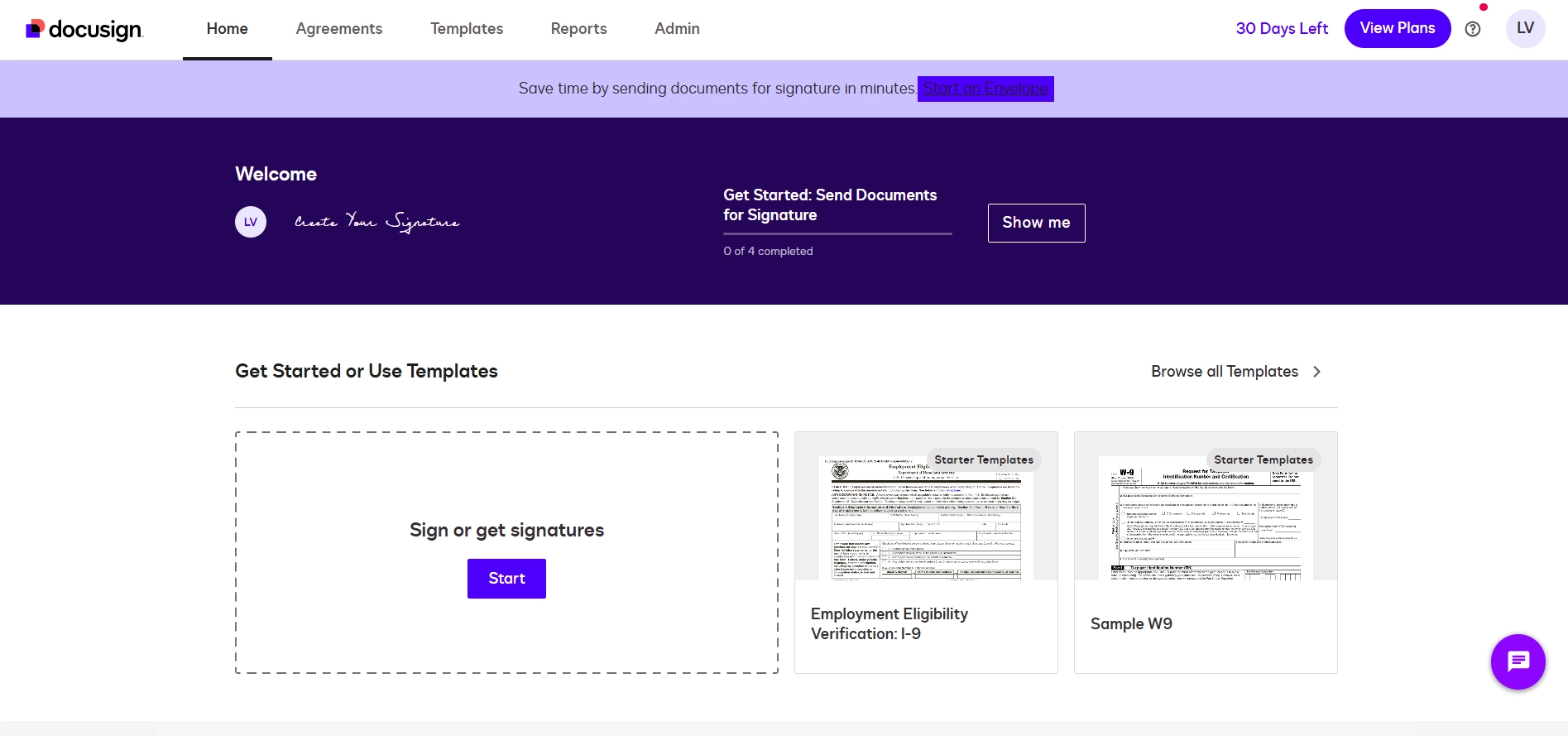
The DocuSign free trial lasts for 30 days. This gives you ample time to test features. You get access to premium tools. These are the same tools in their Business Pro plan. This is a significant benefit for testing.
You can send documents for electronic signature. These signatures are legally binding. You also get a full audit trail. This trail tracks all document activity. It is essential for compliance.
This full access lets you experience the full power. You can see how it works for your workflow. It is a generous offer for evaluation.
Read also: Docuusign: Sign Contracts From Your Phone in Minutes, No Printer Needed
Key Features in the Free Trial
During the DocuSign free trial, you get premium features. These include sending documents for signature. You can also track document status. The audit trail is comprehensive. This ensures security and compliance.
You can customize signature requests. This includes setting deadlines and reminders. These tools help manage your document signing process efficiently. It is designed for active use.
These features allow you to test real-world scenarios. You can see how DocuSign handles your business needs. It is more than just a demo.
Free Trial vs Free Account
Understanding the difference between the free trial and a permanent free account is crucial. The 30-day free trial gives you full sending capabilities. It mimics a paid plan. This allows you to send documents to others for signature.
After 30 days, your account becomes a permanent free account. This free account is for signing documents sent to you. You cannot send documents for signature. It is ideal for receiving and signing. This distinction is important for managing expectations.
The free account is great for personal use. The trial is for testing sending features for business. Knowing this helps you choose the right option.
How to Sign Up for the Free Trial
Signing up for the DocuSign free trial is simple. Go to the official DocuSign trial page. You will need to provide your email address. Then, enter your name and company information. A password and digital signature will be created.
You must verify your email address. Click the link sent to your inbox. This confirms your account. The process is quick and secure. You can start using the trial right away.
The official site guides you through each step. It is designed for ease of use. You can find the signup link at trial.docusign.com.
Free Trial for Business Use
The DocuSign free trial is excellent for business use. It provides the tools needed to send contracts. You can send invoices and agreements. The legally binding signatures are key for business.
Businesses can test the workflow. They can see how it integrates with daily tasks. The audit trail provides necessary documentation. This is vital for legal and operational purposes.
Many companies use the trial to evaluate efficiency gains. It helps them make informed decisions about paid plans. It is a smart way to test new software.
Free Trial Limitations to Know
While the DocuSign free trial offers much, there are limits. You may encounter limits on the number of ‘envelopes’ you can send. An envelope is a package of documents. This is a common limitation in trials. It encourages upgrade for heavy use.
The trial is for 30 days only. After that, you revert to a free account. The free account has restricted sending abilities. Be aware of these constraints. They are designed to encourage conversion to paid plans.
Understanding these limitations helps you plan your testing. You can focus on the core features you need. It is important to know what to expect.
Best Free Trial Alternatives
If DocuSign’s trial doesn’t fit, alternatives exist. Some offer different feature sets or pricing. For example, PandaDoc offers a free plan. It has limitations but allows sending. Adobe Acrobat also has e-signature features. Many offer trials too.
Consider your specific needs. Do you need advanced features? Or just basic signing? Researching alternatives ensures you find the best fit. Compare trial periods and included features carefully. You can learn more about trials at docusign.com/blog.
Exploring options is wise. It ensures you get the most value. Do not settle if another service meets your needs better.
DocuSign Trial: Your Smart Next Step
The DocuSign free trial is a valuable tool. It lets you test essential e-signature features. The 30-day period is generous. No credit card is needed to start.
Remember the transition to a free account. It is different from the trial. Plan your testing accordingly. This trial is your chance to see if DocuSign is right for you. Try it out to make an informed decision.
Read also: Download e Signature Free in 2 Minutes – No Printer Needed
Your 3-Step Action Plan for the DocuSign Free Trial
Step 1: Sign Up Without a Credit Card
Go to the DocuSign website and click ‘Start Free Trial’. Enter your email and basic info—no payment details required.
Verify your email and set up your password and digital signature. This takes less than five minutes.
Step 2: Send Your First Document Right Away
Upload a PDF or Word file and add signature fields where needed. You can send up to five documents during the trial.
Each envelope includes a full audit trail and legally binding signatures. Test the workflow with a friend or colleague.
Step 3: Decide Before Day 30
Your trial automatically converts to a free account that only lets you sign, not send. If you need to keep sending, choose a paid plan before the trial ends.
Compare Business Pro and other plans to match your volume. The free account is perfect if you only receive and sign documents.
What to Avoid
- Don’t ignore the 30-day limit. Mark your calendar so you can decide before losing sending ability.
- Don’t use a work email if you might leave the job. Use a personal email to keep access to your templates and history.
Frequently Asked Questions
Can I extend the free trial beyond 30 days?
No, DocuSign does not offer extensions. After 30 days, your account automatically switches to the free signing-only plan.
You can upgrade to a paid plan at any time to regain sending capabilities.
How many documents can I send during the trial?
There is no hard cap on envelopes, but typical users send 5 to 10. The trial is meant for evaluation, not high-volume use.
If you need to send more, consider a paid subscription from the start.
Is my trial data saved after it ends?
Yes, all sent and signed documents remain accessible in your account. You can still view and download them.
Your templates and settings are also preserved, so upgrading is seamless.
Choosing the DocuSign free trial gives you a risk-free way to test enterprise-grade eSignature features. The 30-day window is generous and requires no credit card.
Now is the time to start your trial and see how it streamlines your document workflow. Send that first envelope today.
In 2026, digital signatures are the new normal for contracts and approvals. Your business will feel more professional and efficient with every click.
