


You have been blocked from a website you need for work. Your IP is flagged, and you cannot access the data you paid for. That is the moment you realize you need a proxy server for sale – not just any proxy, but one that actually works.
Buying a proxy is not complicated. But buying the wrong one wastes money and time. In 2026, the proxy market is full of options, from cheap datacenter IPs to premium mobile networks. The key is knowing which type solves your specific problem.
What to Look for When You Buy Proxy Server for Sale in 2026
The first decision is proxy type. Datacenter proxies are fast and cheap, with prices from $0.57 per GB. Webshare offers some of the lowest bulk rates. But these IPs come from data centers, so some sites block them.
Residential proxies use real IPs from Internet providers. They are harder to block. Prices range from $1.40 to $4.00 per GB. Oxylabs is a top provider, with plans starting at $6 per GB for smaller volumes and dropping to $2.50 for high usage. For static residential IPs, look at ISP proxies, around $2.25 per GB.
Mobile proxies are the most anonymous, using 3G/4G/5G networks. They cost between $3 and $7 per proxy. If you need dedicated IPs, private proxies from Webshare start at $0.825 each. Always check protocol support – SOCKS5 and HTTPs are standard. Proxy-Seller is a reliable option for both.
| Product | Average Price ($) | Highlight |
| NordVPN SOCKS5 Proxy | ~3.39/month | Bundled with VPN subscription, good for basic anonymity. |
| Webshare Datacenter Proxies | ~0.57/GB | Extremely affordable for high volume, fast speeds. |
| Proxy-Seller IPv4 Proxies | ~0.90/IP | Dedicated IPs, good for consistent access. |
| Proxy-Cheap Datacenter Proxies | ~1.00/GB | Cost-effective datacenter solution, reliable. |
| Proxyline ISP Proxies | ~2.25/GB | Static residential IPs from datacenter infrastructure. |
| Oxylabs Residential Proxies (High Volume) | ~2.50/GB | Premium IPs for bypassing restrictions, high success rate. |
| Proxy-Seller Mobile Proxies | ~3.00/Proxy | Leverages 3G/4G/5G networks for maximum anonymity. |
| Oxylabs Residential Proxies (Small Volume) | ~6.00/GB | Entry-level pricing for premium residential IPs. |
| IPRoyal US Proxies | Varies | High uptime (99.9%), optimized for US traffic. |
| Oxylabs Datacenter Proxies | ~1.20/IP | Fast and reliable datacenter IPs for various tasks. |
WHAT REALLY WORKS
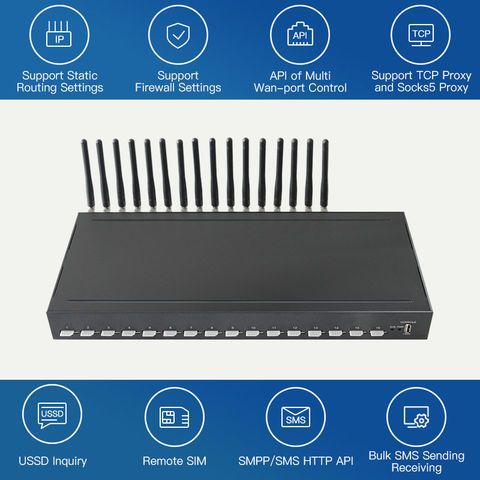
Proxy servers act as intermediaries, masking your real IP address. This is vital for privacy and accessing geo-restricted content. Different proxy types offer unique benefits.
Datacenter proxies are fast and cheap, ideal for bulk tasks. Residential proxies use real IPs, making them harder to detect. Mobile proxies offer the highest anonymity but come at a higher cost.
Buy Proxy Server: Key Factors to Consider
When you buy proxy server options, focus on your specific needs. Consider the proxy type (datacenter, residential, ISP, mobile), protocol (HTTPs, SOCKS5), IP rotation frequency, and the provider’s reputation for uptime and support. Always check the pricing structure for data limits or IP counts.
1. NordVPN SOCKS5 Proxy

This is a bundled service, not a standalone proxy. It offers basic anonymity for specific applications that support SOCKS5.
Average Price: ~3.39/month (with VPN subscription)
Practical Tip: Good for users who already subscribe to NordVPN and need simple IP masking for specific apps.
2. Webshare Datacenter Proxies
Webshare offers some of the cheapest datacenter proxies available. They are fast and suitable for high-volume tasks like web scraping.
Average Price: ~0.57/GB
Practical Tip: Excellent value for money if you need many IPs for data collection. Check their bulk rates.
3. Proxy-Seller IPv4 Proxies

These are private, dedicated IPv4 addresses. They provide stable access and are less likely to be flagged.
Average Price: ~0.90/IP
Practical Tip: Use these for consistent access to websites that might block shared IPs.
4. Proxy-Cheap Datacenter Proxies
Proxy-Cheap provides affordable datacenter proxies. They are a solid choice for general-purpose proxy needs.
Average Price: ~1.00/GB
Practical Tip: A reliable, budget-friendly option for everyday browsing or less demanding tasks.
5. Proxyline ISP Proxies
ISP proxies offer static residential IP addresses sourced from internet service providers. They blend anonymity with stability.
Average Price: ~2.25/GB
Practical Tip: Ideal for tasks requiring stable residential IPs without the high cost of pure mobile proxies.
6. Oxylabs Residential Proxies (High Volume)
Oxylabs is a top residential proxy provider. Their high-volume plans offer competitive pricing for premium IPs.
Average Price: ~2.50/GB
Practical Tip: Use these for advanced web scraping or accessing content with strict geo-restrictions.
7. Proxy-Seller Mobile Proxies
These proxies use real mobile carrier networks (3G/4G/5G). They offer superior anonymity and bypass most blocks.
Average Price: ~3.00/Proxy
Practical Tip: Best for tasks requiring the highest level of anonymity or accessing mobile-specific content.
8. Oxylabs Residential Proxies (Small Volume)
For smaller needs, Oxylabs’ tiered pricing offers access to their extensive residential network.
Average Price: ~6.00/GB
Practical Tip: A good starting point if you need residential proxies but have limited data requirements.
9. IPRoyal US Proxies
IPRoyal focuses on high uptime and quality IPs, especially for the US market. They offer various proxy types.
Average Price: Varies (check their site)
Practical Tip: Excellent for targeting US-specific markets or ensuring consistent connectivity.
10. Oxylabs Datacenter Proxies
Oxylabs also provides fast datacenter proxies. They are a reliable option for speed-intensive tasks.
Average Price: ~1.20/IP
Practical Tip: Use these for rapid data collection or tasks where speed is more critical than IP origin.
WHICH ONE TO BUY TODAY? (VERDICT)
For the best value, Webshare’s datacenter proxies are hard to beat, especially if you need bulk IPs at a low cost. They offer a strong balance of affordability and performance for many common use cases.
If your budget allows and you need top-tier anonymity and access, investing in residential proxies from providers like Oxylabs or IPRoyal is the best long-term strategy. They provide the highest success rates for bypassing complex restrictions.
After You Buy: Your Proxy Checklist
Once your proxy is live, the first thing to do is verify it actually works.
Run a quick IP check on websites like whatismyip.com to confirm the proxy IP appears.
What to Avoid
- Don’t use a shared proxy for sensitive logins—your traffic might mix with others.
- Avoid testing proxies on sites that ban IPs quickly; start with low-risk pages.
Step-by-Step Setup
- Copy the proxy IP, port, username, and password from your provider’s dashboard.
- Enter these details in your browser or app’s proxy settings (look for manual proxy configuration).
- Test with a simple HTTP request using curl or a browser extension to confirm connectivity.
- Check for DNS leaks by visiting dnsleaktest.com while the proxy is active.
If the proxy fails, contact support immediately—most providers offer 24/7 help.
Frequently Asked Questions
Q: Can I use the same proxy for multiple devices?
Yes, but only if your plan allows concurrent connections; check your provider’s limit. Using one proxy across many devices may slow speeds or get you banned.
Q: How do I know if my proxy is leaking my real IP?
Visit a leak test website likeipleak.net while the proxy is active. If your real IP appears, your proxy setup is misconfigured or the proxy type doesn’t support full anonymity.
Q: What should I do if the proxy is too slow?
First, test the speed with a different server location closer to you. If still slow, upgrade to a dedicated proxy or contact your provider for a replacement IP.
Choosing the right proxy server in 2026 means matching your use case to the right type and provider. Datacenter proxies win for speed and cost, while residential proxies offer real-world reliability for geo-sensitive tasks.
Now test your proxy with a few simple checks to ensure it meets your needs. Next, explore our guide on optimizing proxy performance for web scraping.
Imagine a future where every connection feels local and every block disappears. That’s the power of a well-chosen proxy.
