


Is your email address hurting your professional image? Using a free Gmail or Yahoo address can make you look like a small player. It is time to get a domain name for email address that says you mean business.
A custom email address like [email protected] builds instant trust. It shows you are serious and established. In 2026, having a professional email domain is not a luxury; it is a necessity for anyone running a business or freelancing.
Why Your Business Needs a Custom Email Domain
A domain-based email gives you credibility that a generic address never can. When customers see @yourcompany.com, they know you are legitimate. It also helps your emails land in the inbox instead of the spam folder.
Setting up an email with custom domain involves three steps: buy a domain from a registrar like Namecheap, choose an email hosting provider like Google Workspace or Microsoft 365, and configure DNS records. The key records are MX for mail routing, SPF to prevent spoofing, and DKIM for encryption. This setup ensures reliable delivery and protects your brand.
Your Email, Your Brand: Mastering Domain Names in 2026
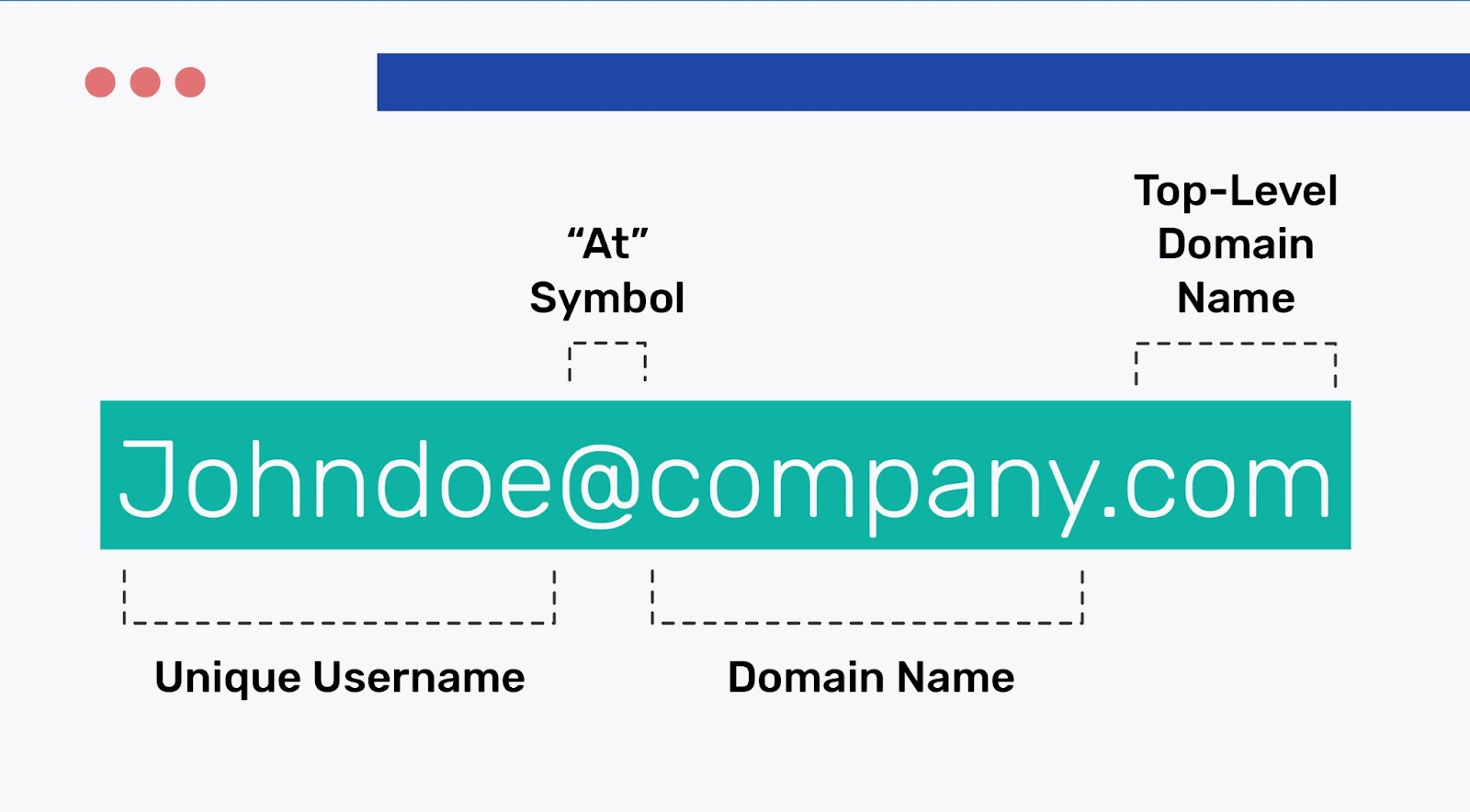
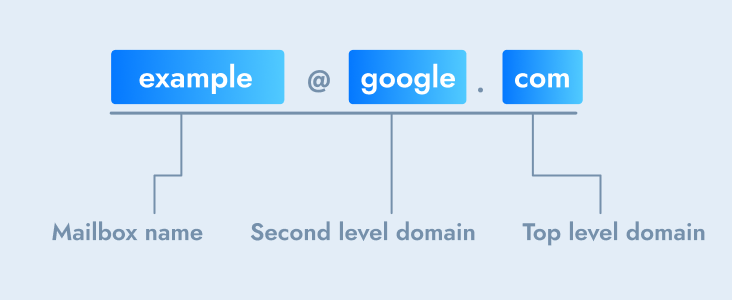
An email domain name is your unique digital address after the ‘@’. It shows who you are online. Generic emails like @gmail.com are fine for personal use. But a custom domain like @yourcompany.com builds trust. It makes you look professional. It keeps your brand consistent everywhere you communicate. This guide shows you how to get one.
| Service | Average Cost (USD/Year) | Key Benefit |
|---|---|---|
| Domain Registration | $10 – $20 | Secures your unique web address. |
| Email Hosting (Basic) | $50 – $100 | Powers your professional email. |
| Email Hosting (Advanced) | $100 – $200+ | Adds collaboration and security features. |
Brand Your Identity
A custom email address is essential for branding. It’s your digital business card. Your name or company name becomes your email address. This is how you create a strong, memorable online presence. This is vital for building recognition.
Real Business Advantages
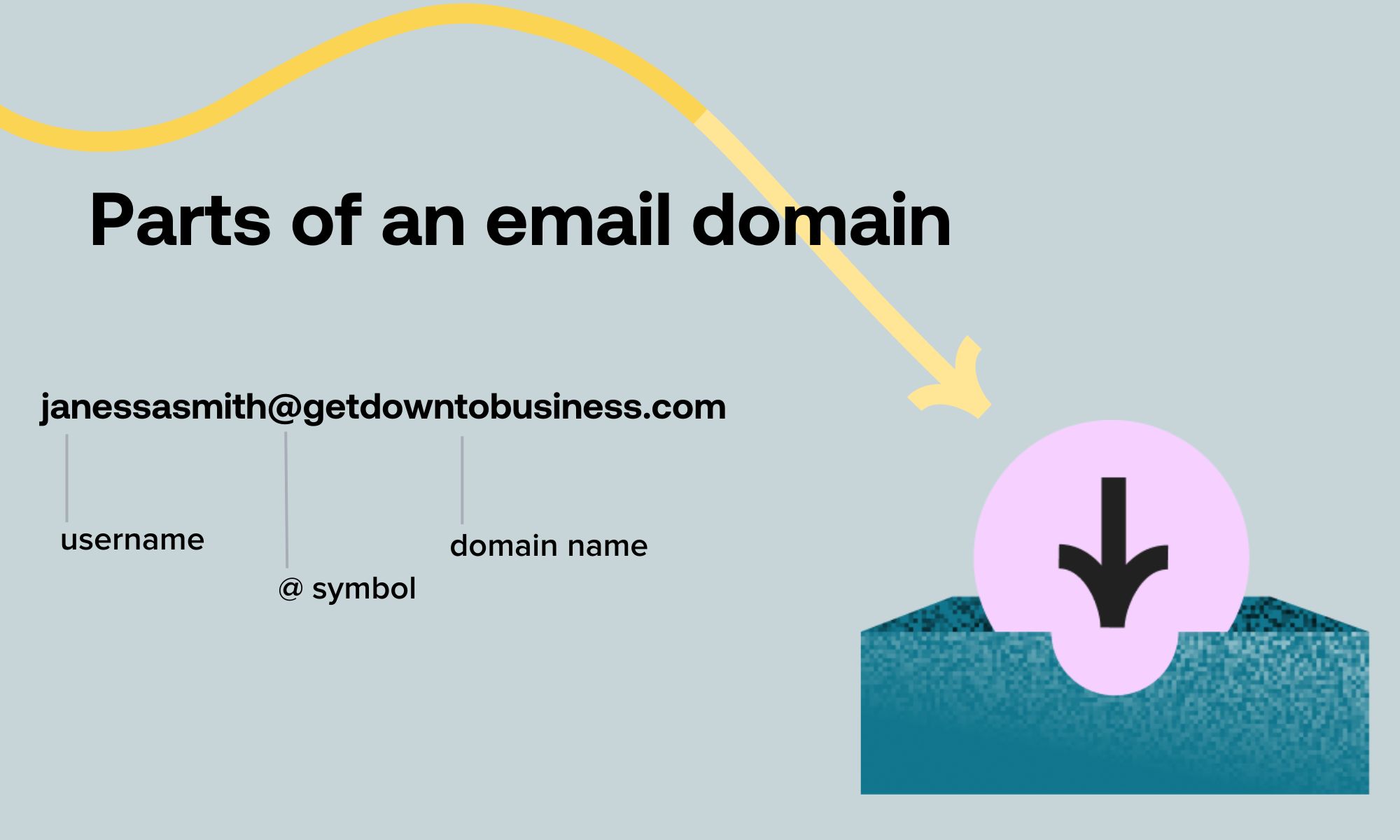
Using a business email domain offers many benefits. It boosts your credibility instantly. Customers see you as more serious. It ensures your brand name is always visible. You can move email providers later without changing your address. This gives you flexibility.
Read also: Bluehost Domains: What Renewal Really Costs You
Setting Up Professionalism
Getting a professional email address is straightforward. You register a domain name. Then, you connect it to an email hosting service. Finally, you configure important settings. This process ensures your emails are delivered reliably. It also helps prevent spam filters.
Own Domain vs. Free Email
Free email accounts are easy to get. But they lack professional polish. An own domain email shows you invest in your business. It separates you from casual users. This distinction is important for serious clients. It builds immediate trust.
Credibility Through Your Domain
A domain-based email signals legitimacy. It tells people you are a real business. This is crucial for first impressions. It helps potential customers feel secure. They are more likely to engage with you. This is a smart investment.
Email with Custom Domain Explained
An email with a custom domain works like this: You buy a domain, like ‘yourname.com’. Then, you use a service like Google Workspace or Microsoft 365. They host your email. Your address becomes something like ‘[email protected]’. This makes communication seamless and professional.
Read also: Domain Name Purchasing Made Easy: Where to Get the Best Price
Set Up Email with Domain Quickly
Setting up email with a domain can be fast. Most registrars and hosts offer guided setups. You can often be operational within an hour. This speed means you can start communicating professionally right away. Don’t delay your professional image.
Get Your Business Email Account
Ready to get a business email account? Start by choosing a domain name. Then, select an email hosting provider. Many affordable options exist for 2026. This step is key to enhancing your professional image. Take action today.
Read also: Your .com Is Taken? Domain Name Bluehost Fixes That Now
Your 3-Step Action Plan for a Custom Email Domain
Step 1: Buy Your Domain
Choose a domain that matches your business or personal brand. Keep it short and easy to spell.
Step 2: Pick an Email Host
Select a provider like Google Workspace or Microsoft 365. This gives you reliable delivery and support.
Step 3: Set Up DNS Records
Add MX, SPF, and DKIM records to prove you own the domain. This stops your emails from landing in spam.
Frequently Asked Questions
Can I use my own domain with Gmail for free?
Yes, through Google Workspace, but it requires a monthly subscription. Free options exist, but they often lack support or reliability.
How long does it take to set up a custom email domain?
DNS changes can take up to 48 hours to fully propagate. Most providers guide you through the process in under an hour.
What is DMARC and do I need it?
DMARC protects your domain from email spoofing. It is recommended for businesses to ensure brand security and deliverability.
Choosing a custom email domain is a smart investment in your professional image. It demonstrates credibility and control over your communications.
Start by securing a domain name that reflects your identity. Then pair it with a trusted email host to enjoy seamless, branded messaging.
Your email address is often the first impression you make. Make it count with a domain that speaks to your unique style and purpose.
