


You’ve probably heard that getting a domain is easy, but the real headache starts when you realize how much it costs to renew. Bluehost domains promise a low first-year price, but many people get hit with surprise fees later. Let’s cut through the confusion and show you exactly what you’ll pay and what you get.
Bluehost isn’t just a hosting company anymore; it’s a full domain registrar with hundreds of extensions, from .com to .ai. The key is knowing which TLD fits your project and how to avoid overpaying. We’ll cover the domain checker tool, pricing, privacy options, and the free domain offer so you can make a smart choice.
Bluehost Domain Checker and Pricing: What You Need to Know in 2026
Bluehost’s domain name generator helps you find available names across popular extensions like .com, .net, and .org. The first-year cost for a standard .com is typically around $12.99, but renewal jumps to about $17.99 annually. Specialty domains like .ai can cost over $50 per year, so always check the renewal price before you buy.
When you use the Bluehost domain checker, you’ll see a list of suggested names and extensions. The tool also shows if a domain is premium, which means a higher price. To avoid surprises, look for the ‘Renewal Price’ note next to each option. That’s your real cost.
Bluehost Domains in 2026: Your Online Address
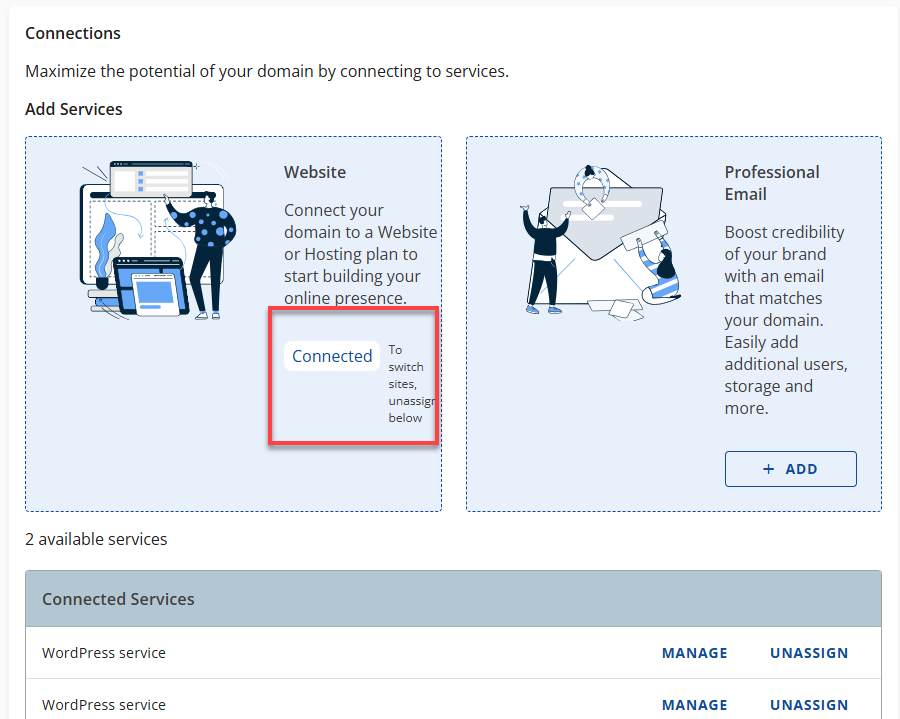
Bluehost remains a top choice for getting your website address. They offer domain registration. You can buy a domain alone or with hosting. This guide breaks down what you need to know.
| Service | First Year Cost (Est.) | Renewal Cost (Est.) | Notes |
| Standard Domain (.com, .net, .org) | $10 – $15 | $12.99 – $19.99 | Promotional rates apply. |
| Specialty Domains (.tech, .website) | Varies | Varies | Check Bluehost for current pricing. |
| .ai Domain | $50+ | $50+ | Premium TLDs are more expensive. |
| Free Domain | $0 | $12.99 – $19.99 | With 12 or 36-month hosting plans. |
| WHOIS Privacy + Protection | $0 – $15/year | $0 – $15/year | Free with select hosting plans. |
Check Availability Instantly.
Use the Bluehost domain checker. It’s a simple tool. It helps you see if your desired name is open. This is the first step to buying a domain.
Know Your Budget.
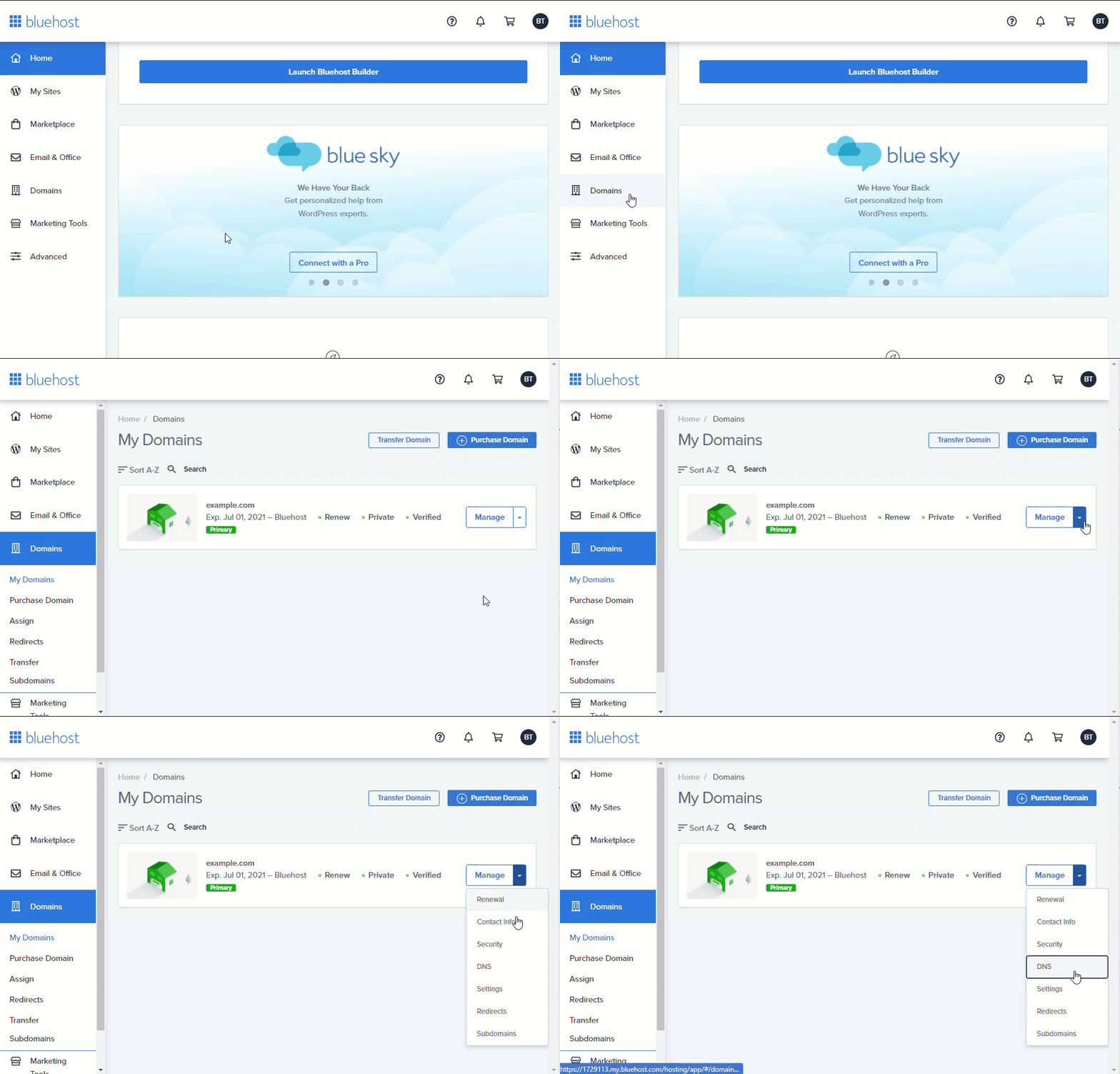
Bluehost domain pricing varies. Standard domains like .com are affordable. Expect around $10 to $15 for the first year. Renewal costs are higher, typically $13 to $20 annually. This covers their service and the TLD registry fee. Understanding these Bluehost domain renewal costs prevents surprises.
Read also: Your .com Is Taken? Domain Name Bluehost Fixes That Now
Get a Free Domain.
Bluehost offers a free domain. This is for the first year. You get it when you buy hosting. Choose a 12 or 36-month hosting plan. It’s a great way to save money initially.
Register Your Domain.
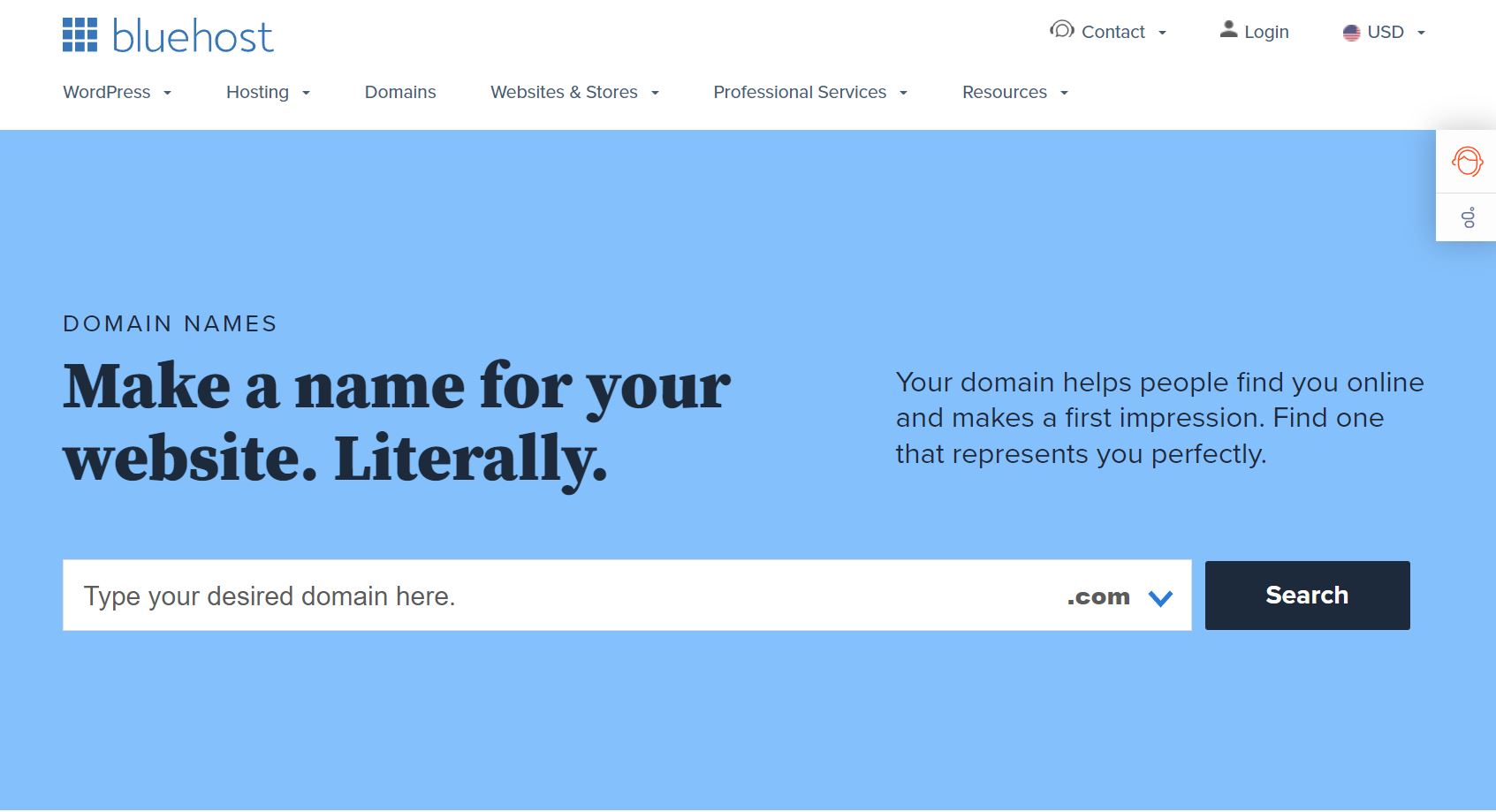
Registering a domain with Bluehost is easy. Use their website or dashboard. You can search for your name. Then, follow the steps to buy domain Bluehost offers. The process is designed to be quick.
Explore Domain Extensions.
Bluehost has many domain extensions. You can get traditional .com, .net, or .org. They also offer newer ones. Look for .tech or .website. The popular .ai domain is also available. These Bluehost domain extensions help you stand out.
Protect Your Identity.
Bluehost domain privacy is important. It hides your personal information. This data is usually public in WHOIS. WHOIS Privacy + Protection stops spam. It also prevents unwanted contact. This is a key Bluehost domain privacy feature.
Read also: I Need a Business Email Address – Here’s the Cheapest Way to Get One
Move Your Domain.
You can transfer your domain to Bluehost. If you have a domain elsewhere, move it. Bluehost makes the Bluehost domain transfer process smooth. This consolidates your services. It’s often done through your account dashboard.
Plan for Renewals.
Domain renewal is crucial. Always check the renewal price. Auto-renewal is often on by default. This prevents accidental loss of your domain. Set a reminder if you disable it. Bluehost domain renewal fees are standard.
Key takeaway: Bluehost simplifies getting your domain. Understand the costs, especially renewals. Protect your information with privacy options. This sets a strong foundation for your website.
For more details on pricing, check G2 Bluehost Pricing.
Learn more about their domain services from TechRadar reviews.
Your Domain, Your Digital Home
In 2026, choosing the right domain is vital. Bluehost offers a user-friendly platform. They provide many options for domain names. Consider the long-term renewal costs. Privacy protection is a smart investment. Use their tools like the domain name generator. This helps you find a great web address. Always ensure your domain is secure and managed properly.
Your 3-Step Domain Action Plan
Step 1: Brainstorm with the AI Generator
Head to Bluehost’s Domains Dashboard and open the Domain Name Generator. Type in a few keywords related to your brand or idea.
The AI will suggest hundreds of combinations across different TLDs. Pick the ones that are easy to spell and remember.
Step 2: Choose Your TLD Wisely
Stick with .com if you want the most trust and recognition. For a tech or startup vibe, consider .io or .ai.
Watch out for renewal prices: specialty TLDs like .ai can cost over $50 per year. Always check the renewal rate before you buy.
Step 3: Enable Privacy Protection
Add WHOIS Privacy + Protection to keep your personal contact info hidden from the public. This prevents spam and identity theft.
Bluehost offers it free with higher-tier hosting plans. If you buy domain only, it’s a small fee well worth the peace of mind.
Frequently Asked Questions
Can I transfer my existing domain to Bluehost?
Yes, Bluehost supports domain transfers. You’ll need to unlock your domain at your current registrar and get an authorization code.
The transfer process usually takes 5–7 days. Bluehost extends your registration by one year for free.
What happens if I forget to renew my domain?
Bluehost has Auto-Renewal enabled by default, so your domain renews automatically. If it fails, you get a 30-day grace period to renew at the standard rate.
After that, the domain enters a redemption period with higher fees. After 30 more days, it becomes available for anyone to register.
Is WHOIS Privacy really necessary?
Yes, without it your name, address, phone, and email are publicly listed. This leads to spam calls, phishing attempts, and identity theft risks.
Bluehost’s WHOIS Privacy + Protection replaces your info with proxy details. It’s a small cost for major security benefits.
Bluehost’s domain registration combines ease of use with essential security features. Whether you’re a beginner or a pro, their AI tools and transparent pricing make starting your online presence straightforward.
Now it’s time to take action: head over to Bluehost, use the AI Domain Name Generator, and secure your perfect domain today. Pair it with a hosting plan to get the first year free.
Imagine your brand growing with a domain that’s both memorable and protected. Your online journey starts with a single, smart choice.
