


You’re losing money every month if your WooCommerce store doesn’t offer subscriptions. Customers want convenience, and recurring billing is the easiest way to build a predictable income stream. But choosing the wrong plugin can cost you sales and frustrate your buyers.
The good news: 2026 has powerful, affordable tools that make subscriptions simple. Whether you sell physical products, digital downloads, or membership access, there’s a solution that fits your budget and technical skill level. Let’s cut through the noise and find the right plugin for your business.
Top WooCommerce Subscription Plugins for Recurring Revenue in 2026
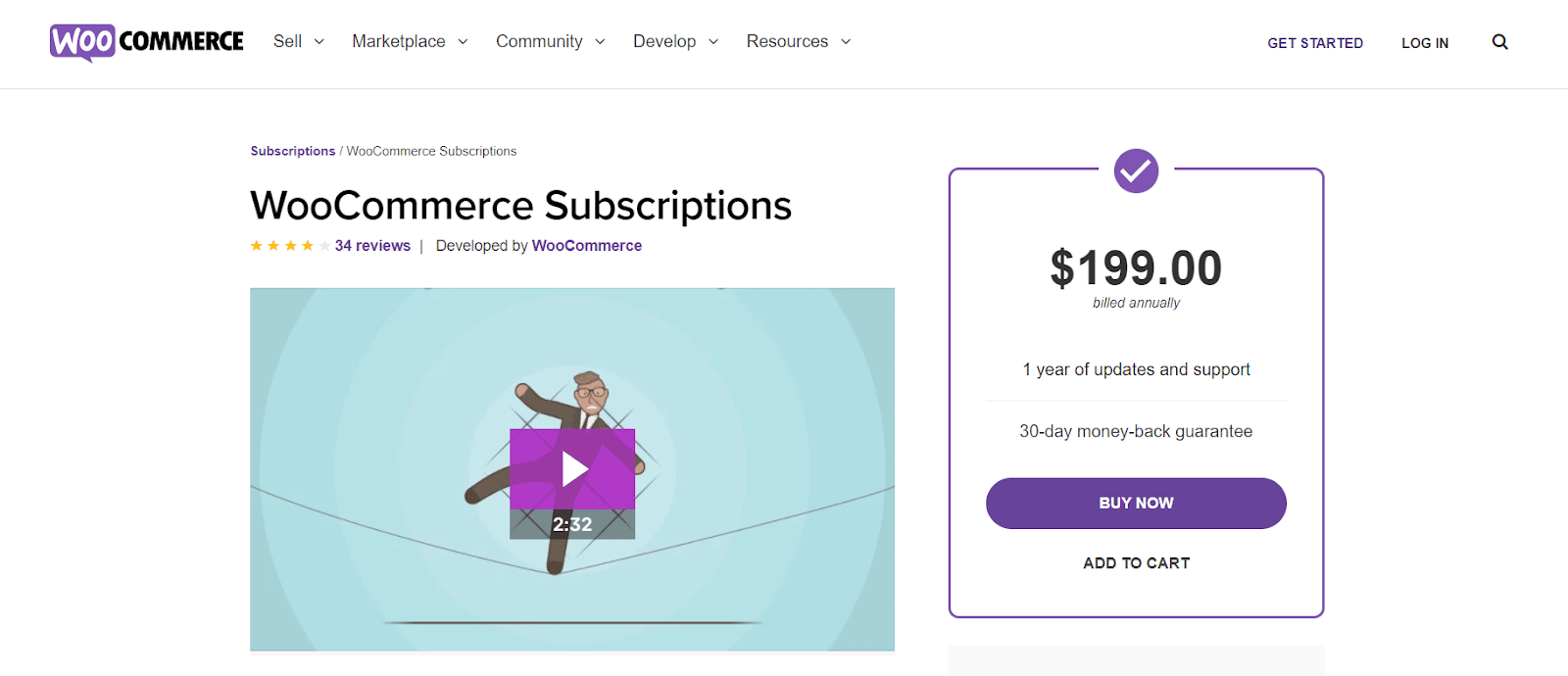
The official WooCommerce Subscriptions plugin is the industry gold standard at $279 per year. It handles free trials, sign-up fees, and proration seamlessly. For a budget-friendly alternative, YITH WooCommerce Subscription offers a capable free version for simple products, with a premium upgrade for variable items and advanced management.
If you need a low-cost Pro option, Subscriptions for WooCommerce by WP Swings costs around $69/year and includes subscription boxes and automated payment retries. SUMO Subscriptions is a standout with its one-time purchase model at just $49. For content-based recurring revenue, integrate with WooCommerce Memberships to control access to posts, videos, or downloads.
Don’t forget the All Products for WooCommerce Subscriptions add-on ($99) to enable ‘Subscribe & Save’ on any product. And always pair your plugin with a payment gateway that supports recurring billing, like Stripe or PayPal. These tools are proven to boost customer retention and stabilize your cash flow.
Mastering WooCommerce Subscriptions in 2026: Your Expert Guide
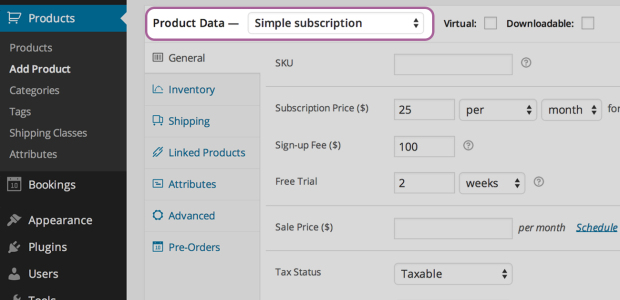
In 2026, the WooCommerce ecosystem offers powerful tools for businesses wanting to implement subscription models. These solutions cater to a wide range of needs and budgets, making recurring revenue accessible. The official WooCommerce Subscriptions plugin is still the top choice, packed with features for trials, sign-up fees, and payment syncing. It costs about $279 annually.
For those exploring alternatives, several other plugins provide strong capabilities. YITH WooCommerce Subscription offers a free version for basic needs and a paid upgrade for more complex products. WP Swings’ Subscriptions for WooCommerce is a budget-friendly option, with a Pro version around $69 per year that includes features like subscription boxes. SUMO Subscriptions is notable for its one-time purchase price of about $49. Even newer plugins like Subre provide essential features for flexible renewals and notifications. Integrating with WooCommerce Memberships is also key for content-based recurring revenue, offering control over access. The All Products for WooCommerce Subscriptions add-on, at $99, is crucial for adding ‘Subscribe & Save’ to existing products. Ensure your chosen payment gateway, like Stripe or PayPal, supports recurring billing for a smooth operation.
| Plugin Name | Annual Cost (Approx.) | Key Features | Link |
| WooCommerce Subscriptions | $279 | Free trials, sign-up fees, synchronized payments, proration | Details |
| YITH WooCommerce Subscription | Free/Premium | Basic free tier, advanced options for variable products | Details |
| Subscriptions for WooCommerce by WP Swings | $69 (Pro) | Subscription boxes, automated payment retries | Details |
| SUMO Subscriptions | $49 (One-time) | Affordable one-time purchase | N/A |
| Subre | Varies | Customizable notifications, flexible renewals | N/A |
| WooCommerce Memberships | Varies | Content access control for recurring revenue | Details |
| All Products for WooCommerce Subscriptions | $99 | Enables ‘Subscribe & Save’ on existing products | N/A |
WooCommerce Recurring Payments Setup
Setting up WooCommerce recurring payments requires careful planning. You need to decide on your billing cycle, whether it’s weekly, monthly, or yearly. This choice directly impacts customer expectations and your cash flow. Ensure your product is configured correctly for recurring billing within WooCommerce.
Read also: Hire a WooCommerce Web Developer to Fix Your Slow Store in 2026
This setup involves defining the subscription price, the renewal period, and any initial trial periods. It’s vital to test this thoroughly before going live. A common mistake is overlooking the renewal process, which can lead to customer frustration and lost revenue.
The foundation of successful recurring revenue is a seamless and automated payment process.
Consider how you will handle failed payments. Most subscription plugins offer automated retry mechanisms, which are essential for minimizing churn. This feature is a cornerstone of effective WooCommerce recurring payments management.
Subscription Box Plugins for WooCommerce
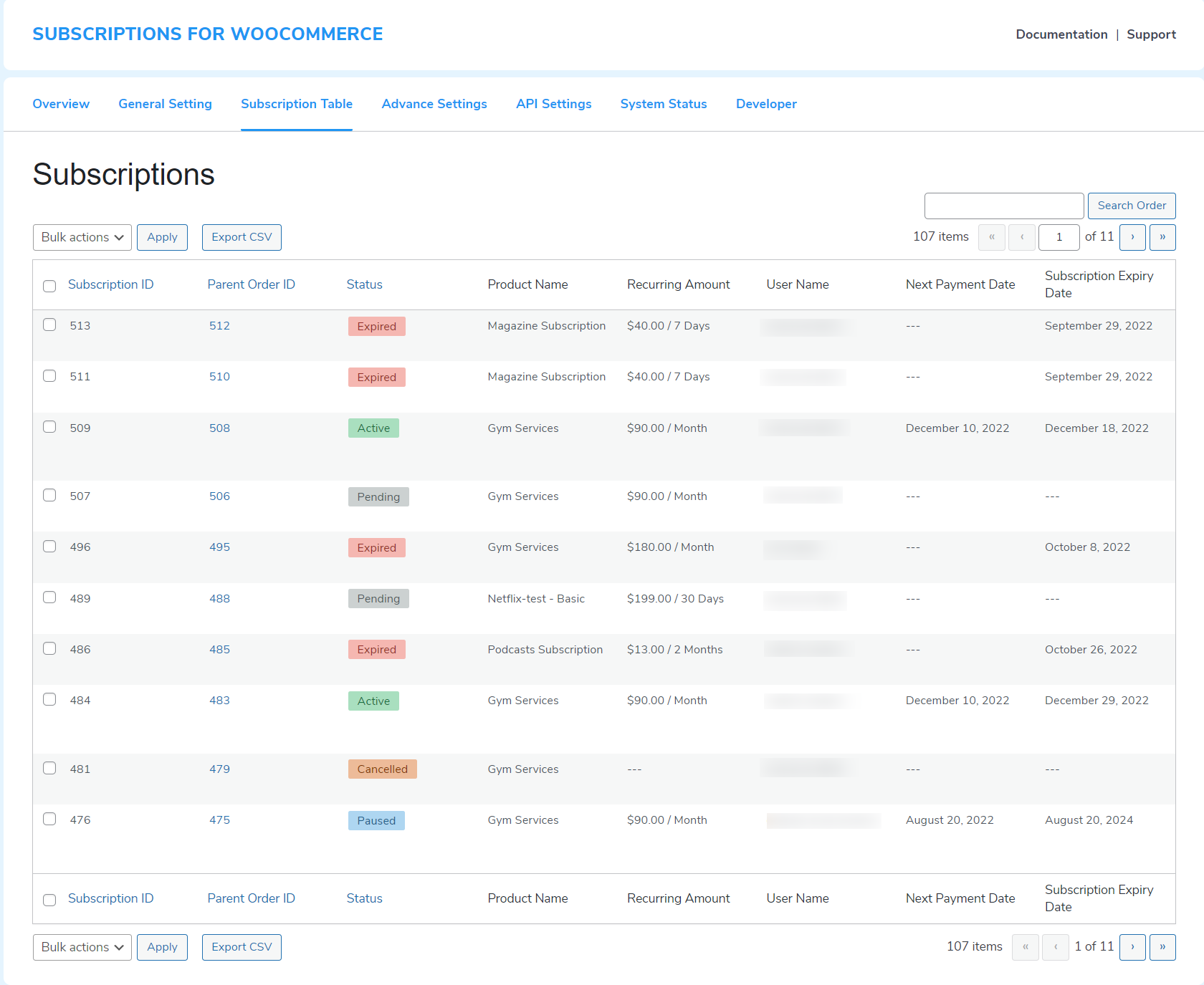
Subscription box plugins are transforming e-commerce by allowing businesses to offer curated product selections on a recurring basis. These plugins are perfect for businesses in beauty, food, or hobby niches. They add an element of surprise and delight for the customer.
Plugins like Subscriptions for WooCommerce by WP Swings specifically offer features tailored for subscription boxes. This includes managing different product combinations and ensuring timely delivery. Implementing a subscription box model can significantly boost customer loyalty and predictable income.
When choosing a plugin, look for features that allow easy product management and customization. Customers appreciate being able to tailor their box contents or skip a month. This flexibility is key to long-term customer retention strategies WooCommerce businesses can employ.
Automated Subscription Renewals in WooCommerce
Automated subscription renewals are the backbone of any recurring revenue model. They ensure that customers are billed automatically at the end of their subscription period without manual intervention. This automation reduces administrative overhead and prevents missed payments.
WooCommerce Subscriptions, the premium plugin, excels in this area. It handles renewals seamlessly, including managing different subscription lengths and renewal dates. This reliability is crucial for maintaining a consistent revenue stream and positive customer experience.
It’s important to configure notification emails for upcoming renewals. Customers should be informed before their card is charged. This transparency builds trust and reduces disputes. Proper setup of automated subscription renewals is non-negotiable for e-commerce recurring billing.
WooCommerce Payment Gateways for Subscriptions
Selecting the right payment gateways is critical for successful WooCommerce subscription management. Not all gateways support recurring billing, which is essential for subscription services. Stripe and PayPal are widely supported and offer robust recurring payment features.
Ensure your chosen gateway integrates smoothly with your subscription plugin. This integration handles the secure storage of payment information and the automatic charging of customers. A reliable payment gateway prevents transaction failures and protects sensitive customer data.
Compatibility with major payment providers is a prerequisite, not an option, for subscription businesses.
Consider transaction fees and currency support. These factors can impact your profitability, especially with international customers. Always verify the gateway’s capabilities for handling subscription payments directly with the provider.
Membership Site Plugins for WooCommerce
For businesses offering exclusive content or services, membership site plugins for WooCommerce are indispensable. These plugins, like WooCommerce Memberships, allow you to restrict access to certain products, pages, or content based on subscription level.
This model is ideal for online courses, private communities, or premium digital content. It creates a strong value proposition for subscribers, encouraging long-term commitment. The ability to create tiered memberships adds further flexibility.
When setting up a membership site, clearly define the benefits of each membership tier. This helps customers understand the value they receive. Integration with subscription plugins ensures that access is automatically granted or revoked based on payment status.
Digital Product Subscriptions in WooCommerce
Offering digital products via subscription opens up a vast market for software, e-books, or online courses. WooCommerce handles digital products natively, and subscription plugins extend this capability for recurring deliveries or access.
Plugins like WooCommerce Subscriptions allow you to set up recurring payments for digital downloads or access to online content. This is perfect for SaaS subscription models or ongoing access to premium resources. The key is to ensure the delivery or access mechanism is automated and reliable.
Consider the licensing and delivery of digital goods. For software, you might need license key management. For content, ensure continuous access is granted. This ensures a smooth customer journey for digital product subscriptions in WooCommerce.
Physical Product Subscriptions with WooCommerce
Physical product subscriptions, such as curated boxes or replenishment items, require careful logistical planning. WooCommerce, combined with a robust subscription plugin, can manage these recurring orders efficiently.
You’ll need to consider inventory management, shipping, and fulfillment processes. Plugins can help automate order generation for physical product subscriptions with WooCommerce, but the physical aspects require your operational focus. Ensure your chosen plugin supports variable shipping costs if needed.
Customer communication regarding shipping updates is vital. A common pitfall is poor communication about delivery timelines. Providing tracking information and clear shipping policies enhances the customer experience significantly.
Free Trial Subscription Models in WooCommerce
Free trial subscription models are a powerful customer acquisition tool. They allow potential customers to experience your product or service before committing to a purchase. This reduces the perceived risk for the buyer.
WooCommerce Subscriptions offers built-in support for free trials. You can set a trial duration, after which the customer is automatically charged. This transition must be clearly communicated to the user during sign-up.
Offering a free trial can dramatically increase conversion rates, but it must be managed strategically.
Be aware of potential abuse, such as customers signing up for multiple free trials. Implement measures to mitigate this, like limiting trials per customer. The goal is to convert trial users into paying subscribers.
The Future of WooCommerce Subscriptions in 2026
In 2026, the WooCommerce subscription landscape continues to evolve, driven by demand for predictable revenue and customer loyalty. Expect further integration with advanced analytics and AI-powered personalization tools. The focus will remain on simplifying setup and enhancing the customer experience for both physical and digital products.
Businesses that leverage these robust WooCommerce recurring payments solutions will be best positioned for sustained growth. The flexibility offered by various plugins, from budget-friendly options to premium feature-rich platforms, ensures that almost any business can implement a successful subscription model. Mastering these tools is key to unlocking long-term success in the e-commerce space.
Your 3-Step Action Plan to Launch Subscriptions Today
Step 1: Choose Your Foundation
Decide between the official WooCommerce Subscriptions plugin ($279/year) or a budget-friendly alternative like SUMO Subscriptions ($49 one-time). Your choice depends on whether you need advanced features like synchronized payments or basic recurring billing.
Step 2: Set Up Your First Subscription Product
Create a simple subscription product for a physical good, such as a monthly coffee delivery. Configure the billing period, trial length, and sign-up fee within the plugin settings.
Step 3: Integrate Payment Gateways and Test
Connect Stripe or PayPal to handle recurring payments automatically. Run a test purchase using a sandbox credit card to verify the renewal flow works without errors.
What to Avoid
- Don’t skip proration settings if you offer multiple billing cycles, as this leads to revenue leakage.
- Avoid using a payment gateway that doesn’t support subscriptions, which causes failed renewals.
Frequently Asked Questions
Can I use WooCommerce Subscriptions for digital products like online courses?
Yes, it works seamlessly for digital downloads and access-controlled content. Pair it with WooCommerce Memberships to restrict course access based on active subscriptions.
What happens if a customer’s payment fails?
Most plugins automatically retry the payment after a few days. You can customize the retry schedule and send email reminders to the customer.
Do I need coding skills to set up subscriptions?
No, all major plugins provide a user-friendly interface within WordPress. You simply configure options like price and billing interval without writing code.
Choosing the right subscription plugin is the cornerstone of a predictable recurring revenue stream. With options from the official WooCommerce Subscriptions to cost-effective alternatives, you can build a system that fits your business perfectly.
Now it’s time to pick a plugin and set up your first subscription product. Start with a free trial or test environment to ensure everything runs smoothly before going live.
Imagine your customers receiving their curated box each month, knowing they trust your brand for consistency. This is the future of e-commerce—loyalty built through reliable, automated service.
