


You have your eligibility ID ready, but the exam date keeps slipping away because the scheduling process feels like a maze. You are not alone. Thousands of candidates get stuck at this exact point every day.
ProScheduler from Prometric is the tool you need, and it is easier than you think. This platform lets you book, reschedule, or confirm your appointment in just a few clicks. No more phone calls or waiting on hold.
What Is ProScheduler and How Does It Work for Prometric Exams?
ProScheduler is Prometric’s own online system for managing exam appointments. You can search for open test center slots or remote proctoring windows without even entering a scheduling number first. The system shows real-time availability so you can pick the date and location that work for you.
Once you select a slot, you will need your Eligibility ID or Candidate ID from your testing sponsor to finalize the booking. Payment for exam fees and any rescheduling charges is handled securely inside the portal. After booking, you get an immediate confirmation email with all the details.
If you need to change your appointment, log back into ProScheduler. You will need your confirmation number and the first four letters of your last name. Keep in mind that rescheduling may cost extra, and the fee will show before you confirm the change.
Mastering Your Prometric Exam Scheduling with ProScheduler
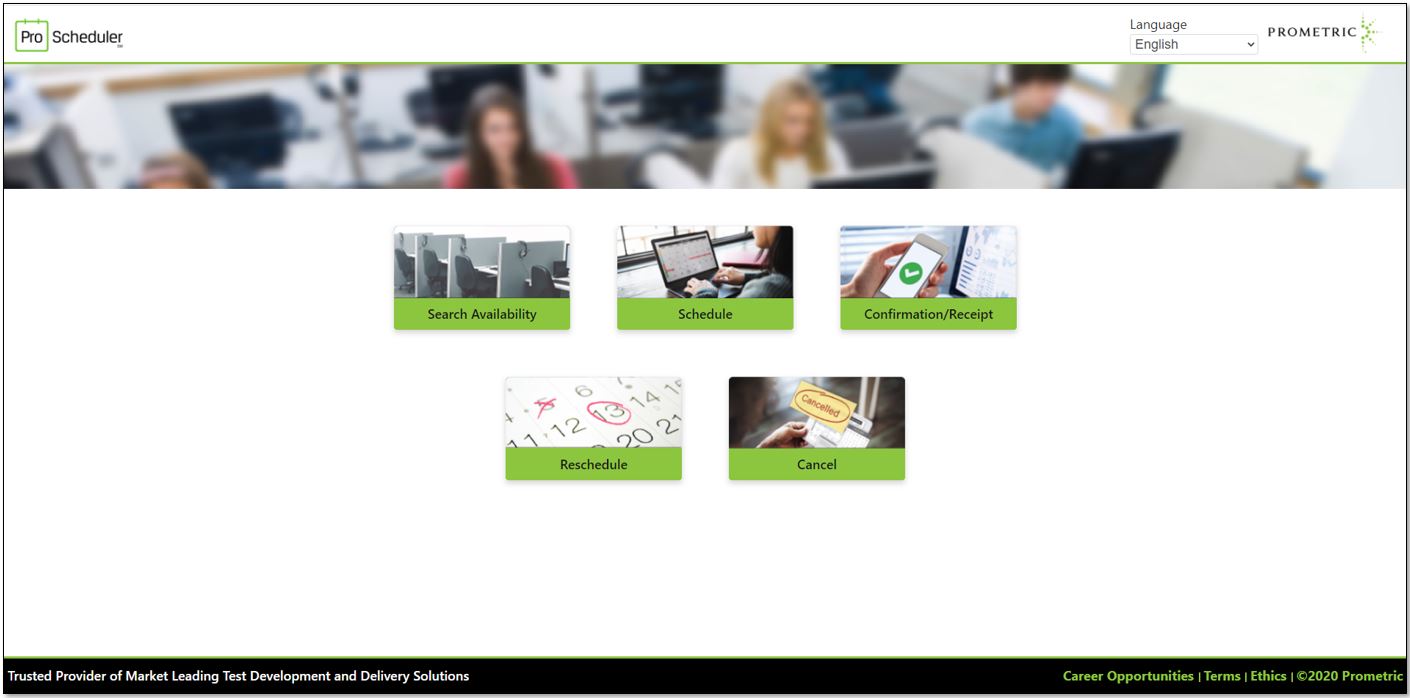
Navigating the process of scheduling professional certification and licensure exams can feel complex. Prometric’s ProScheduler platform is designed to simplify this critical step for candidates. It acts as your central hub for managing exam appointments, from the moment you decide to book until your exam day.
This online system streamlines everything, allowing you to find available test center slots or remote proctoring times with ease. You can schedule new exams, confirm your details, and even make changes if needed, all within a user-friendly interface. Understanding how to use ProScheduler effectively ensures a smooth start to your examination journey.
| Feature | Description |
|---|---|
| Platform | ProScheduler by Prometric |
| Purpose | Manage certification and licensure exam appointments |
| Key Functions | Scheduling, rescheduling, cancellation, confirmation |
| Availability Search | Real-time test center and remote proctoring slots |
| Requirements | Often requires Eligibility ID or Candidate ID from sponsor |
| Remote Option | Integrates with ProProctor application |
| Support | Wide range of professional and academic exams |
How to Schedule a Prometric Exam
To begin, you must first identify your specific exam program on the Prometric Test-Takers page. This step is crucial as it often requires an Eligibility ID or Candidate ID provided by your testing sponsor. Once you have this information, you can proceed to the ProScheduler platform to search for available dates and times. The system displays real-time availability, allowing you to select a convenient slot. After choosing your appointment, you will receive an immediate confirmation via email, detailing all your exam information. This efficient process ensures you are set for your examination without unnecessary delays.
Prometric Rescheduling Policy Explained
Life happens, and sometimes you need to adjust your exam date. Prometric allows for rescheduling, but it’s important to be aware of their policy. Typically, you will need your confirmation number and the first four characters of your last name to access and modify an existing appointment. Be prepared that fees may apply for rescheduling, which will be clearly indicated during the process. It is always best to check the specific terms for your exam program to understand any limitations or charges. Prompt action is key when changes are needed to avoid forfeiting your exam fee.
For rescheduling or cancellations, you generally need your confirmation number and the first four characters of your last name. Always check for applicable fees during the process.
Check Prometric Test Center Availability
Finding a test center that fits your schedule is a core function of ProScheduler. The platform provides a real-time search for available slots at various test centers. You can browse by location and date to see when appointments are open. This feature helps you plan ahead and secure a spot that works best for you. It is advisable to check availability early, especially for popular exams or during peak testing seasons, to ensure you get your preferred date and time.
Prometric Candidate Login Steps
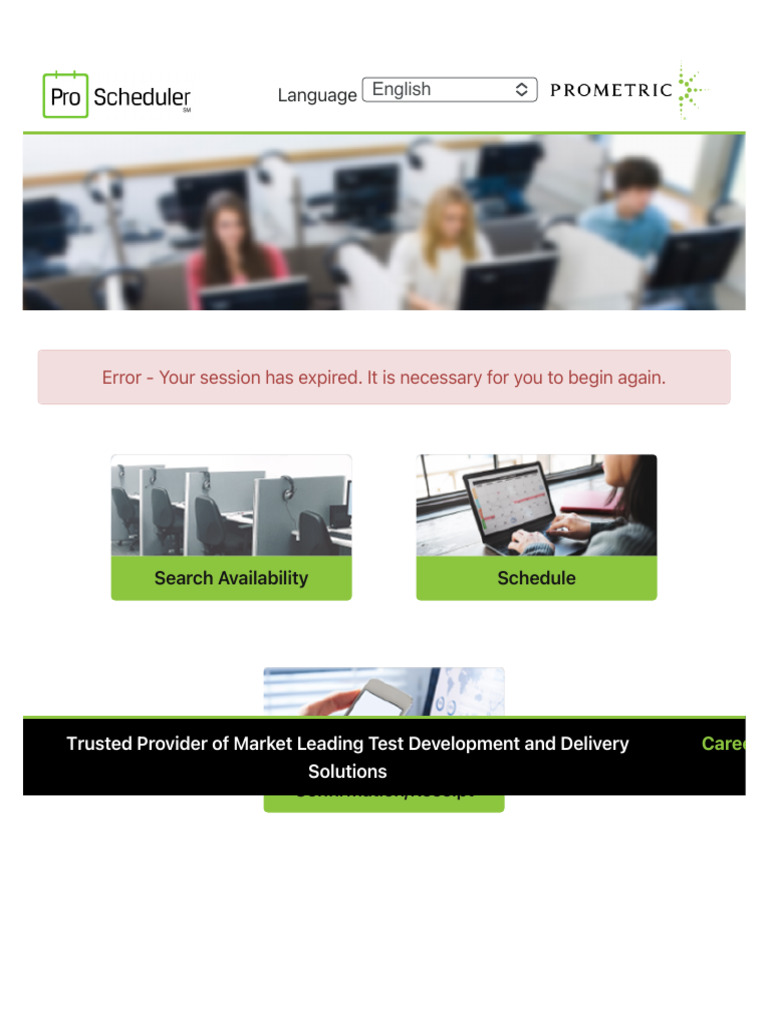
Accessing your account on the Prometric portal is straightforward. You will typically use the credentials provided by your testing sponsor or those you set up during your initial registration. Once logged in, you can view your upcoming appointments, access study materials if available, and manage your exam details. If you encounter any issues with your Prometric candidate login, the support section on the Prometric website usually offers troubleshooting steps or contact information for assistance.
ProProctor Scheduling for Remote Exams
For those opting for remote testing, ProScheduler integrates seamlessly with the ProProctor application. This allows you to schedule your exam to be taken from the comfort of your home or office, with AI-powered remote proctoring. When scheduling, you will select the remote option and choose from available proctoring windows. Ensure your computer meets the system requirements for ProProctor before booking. This flexibility offers a convenient alternative to traditional test centers, expanding access to examinations.
Remote exams via ProProctor offer flexibility, but always verify system requirements beforehand.
Prometric Appointment Confirmation Guide
Upon successfully scheduling your exam, Prometric sends an email confirmation. This document is vital as it contains all the essential details of your appointment, including the date, time, location, and any specific instructions. It is recommended to print this confirmation or save it digitally for easy access on your exam day. If you misplace your confirmation, ProScheduler allows you to resend it at any time through your candidate portal. Always double-check the details for accuracy.
Understanding Prometric Exam Fees
The cost of taking an exam through Prometric can vary significantly depending on the certifying body and the specific examination. When you schedule your exam, the platform will clearly outline any associated Prometric exam fees. This includes the primary exam fee and any additional charges, such as those for rescheduling or late cancellation. Secure payment processing is integrated into the ProScheduler portal, ensuring your financial transactions are protected. Be sure to review all costs before finalizing your booking.
Using Your Prometric Eligibility ID
The Prometric Eligibility ID, also known as a Candidate ID, is a unique identifier assigned by your exam sponsor. This ID is often a mandatory requirement to register and schedule your exam through ProScheduler. It links your personal information and your eligibility to take a specific test. Make sure you have the correct Eligibility ID from your sponsor before you start the scheduling process to avoid any errors or delays in booking your exam.
The Future of Exam Scheduling in 2026
In 2026, Prometric’s ProScheduler continues to be a cornerstone for efficient exam management. The platform’s integration with ProProctor for remote testing highlights a clear trend towards flexible, accessible examination delivery. We anticipate further enhancements in user experience, possibly incorporating more AI for personalized scheduling assistance and proactive issue resolution. The focus remains on providing a secure, reliable, and user-friendly system that supports a vast array of professional credentials, ensuring candidates can confidently book and manage their exams.
The ongoing evolution of ProScheduler reflects the broader shift in how professional assessments are conducted. Its ability to adapt to new testing modalities and maintain a high standard of service positions it as a vital tool for both candidates and certifying organizations. Expect continued refinement, ensuring that managing your certification exams remains as straightforward as possible in the years to come.
Your Quick Action Plan for ProScheduler
Start by gathering your confirmation number and the first four letters of your last name. This is the key to managing any existing appointment.
Log into the ProScheduler portal and select the option to modify your exam. You will see available time slots or remote proctoring windows instantly.
Finalize the change by confirming any rescheduling fees shown on screen. An email confirmation will arrive within minutes.
Frequently Asked Questions
Can I schedule without an eligibility ID?
No, you need an Eligibility ID or Candidate ID from your testing sponsor to book a new exam. Without it, the system cannot verify your authorization.
How do I cancel an appointment?
Use the same confirmation number and last name to access the modification page. Select cancellation and review any applicable fees before confirming.
What if I don’t receive the confirmation email?
First, check your spam folder. If it is not there, log back into ProScheduler and use the ‘Resend Confirmation’ option to have a new email sent.
ProScheduler is the reliable backbone of Prometric’s exam ecosystem, trusted by millions of test-takers each year. Its real-time availability and straightforward modification process put control firmly in your hands.
Next time you need to adjust your exam date, open ProScheduler and follow the steps above. You will save time and avoid unnecessary stress.
Imagine a world where exam scheduling feels effortless and transparent. That world is here, and it is powered by ProScheduler.
