


Need a domain for your business but can’t find the old Google Domains page? You’re not alone. Google stopped selling domains directly in 2023, and many people are confused about where to go now. But don’t worry, you can still register a domain with Google through other services.
Whether you use Google Workspace or Cloud Domains, the process is straightforward once you know where to look. This article shows you exactly how to buy and manage a domain with Google in 2026, including what to do if you already had a domain with them. No fluff, just the steps you need.
How to Register a Domain with Google in 2026: Google Workspace and Cloud Domains Options
As of late 2023, Google Domains shut down and moved all existing domains to Squarespace. But Google still offers domain registration through two main paths: Google Workspace and Cloud Domains. If you sign up for Google Workspace, you can buy a new domain during the setup process, with Squarespace handling the actual registration while Google manages your email and services. This is the easiest route for most small business owners.
For developers and tech-savvy users, Cloud Domains is a service inside Google Cloud Platform that lets you register and manage domains directly. You get native integration with Cloud DNS and centralized billing through your Google Cloud account. To use it, you need to enable the Cloud Domains API and set up the right IAM permissions. This option costs around $12 to $50 per year depending on the TLD, and you can control everything via the Cloud Console or command line.
The New Era of Google Domain Registration
Google’s approach to domain registration has evolved significantly. As of late 2023, direct domain sales through the original Google Domains platform have transitioned to Squarespace. This means the familiar interface for purchasing new domains is no longer available directly from Google. However, Google still facilitates domain acquisition through other key services, ensuring users have options depending on their needs.
Understanding these changes is crucial for anyone looking to secure a web address. Whether you are a business owner, a developer, or an existing customer, knowing where to go and what to expect will save you time and potential confusion. This guide clarifies the current landscape for buying and managing domains connected with Google’s ecosystem in 2026.
| Service | Registration Method | Target User | Backend Provider |
| Google Workspace | Integrated during sign-up | Businesses, Professionals | Squarespace |
| Cloud Domains | Google Cloud Platform | Developers, Enterprise | Google Internal |
| Squarespace (formerly Google Domains) | Directly via Squarespace | Existing Google Domains Customers | Squarespace |
Buy a Domain Through Google
While direct registration via the old Google Domains site is gone, you can still acquire a domain as part of your Google Workspace setup. This process is designed for businesses needing a professional online presence. When you sign up for Google Workspace, you have the option to purchase a new domain. This integration makes it seamless to get your business online with a custom domain name.
Read also: Stop Overpaying for Your Domain Name (Save Money Now)
The actual domain registration is handled by Squarespace behind the scenes, but Google ensures it’s a smooth experience within the Workspace environment. This allows you to manage your domain alongside your email, storage, and other business tools. It’s a practical solution for new businesses or those rebranding.
The key takeaway is that Google Workspace bundles domain purchase for convenience, leveraging Squarespace’s infrastructure.
Register a Domain with Google Cloud
For developers and more technical users, Google Cloud offers Cloud Domains. This service provides robust domain registration and management capabilities directly within the Google Cloud Platform. It’s ideal for those who need programmatic access or want to integrate domain management into their cloud infrastructure. Cloud Domains offers advanced features and native integration with other Google Cloud services.
You can register domains using the Google Cloud Console, the gcloud command-line tool, or through APIs. This flexibility supports automated workflows and infrastructure-as-code practices. It’s a powerful option for managing a large number of domains or complex DNS configurations. This is the primary method for advanced users seeking to buy domain google services in 2026.
Google Workspace Domain Purchase Steps
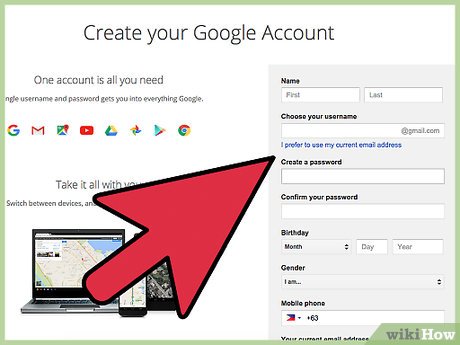
Purchasing a domain when signing up for Google Workspace is straightforward. Navigate to the Google Workspace sign-up page. During the onboarding process, you will be prompted to set up your business with a domain. You can choose to use a domain you already own or purchase a new one.
Read also: Buying Websites in 2026: How to Get a Profitable Site for Under $10K
If you opt to buy a new domain, you’ll be guided through selecting an available domain name. The system will show you pricing and options, with Squarespace handling the backend registration. Once purchased, the domain is automatically configured to work with your new Google Workspace account. This simplifies the initial setup for your business.
- Visit the Google Workspace website.
- Start the sign-up process.
- Choose to buy a new domain.
- Follow the prompts to select and pay for your domain.
Transfer Google Domains to Squarespace
Existing customers who previously registered domains through Google Domains have had their accounts and domains transferred to Squarespace. This transition ensures continuity of service. You will use your existing Google credentials to log in to the Squarespace platform to manage your domains. Squarespace has committed to maintaining the original renewal pricing for at least one year post-transition.
The process of transferring was managed by Squarespace, and for most users, it was a behind-the-scenes operation. The goal was to minimize disruption. You should have received communications from both Google and Squarespace regarding this change. It’s important to verify your domain status on the Squarespace platform.
Existing users now manage their domains at domains.squarespace.com/google-domains.
Manage Google Domains in Squarespace
Managing your domains after the transfer is done through the Squarespace interface. Log in to your Squarespace account using your Google credentials. You can then access all the domain management tools, including renewal, DNS settings, and contact information updates. Squarespace provides a familiar environment for managing your web presence.
This new management system allows you to control your domain settings effectively. If you encounter any issues, Squarespace’s support team is available to assist. Understanding how to navigate this platform is key to keeping your domain active and secure. This is the new normal for those who previously used Google Domains.
Google Domain Alternatives for 2026
While Google’s ecosystem offers integrated solutions, several reputable domain registrars are excellent alternatives. GoDaddy, Namecheap, and Hover are well-established providers known for competitive pricing and robust features. These platforms offer a wide range of domain extensions and often include additional services like website builders or email hosting.
For users seeking specific features or a different user experience, exploring these alternatives is wise. Each registrar has its own strengths, whether it’s customer support, advanced DNS management, or specialized domain offerings. Consider your long-term needs when choosing a registrar beyond the Google-integrated options.
Cloud Domains Google Pricing Explained
Google Cloud Domains offers transparent pricing, which can be found on their official documentation pages. The cost varies depending on the domain extension (.com, .org, .net, etc.) and any additional services you might use. Google Cloud pricing is generally competitive, especially when considering the integration with other Google Cloud services.
You can view detailed pricing information for various domain extensions on the Google Cloud website. This allows for informed decision-making, especially for bulk registrations or complex projects. Understanding the pricing structure helps in budgeting for your cloud infrastructure. The link to cloud domains google pricing is readily available for review.
Key point: Pricing is transparent and available via Google Cloud documentation.
Google Domain Registration Process Overview
The general process for registering a domain, whether through Google Workspace or Cloud Domains, involves a few key steps. First, you need to search for an available domain name. Once you find one you like, you proceed to checkout, where you provide your contact information and payment details. Finally, you complete the purchase, and the domain is registered to you.
For Cloud Domains, this process can also be automated via APIs, offering a more advanced workflow. Regardless of the method, the core steps remain consistent: search, select, provide details, and confirm. This ensures a standardized yet flexible approach to domain acquisition in 2026.
The goal is always to secure your desired domain name efficiently and reliably.
The Future of Google Domain Services
In 2026, Google’s role in domain registration is more about integration than direct sales. The shift to Squarespace for former Google Domains customers and the continued offering through Google Workspace and Cloud Domains show a strategic focus. Google is prioritizing seamless integration within its broader service offerings, catering to different user segments with tailored solutions.
This evolution means users will need to adapt to these new pathways. For businesses, Google Workspace offers a convenient bundle. For developers, Cloud Domains provides powerful, cloud-native control. While the original Google Domains experience is gone, the underlying need for reliable domain registration is met through these specialized Google services and their partners.
Read also: Website address purchase: Why you don’t really own it
Your Action Plan for Google Domain Registration in 2026
Step 1: Choose Your Path
If you need a domain for a business, start with Google Workspace. The registration is built into the sign-up flow, and Squarespace handles the backend.
For developers or enterprises, use Cloud Domains on Google Cloud Platform. It gives you API access and native Cloud DNS integration.
Step 2: Set Up Your Account
For Workspace, simply add a new domain during checkout. For Cloud Domains, enable the Cloud Domains API and assign the necessary IAM roles.
Existing Google Domains users can log into Squarespace with their Google credentials. Your renewal pricing is locked for at least one year.
Step 3: Manage and Integrate
Use the Squarespace dashboard for basic management if you came from Google Domains. Cloud Domains users can manage via the Cloud Console or gcloud CLI.
Always verify DNS settings and enable auto-renewal to avoid losing your domain. Test integration with Google services like Gmail or Cloud DNS.
Frequently Asked Questions
Can I still buy a domain directly from Google?
No, Google Domains is discontinued. You can buy domains through Google Workspace or Cloud Domains, both powered by Squarespace.
What happens to my existing Google Domains account?
Your account and billing were transferred to Squarespace. You can log in with your Google credentials and manage domains there.
Will my domain renewal price increase?
Squarespace guaranteed original renewal pricing for at least one year after the transition. After that, prices may change.
Choosing the right Google domain registration path ensures seamless integration with your workflow. Both Workspace and Cloud Domains offer reliable infrastructure and support.
Start by evaluating your technical needs and budget. If you are a developer, Cloud Domains gives you programmatic control. For business users, Workspace simplifies setup.
As the web evolves, domain management becomes more automated. Expect tighter integration with cloud services and AI-driven DNS optimization in the near future.
