


You’re tired of the Canva free version’s limitations. You hit that ‘upgrade’ button every day but wonder if Canva Pro is really worth the money. The truth is, if you’re a freelancer or small business owner, the free plan is holding you back.
Canva Pro unlocks features that save you hours each week. Think one-click background removal, resizing designs instantly, and 1TB of cloud storage. It’s not just a nicer version of free; it’s a professional tool that pays for itself in time saved.
Canva Pro Membership: What You Get for the Price
The Canva Pro subscription cost is around $15 per month or $120 per year. That annual plan saves you $60, which is a no-brainer if you use it regularly. You also get a 30-day free trial to test drive everything.
Compared to Canva Free, Pro gives you over 141 million premium assets and 3.6 million templates. The Magic Studio AI tools offer up to 20x more capacity than free. You can manage up to 100 Brand Kits for consistent branding across all your projects.
Canva Pro Subscription Cost
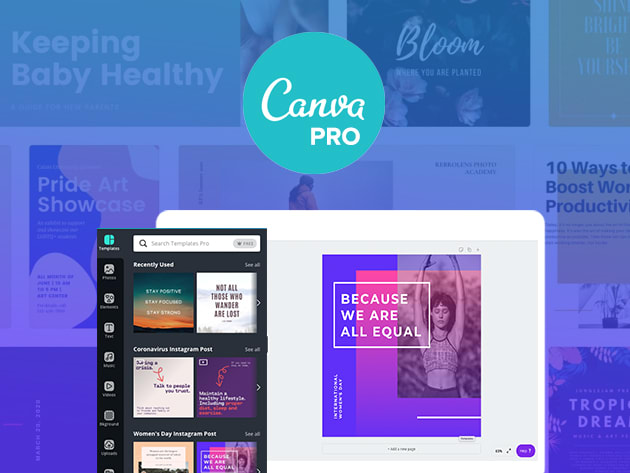
Understanding the Canva Pro subscription cost is crucial for budgeting your creative projects. It helps you decide if the investment aligns with your business or personal design needs.
Monthly Plan Pricing
The monthly Canva Pro subscription cost is about $15 USD. This offers flexibility if your needs change frequently. You can upgrade to Canva Pro for immediate access to premium tools.
Annual Plan Savings
Opting for the annual plan brings the cost down to around $120 USD per year. This represents a significant saving of $60 compared to paying monthly. It’s a smart choice for long-term users.
Canva Pro Trial Availability
A 30-day Canva Pro trial is offered to new users. This allows you to test all Canva Pro features before committing. It’s a great way to evaluate the benefits.
Canva Pro vs Free
The difference between Canva Pro vs Free is substantial for serious creators. The free version is good for basic needs, but Pro unlocks powerful capabilities.
Expanded Asset Library
Canva Pro provides access to over 141 million premium photos, videos, and audio tracks. The free version has a much smaller selection. This vast library is a key Canva Pro benefit.
Cloud Storage Increase
Canva Pro offers 1TB of cloud storage, a huge leap from the 5GB in the free plan. This generous Canva Pro storage limit is essential for managing large projects. You can store many more designs and assets.
Advanced AI Tools
The Pro version includes ‘Magic Studio’, offering significantly more AI capacity. These Canva Pro AI tools can automate complex tasks. They help speed up your design workflow considerably.
Key Canva Pro Features
Exploring the key Canva Pro features reveals why it’s a favorite for many. These tools are designed to make design easier and more professional.
Brand Management Kits
Canva Pro allows up to 100 Brand Kits. Each kit stores logos, fonts, and color palettes. This is a major advantage for maintaining brand consistency across all your designs.
One-Click Background Remover
The one-click Background Remover is a standout feature. It quickly removes image backgrounds without complex software. This is one of the most used Canva Pro features for quick edits.
Magic Resize Tool
With Magic Resize, you can instantly adapt designs to different formats. This saves immense time when repurposing content for social media or print. It’s a core part of the Canva Pro benefits.
Commercial Use License
Canva Pro grants a commercial use license for premium assets. You can use them in your business projects freely. Ensure assets are integrated into a unique design, not resold alone.
Canva Pro Trial Options
Taking advantage of the Canva Pro trial options is a smart first step. It lets you experience the full power of Pro without immediate cost.
30-Day Free Trial Access
New users can get a 30-day Canva Pro trial. This period lets you explore all premium templates and assets. It’s the best way to see if upgrading is right for you.
Trial Feature Exploration
During the Canva Pro trial, experiment with AI tools and Brand Kits. Test the extensive asset library and premium templates. This hands-on experience highlights the value proposition.
Canva Pro for Freelancers
Canva Pro is an excellent investment for freelancers. It provides the tools needed to create professional client work efficiently.
Streamlined Client Projects
Freelancers can use Brand Kits to manage multiple client identities. This simplifies delivering consistent branding for each client. It’s a significant part of Canva Pro benefits for professionals.
Efficient Content Creation
The vast template library and AI tools speed up content creation. This allows freelancers to take on more projects. The Canva Pro subscription cost is easily justified by increased output.
Commercial Use Rights
The commercial use license ensures all created assets are legally usable for clients. This avoids potential legal issues. It’s a critical aspect for any freelancer’s Canva Pro license.
Canva Pro for Small Business
Small businesses can greatly benefit from Canva Pro. It offers professional design capabilities at an affordable price point.
Consistent Brand Identity
With up to 100 Brand Kits, small businesses can solidify their visual identity. This includes logos, colors, and fonts. Strong branding is key for market recognition.
Marketing Material Creation
Create professional marketing materials like social media posts, flyers, and presentations. The extensive template library offers endless inspiration. This is a major Canva Pro benefit for entrepreneurs.
Cost-Effective Design Solution
Canva Pro is more affordable than hiring a dedicated designer for every task. The Canva Pro pricing plans are budget-friendly. It empowers small teams to create high-quality visuals.
Canva Pro Annual vs Monthly
Choosing between Canva Pro annual vs monthly plans depends on your usage and budget. Both offer great value, but one is more economical long-term.
Monthly Plan Flexibility
The monthly plan offers maximum flexibility. You can cancel your Canva Pro membership easily if needed. This plan is ideal for short-term projects or testing the service.
Annual Plan Cost Savings
The annual plan provides significant savings, costing about $10 per month. This is a 33% discount compared to the monthly rate. It’s the most economical option for consistent users.
Billing Cycle Comparison
Review the Canva Pro pricing plans to compare total costs. The annual commitment unlocks the best Canva Pro discount. Consider your design needs for the next year.
Is Canva Pro Worth It
Deciding if Canva Pro is worth it involves weighing its features against the cost. For many, the benefits clearly outweigh the investment.
Enhanced Creative Power
The Pro features, especially AI tools and the vast asset library, boost creativity. They allow for more sophisticated and unique designs. This is a primary reason to upgrade to Canva Pro.
Time and Efficiency Gains
Tools like Magic Resize and Background Remover save considerable time. This efficiency is invaluable for busy individuals and businesses. It allows more focus on strategy rather than design execution.
Professional Output Quality
Canva Pro enables the creation of highly polished, professional-looking graphics. This elevates brand perception and marketing effectiveness. It’s a key factor in determining if Canva Pro is worth it.
Comparison to Alternatives
When compared to other design software or hiring designers, Canva Pro offers a strong value. The Canva Pro vs Canva Business plans also cater to different team sizes. For individuals and small teams, Pro is often the sweet spot.
Your Pro Membership in Action
Step-by-Step Guide: Maximize Your Subscription
Start by claiming your 30-day free trial on Canva’s website. No credit card is required to begin.
Explore the Magic Studio suite first. The AI tools like Magic Erase and Magic Expand will save you hours.
Set up your Brand Kits immediately. Add your logo, fonts, and colors to maintain consistency across every design.
Use the 1TB cloud storage to organize all your assets. Drag and drop your own images and videos into folders.
Test the Background Remover on a photo. It works in one click and is perfect for product shots or profile pictures.
What to Avoid in Execution
Don’t use premium assets as standalone resale items. You must integrate them into a unique design for commercial use.
Avoid ignoring the Magic Resize tool. Manually resizing for social media wastes time and risks layout errors.
Don’t skip the free trial period. It’s your chance to test all Pro features before committing financially.
Avoid sharing your login credentials. Canva Pro is for individual use and sharing violates the terms of service.
Maintenance Tips for Long-Term Success
Review your subscription billing page monthly. You can switch between monthly and annual plans to save money.
Regularly clean up your cloud storage. Delete old drafts to keep your 1TB organized and fast to navigate.
Update your Brand Kits when your brand evolves. Fresh colors and fonts keep your designs current and professional.
Frequently Asked Questions
- Can I cancel my Canva Pro subscription anytime?
Yes, you can cancel via the Billing page at any time. Your Pro access continues until the end of the current billing cycle.
- Is the 30-day free trial really free?
Absolutely. No credit card is required to start the trial, and you get full access to all Pro features for 30 days.
- Can I use Canva Pro assets for commercial projects?
Yes, but you must incorporate them into a unique design. You cannot resell the assets themselves as standalone items.
Canva Pro is a smart investment for any creator serious about efficiency and quality. The tools and storage justify the cost for regular use.
Start your 30-day free trial today to experience the difference firsthand. Upgrade your workflow and unlock your creative potential.
Imagine your designs with zero restrictions and limitless AI assistance. The future of your personal brand starts with one subscription.
