


You need to download Bitrix24 but are overwhelmed by the many versions and options. Don’t worry. Choosing the wrong installer can waste hours or even expose your data to security risks.
This guide cuts through the confusion. You will learn exactly where to get the official Bitrix24 download for your device, whether it is a Windows PC, Mac, Linux, or phone. No fluff, just the direct steps and links you need.
Bitrix24 Download Options: Desktop, Mobile, or Self-Hosted?
Your first decision is whether you want the cloud version or the on-premise download. The cloud version is accessed via a web browser, but for the best experience, you should install the Bitrix24 desktop app. This gives you native video calls, chat, and document editing.
For mobile, simply search ‘Bitrix24’ on the Apple App Store, Google Play, or Huawei AppGallery. The Bitrix24 mobile app lets you manage your CRM and tasks on the go. If you need full data control, the self-hosted installer is available for Windows and Linux servers.
Bitrix24 Downloads: Your 2026 Guide
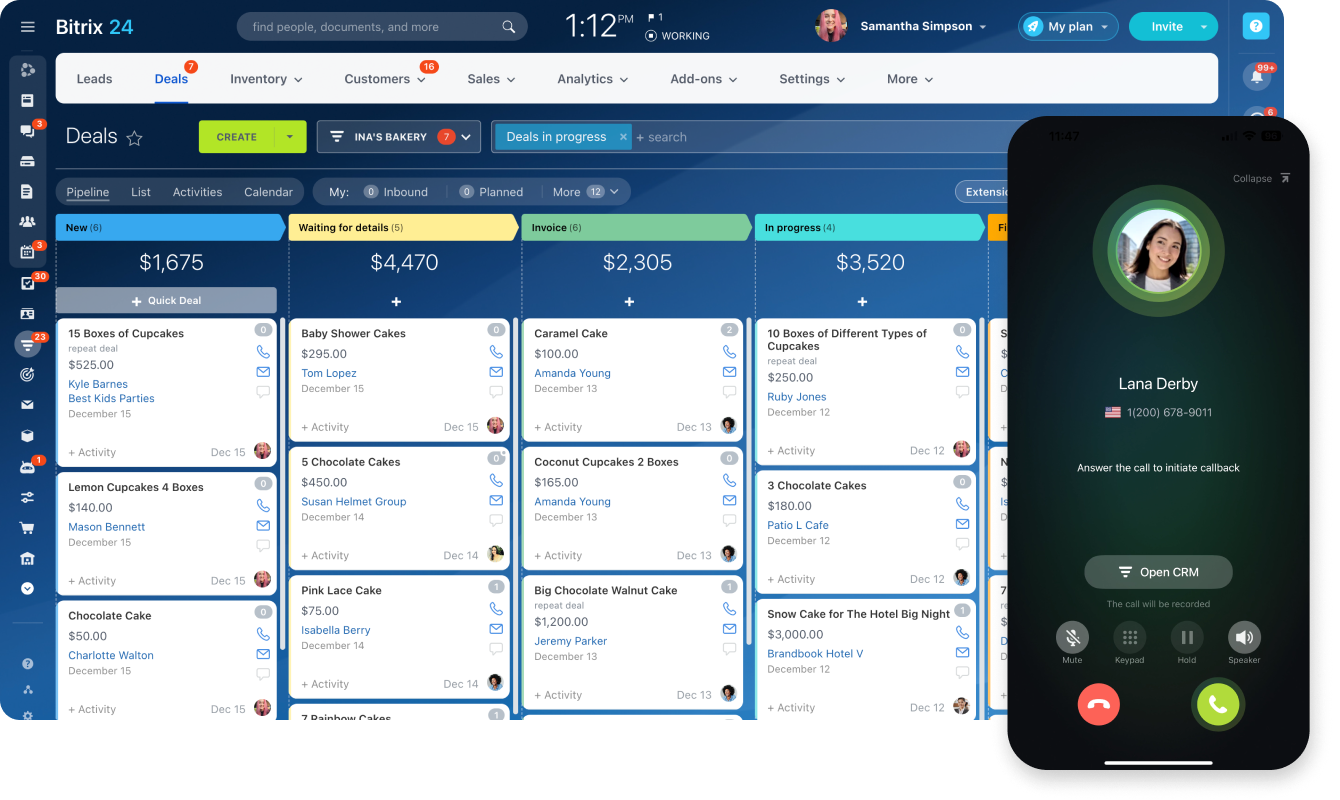
In 2026, getting Bitrix24 is straightforward. You choose how you want to use it.
| Option | Description | Cost (2026 Est.) | Link |
| Desktop App | Core features for PC users. | Free | ‘https://www.bitrix24.com/apps/desktop.php’ |
| Mobile App | Manage on the go. | Free | ‘https://apps.apple.com/us/app/bitrix24/id561683423’ |
| On-Premise | Full control, self-hosted. | Starts at $99/month (Business Edition) | ‘https://www.bitrix24.com/self-hosted/download.php’ |
| Virtual Appliance | Easier on-premise setup. | Included with On-Premise | ‘https://www.bitrix24.com/self-hosted/download.php’ |
| Market Apps | Extend functionality. | Varies | ‘https://www.bitrix24.com/applications.php’ |
Get the Bitrix24 Desktop App
Need Bitrix24 on your computer? Download the desktop version. It’s built for speed. This app helps with video calls, chats, and files. It works on Windows and macOS. Linux users have options too. This makes daily work smoother.
The next step is using it on your phone.
Read also: CRM Free Download: 10 Options You Can Use Forever
Install Bitrix24 Mobile on Android and iOS
Stay connected from anywhere. Download the Bitrix24 mobile app. It’s available on the Apple App Store. Android users find it on Google Play. Huawei devices can get it from AppGallery. Manage your CRM and tasks easily. This keeps your business running.
For more control, consider the on-premise option.
Bitrix24 On-Premise Download for Self-Hosted
Want your data on your own servers? Choose the self-hosted Bitrix24. This gives you maximum control. You manage everything. This is ideal for companies with strict data rules. The download is on the official site. It requires technical setup.
Setting up on-premise is easier with the Virtual Appliance.
Bitrix24 Linux Download and Installation
Linux users, Bitrix24 has you covered. You can download a desktop version. The self-hosted option also supports Linux. This ensures flexibility for diverse IT environments. Installation guides are available online. This supports open-source setups.
Mac users also have a dedicated download.
Bitrix24 Mac App: Download and Setup
Mac users can easily download Bitrix24. The desktop installer is available. It provides a seamless experience. You get core features right away. Setup is quick and simple. This ensures Mac users are not left out.
Business users will want to explore CRM app downloads.
Bitrix24 CRM App Download for Business
Boost your sales with the CRM app. Download it from the Bitrix24 Market. It adds powerful sales tools. Manage leads and deals efficiently. This helps your sales team succeed. It integrates directly into your workspace.
Curious about advanced features? Try the Business Edition trial.
Bitrix24 Business Edition Trial Access
Evaluate the full power of Bitrix24. A 30-day trial is available. This lets you test advanced features. See if it fits your business needs. Download the trial from the self-hosted page. It’s a great way to decide.
Simplify installation with the Virtual Appliance.
Bitrix24 Virtual Appliance Download Guide
The Bitrix Virtual Appliance (BVA) simplifies setup. It’s a pre-configured system. It works on Windows and Linux servers. This reduces installation time significantly. Download the BVA for your self-hosted instance. It makes deployment much faster.
Requirements: Ensure your server meets system needs. Check official documentation for details. This prevents installation issues.
The Bitrix24 Virtual Appliance is a smart choice for faster on-premise deployment. It streamlines the setup process significantly.
Bitrix24 Downloads: The Verdict
Choosing how to download Bitrix24 matters. The desktop and mobile apps are free. They offer great convenience. For full control, on-premise is the way. The Virtual Appliance makes it easier. Always check the official Bitrix24 site. Use the helpdesk for support. This ensures a smooth experience.
Hands-on advice: Start with the free desktop or mobile app. If you need more, explore the on-premise trial. This phased approach works best.
Need more help? Visit the Bitrix24 Helpdesk for guides.
Your 3-Step Action Plan to Download Bitrix24
Step 1: Choose Your Deployment
Decide between the cloud version (no installation needed, just sign up) or the self-hosted version (you install it on your own server). For most small businesses, the cloud version is the fastest and most affordable start.
Step 2: Download the Right Installer
Visit the official Bitrix24 website and select your operating system — Windows, macOS, or Linux for desktop, or grab the mobile app from the App Store or Google Play. The desktop app gives you the best experience for video calls and file sharing.
Step 3: Set Up and Explore
Run the installer and follow the on-screen prompts to create your workspace. Once inside, take the 30-day trial of the Business plan to test advanced features like sales pipelines and automated workflows.
Frequently Asked Questions
Is Bitrix24 free to download?
Yes, the cloud version has a free plan that includes basic CRM, tasks, and up to 12 users. The self-hosted version offers a free trial for 30 days, then requires a paid license.
Can I use Bitrix24 on my phone?
Absolutely. The mobile app is available for both iOS and Android, letting you manage leads, chat with your team, and approve tasks on the go.
How do I install Bitrix24 on my own server?
Download the Bitrix Virtual Appliance (BVA) from the official site — it’s a pre-configured virtual machine that works on Windows or Linux servers. Follow the step-by-step guide in the documentation to get it running in under an hour.
Bitrix24 remains the most versatile and cost-effective business management platform you can download in 2026. Whether you choose cloud or self-hosted, you’re getting enterprise-grade tools without the enterprise price tag.
Start by downloading the free version today and explore its features for 30 days. Once you see how it streamlines your workflow, you’ll wonder why you didn’t switch sooner.
The future of business software is unified, mobile, and intelligent — and Bitrix24 delivers all three in a single, elegant package. Your team will thank you for making their work simpler and more connected.
