


Your new refrigerator stopped working, and the repair bill could be hundreds of dollars. An Asurion home claim might be the only thing standing between you and a huge expense. Many people think filing a claim is a hassle, but it’s actually designed to be quick and straightforward.
Asurion covers everything from phones to appliances, and the process is similar across devices. You don’t even need your original receipt for most claims. In this guide, you’ll learn exactly how to file your Asurion home claim and get your device fixed or replaced fast.
Disclaimer: This article provides general information about Asurion home claims and does not constitute financial or legal advice. Claim processes and fees may vary based on your specific plan and device. Always refer to your official plan documents or contact Asurion directly for your unique situation.
How to File an Asurion Home Warranty Claim: Step-by-Step
Filing an Asurion home claim starts with gathering your device details: make, model, and carrier if applicable. You’ll also need a clear description of what happened and when. The good news is that for most Asurion Home+ claims, you don’t need to show a purchase receipt, which saves time and hassle.
You can start your claim online through the Asurion claims portal, by calling (844) 529-2692, or using the Asurion mobile app. All three methods are available 24/7, so you can file whenever it’s convenient. You’ll need a payment method ready for any service fee, which typically ranges from $0 to $99 depending on your device type.
Once submitted, Asurion reviews your claim and offers a resolution option: local repair (often through uBreakiFix), mail-in repair, direct replacement, or reimbursement. The choice depends on your plan and the issue. Most claims are processed quickly, with many customers getting a decision within 24 hours.
Navigating Your Asurion Home Claim With Confidence
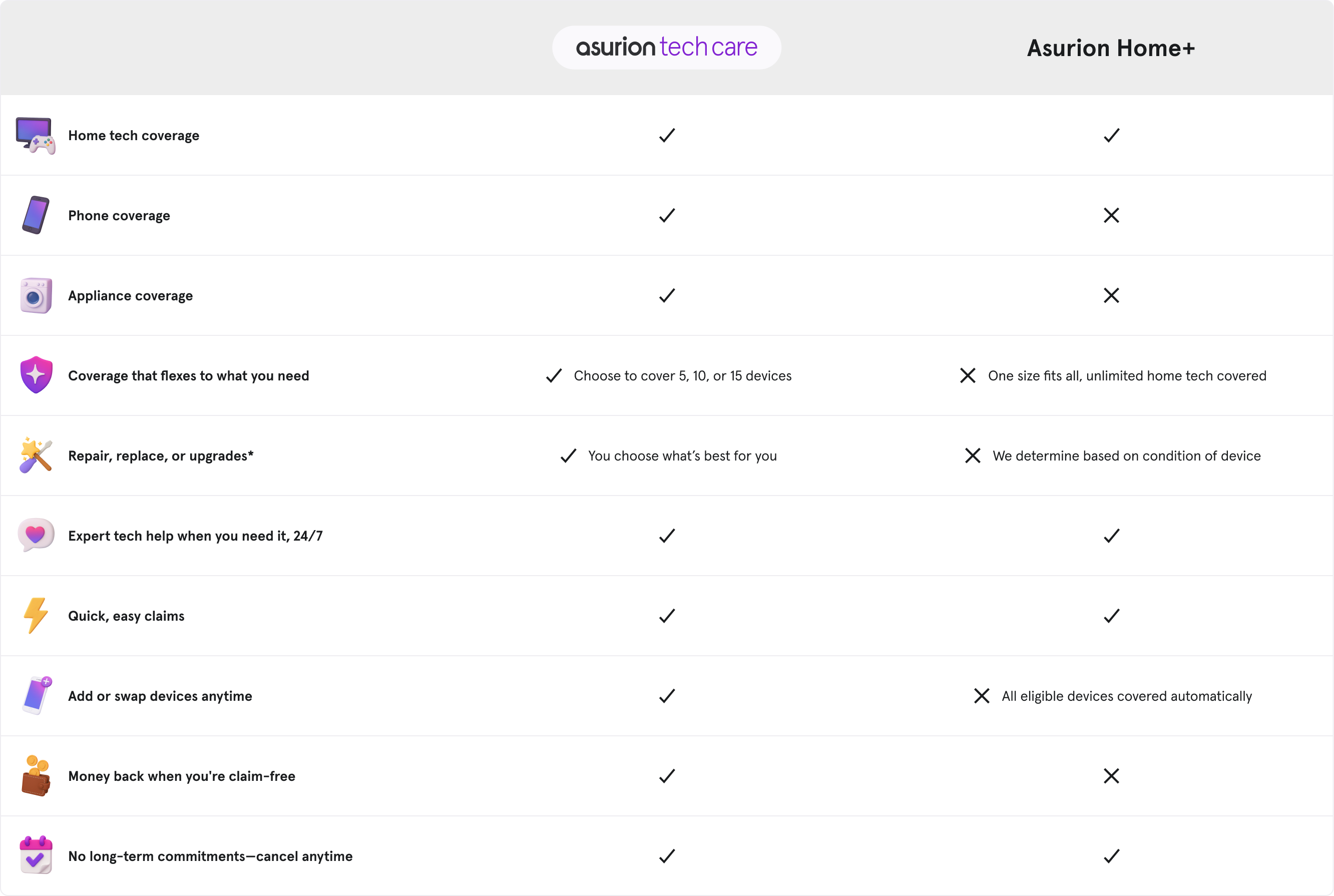
In 2026, managing home device protection is simpler than ever with Asurion Home+. This plan offers a streamlined way to protect your essential electronics and appliances. Understanding the claims process ensures you get the support you need quickly and efficiently. Asurion has built a system designed for your convenience, available around the clock.
Initiating a claim is straightforward, whether you prefer online, by phone, or through the mobile app. Asurion handles a wide range of issues, from accidental damage to mechanical breakdowns. This guide will walk you through each step, making sure you know exactly what to expect and how to get the best outcome for your Asurion home warranty claim.
| Aspect | Details |
|---|---|
| Filing Methods | Asurion.com portal, Phone (844) 529-2692, Mobile App |
| Required Info | Device details, Incident description & date, Payment for fees |
| Receipts | Generally not required for Asurion Home+ |
| Resolution Options | Local repair, Mail-in repair, Replacement, Reimbursement |
| Service Fees (Deductibles) | Typically $0 – $99 |
| Bundled Plans | Dedicated portals for Verizon, AT&T |
How to File an Asurion Home Claim
Starting your claim is designed to be user-friendly. You can visit the Asurion website and navigate to the claims section, or call their dedicated support line. The Asurion claims portal is available 24/7, allowing you to submit all necessary information at your convenience. Be ready to provide details about the specific device, like its make and model, and a clear description of what happened.
You will also need to provide the date of the incident and a payment method for any applicable service fees, often called deductibles. For most Asurion Home+ claims, you do not need to find your original purchase receipts, which simplifies the process significantly. This focus on ease of use is a hallmark of Asurion’s approach to customer service.
Asurion Home+ Claim Status Check
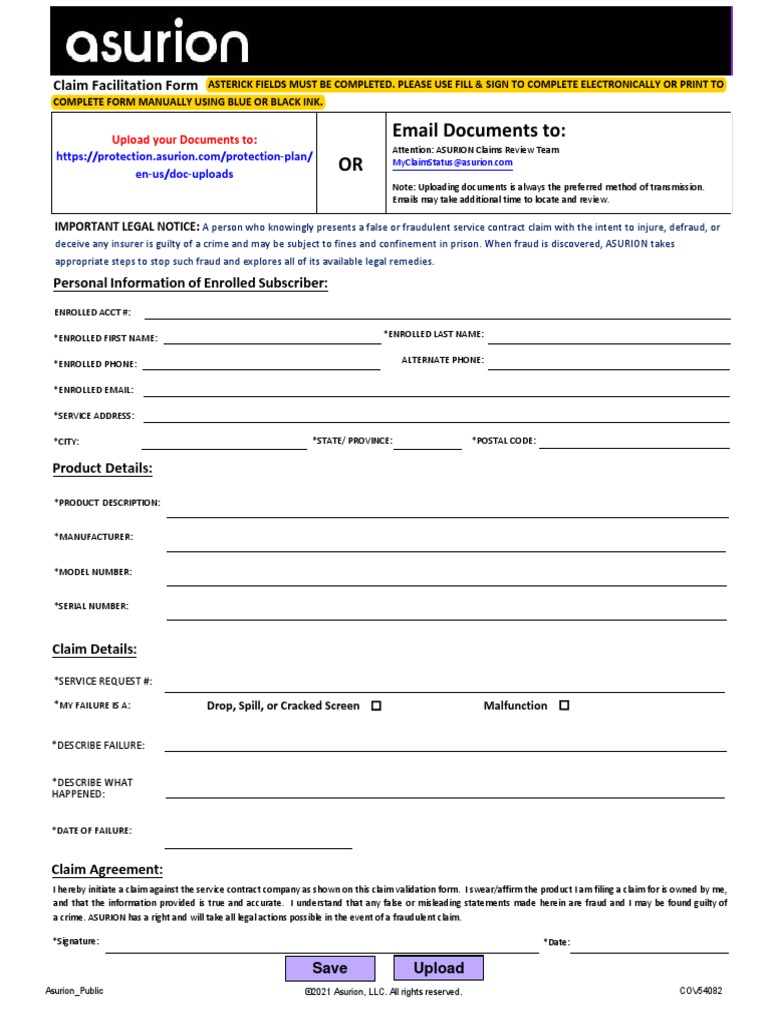
Once you have submitted your claim, you can easily track its progress. Asurion provides multiple ways to check your Asurion Home+ claim status. The online portal and the mobile app are the most convenient methods, offering real-time updates. You can log in anytime to see if your claim is being reviewed, approved, or if a resolution is already in progress.
Keeping track of your claim status prevents unnecessary follow-up calls and gives you peace of mind. It allows you to anticipate repair timelines or replacement shipments.
Asurion Appliance Claim Process
Filing an Asurion appliance claim follows the same general procedure as other devices. Whether it’s a refrigerator, washing machine, or other home appliance, Asurion aims to get it fixed or replaced swiftly. You will need to describe the malfunction clearly, including when it started. This helps Asurion’s technicians diagnose the issue accurately.
Asurion partners with local repair services, often including authorized uBreakiFix locations, for many appliance repairs. This means you might be able to get your appliance fixed close to home. The goal is to minimize disruption to your daily life, ensuring your home runs smoothly.
Asurion Electronics Claim Tips

When filing an Asurion electronics claim, be as specific as possible about the problem. For example, if a TV is not turning on, note any error messages or unusual sounds. If it’s a smartphone, mention if the screen is cracked or if the battery is not holding a charge. Providing detailed information helps expedite the assessment of your Asurion electronics claim.
It is also helpful to have the serial number of the electronic device handy, although it may not always be strictly required. This information aids in identifying the exact product and its specifications. Remember, Asurion’s goal is to offer efficient resolutions, and clear communication from your end is key.
Asurion Home+ Deductible Explained
The Asurion Home+ deductible, or service fee, is a set amount you pay when your claim is approved. These fees are generally quite affordable, typically ranging from $0 to $99, depending on the type of product being protected. This predictable cost makes budgeting for potential repairs or replacements much easier.
Understanding your specific deductible is important. It is usually outlined in your Asurion Home+ plan details. Knowing this amount beforehand helps you prepare for the claim process and avoids surprises. Asurion strives to keep these fees low to provide real value.
Asurion Repair vs Replacement Options
Asurion offers several ways to resolve your claim, prioritizing the most effective solution. This includes local repair at a partner shop, mail-in repair services for easier shipping, or a direct replacement of your device. In some cases, a financial reimbursement might be offered if repair or replacement is not feasible.
The choice between repair and replacement often depends on the nature of the damage and the age of the device. Asurion aims to restore your functionality as quickly as possible. For many common issues, local repair is often the fastest option.
Asurion Reimbursement for Repairs
If you choose to get a repair done yourself, or if Asurion approves a specific repair scenario, they may offer reimbursement. This typically requires pre-approval and submission of detailed repair invoices. Asurion’s policy on reimbursement for repairs is designed to ensure fair compensation for covered issues.
It is crucial to get authorization from Asurion before proceeding with an out-of-pocket repair if you expect reimbursement. This prevents potential disputes and ensures the expense is covered under your plan terms. Always confirm the reimbursement process with customer service.
Verizon Asurion Claim Steps
For customers with Verizon’s home device protection, filing a Verizon Asurion claim is integrated into the Asurion system. You can often start the process through Verizon’s website or directly via Asurion’s dedicated portals for provider-specific plans. These portals are designed to recognize your service provider.
The information required will be similar to a standard Asurion claim, focusing on device details and the incident. Asurion manages these claims seamlessly, ensuring a consistent experience. You can check your Asurion Home+ claim status through the same channels, even if your plan is bundled.
The Future of Asurion Home Claims in 2026
Asurion continues to lead in the home protection market, and by 2026, their claims process is expected to become even more intuitive. Expect further integration of AI for faster damage assessment and more convenient scheduling of repairs. Their commitment to a 24/7 accessible, multi-channel claims system shows they are focused on customer needs.
The trend towards affordable service fees and a variety of resolution options, including local repairs, demonstrates Asurion’s adaptability. They are positioned to remain a top choice for consumers seeking reliable protection for their valuable home devices and appliances. Navigating an Asurion home warranty claim will remain a hassle-free experience.
Your Quick Guide to a Smooth Asurion Home Claim
Step 1: Gather Your Info
Before you start, have your device details ready. You will need the make, model, and carrier or purchase source.
A clear description of what happened and the date of the incident is also required. Original receipts are not needed for most Home+ claims.
Step 2: File Your Claim
Use the online portal at Asurion.com, call (844) 529-2692, or open the Asurion app. These channels are available 24/7 for your convenience.
Have your payment method ready for any service fee. Fees range from $0 to $99 depending on your device type.
Step 3: Choose Your Resolution
Asurion will assess your claim and offer options like local repair at uBreakiFix, mail-in repair, replacement, or reimbursement. Select the best fit for your schedule and needs.
Track your claim status online or in the app. Most claims are processed quickly, often within a few days.
Frequently Asked Questions
Do I need a receipt to file an Asurion Home+ claim?
No, original purchase receipts are not required for most Asurion Home+ claims. You only need to provide device details and a description of the incident.
How long does it take to get a replacement device?
Processing times vary, but many replacements ship within 1-3 business days after claim approval. You can track your claim status online for updates.
Can I use any repair shop for my claim?
Asurion typically directs you to its network of authorized repair partners, like uBreakiFix. Using an out-of-network shop may not be covered under your plan.
Asurion’s claims process is designed to be straightforward and accessible, whether you file online, by phone, or through the app. With no receipt needed for most claims and options for repair or replacement, you can get your device back in working order without hassle.
Take the next step by downloading the Asurion app or bookmarking the claims portal on your phone. Being prepared means you can act fast when an accident happens.
Imagine a future where device protection is as simple as a few taps on your screen. Asurion is already making that a reality, giving you peace of mind in a connected world.
