

If you’re still writing payroll checks by hand, you’re wasting time and risking costly errors. Many small business owners think manual checks are cheaper, but the hidden costs of mistakes and fraud can add up fast.
The good news is that modern payroll check printing is faster, safer, and more affordable than ever. Whether you use QuickBooks or a paper ledger, there’s a solution that fits your budget and keeps your team paid on time.
Payroll Check Printing: Laser, Voucher, or Manual – Which Is Right for You in 2026?
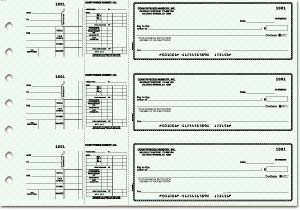
Businesses today have three main choices for payroll checks: laser/computer checks, voucher checks with stubs, and traditional 3-on-a-page manual checks. Laser checks integrate directly with software like QuickBooks and Sage, printing your company logo and MICR line in seconds.
Voucher checks include a tear-off stub that lists hours, deductions, and net pay – essential for compliance and employee trust. Manual checks are still popular among very small teams, but they require careful handwriting and offer less security against fraud.
Top suppliers like Deluxe, Checks Unlimited, and Costco Business Checks offer these formats with advanced security features such as microprinting, chemical protection, and watermarks. Prices range from about $30 for a basic box of 250 manual checks to $80 or more for a box of 500 laser voucher checks with multi-layered security.
Payroll Checks in 2026: Still Essential for Business
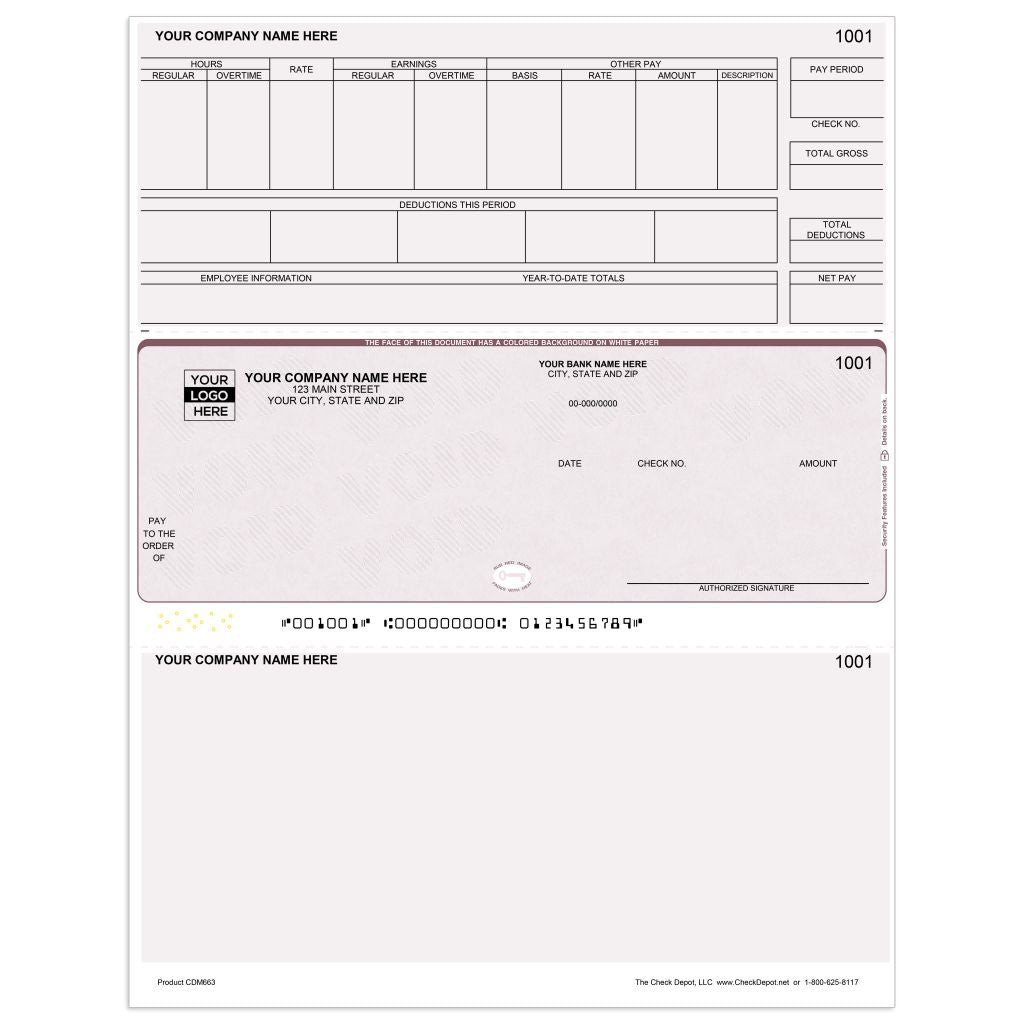
In 2026, physical payroll checks remain vital. They offer proof of payment. Many employees still prefer them or lack direct deposit.
| Check Type | Average Cost (per 100) | Key Feature | Best For |
| Manual (3-to-a-page) | $25 – $40 | Easy record-keeping | Small businesses, manual tracking |
| Laser/Computer | $35 – $55 | Software integration | Accounting software users |
| Voucher | $40 – $65 | Detailed stub | Compliance, clear pay breakdown |
| High-Security | $50 – $100+ | Anti-fraud features | High-risk transactions, compliance |
Money Matters.
Secure payroll checks are a must. Look for features like chemical sensitivity. Microprinting and watermarks deter counterfeiters. This protects your business from fraud.
Understanding these features helps you choose wisely for your business payroll needs.
Read also: The Only Payroll Check Printer That Banks Won’t Reject
Print Smart.
How to print payroll checks at home depends on your setup. You can use pre-printed check stock. Ensure your printer settings match the check layout exactly. This prevents errors and wasted checks.
For more advanced needs, consider specialized software integration like QuickBooks payroll checks.
QuickBooks Payroll Checks Setup Guide.
Setting up QuickBooks payroll checks is straightforward. Use the payroll module within QuickBooks. Select ‘Print Paychecks’ after running payroll. This ensures seamless integration with your accounting software.
This process makes managing business payroll checks much simpler.
Read also: Order Checks for Business: Save 50% Online in 2026
Manual Payroll Checks vs Direct Deposit.
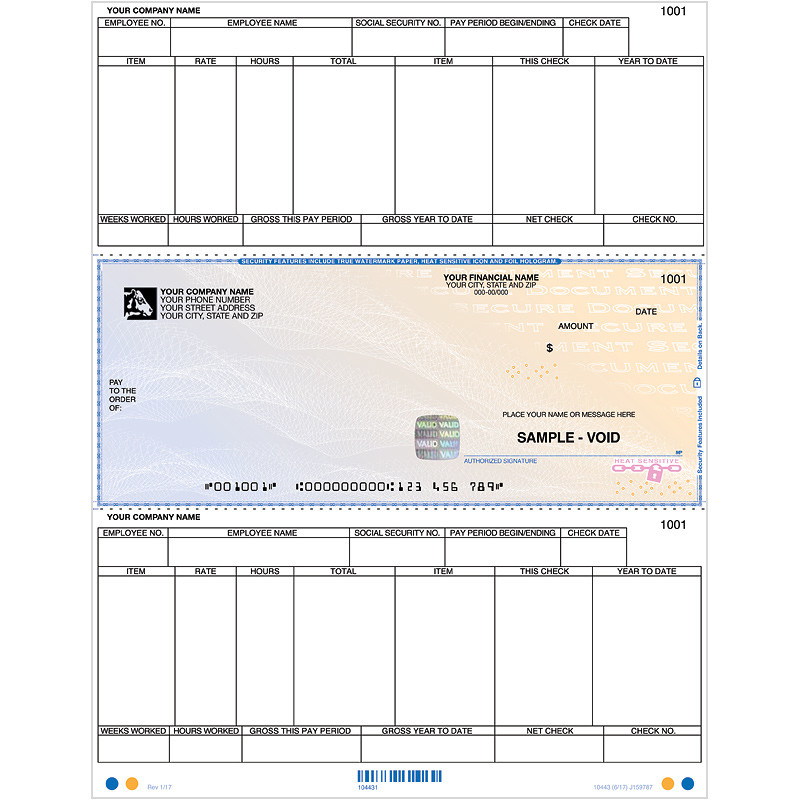
Manual payroll checks offer tangible proof. Direct deposit is faster and more convenient for many. However, some employees lack bank accounts. Offering both options covers all employees.
Consider your workforce’s banking habits when deciding.
Order Payroll Checks Online: Best Practices.
When you order payroll checks online, compare suppliers. Look at Deluxe, Walmart Business Checks, and Checks Unlimited. Verify security features and quantity discounts. Ensure they meet your business payroll check needs.
Careful selection ensures you get the best value and security for your business payroll checks.
3-on-a-Page Payroll Checks for Small Businesses.
3-on-a-page payroll checks are economical. They are ideal for businesses with fewer employees. Record-keeping is simple with the attached stub. This format is great for manual payroll systems.
These checks are a practical choice for many small operations.
Laser Payroll Checks: Efficiency and Cost.
Laser payroll checks integrate with accounting software. This saves time and reduces data entry errors. While the initial cost might be higher, the efficiency gains are significant. They are designed for high-volume printing.
This makes them a cost-effective solution for growing businesses.
Payroll Check Security Features Explained.
Payroll check security features are crucial. Features like tamper-evident ink and security screens make alteration difficult. These elements protect against fraud and counterfeiting. They are essential for responsible payroll management.
Investing in security features prevents costly fraud down the line.
The Future of Payroll Checks
While digital payments grow, physical payroll checks are here to stay. They serve a critical need for many businesses and employees in 2026. Always prioritize security and compliance. Choose the check type that best fits your company’s workflow and employee needs.
For a wide selection, check out Deluxe manual payroll checks. You can also find options at Checks Superstore.
Read also: Need paystubs fast? Make paystubs online in 5 minutes
Your Quick Guide to Payroll Checks in 2026
Step 1: Match the Check to Your Workflow
Small team with manual books? Stick to 3-to-a-page manual checks that fit a binder.
Using QuickBooks or Sage? Invest in laser checks for seamless printing and tracking.
Step 2: Prioritize Security Features
Fraud is real. Choose checks with chemical sensitivity, microprinting, and watermarks.
Avoid generic designs that are easy to copy. High-security checks cost a bit more but save you from costly alterations.
Step 3: Don’t Skip the Stub
Voucher checks give employees a clear pay breakdown and keep you compliant with wage laws.
Skipping the stub leads to confusion and potential legal headaches. Always opt for voucher style if you have hourly or salaried staff.
Frequently Asked Questions
Can I use any check for payroll?
No. Payroll checks must include a stub for earnings and deductions. Standard personal checks lack this and violate wage statement laws.
Always buy checks specifically labeled for payroll to ensure compliance and proper record-keeping.
What if my employee doesn’t have a bank account?
Physical payroll checks are the perfect solution. They can be cashed at check-cashing stores or used to prepaid cards.
Keep a supply of manual checks on hand for these situations. It’s a simple way to include everyone.
How do I prevent check fraud?
Order checks with built-in security features like chemical sensitivity and microprinting. Store blank checks in a locked drawer.
Reconcile your bank account weekly to catch any unauthorized activity early. These steps cut fraud risk dramatically.
Choosing the right payroll check is a smart business move that protects both you and your employees. Voucher checks with high security are the gold standard for accuracy and fraud prevention.
Evaluate your workflow and order samples from trusted suppliers like Deluxe or Costco Checks. Your next step is to match the check format to your accounting software for error-free processing.
In 2026, physical checks remain a tangible link between you and your team’s financial security. Embrace the blend of tradition and innovation to keep payroll smooth and trusted.
