


You need a laptop right now, but buying one doesn’t make sense. Maybe your old one died, you have a short project, or you just need something for a big event. Renting a laptop near you is faster and cheaper than buying, and you can get a top model for a fraction of the price.
In 2026, renting a laptop in New York is easier than ever. Companies like Egads Computer, Computer Rents, and Adorama Rental Co. offer daily, weekly, and monthly rentals. You can get a MacBook Pro M3 Max or a heavy-duty Windows laptop delivered to your door in Manhattan, Brooklyn, or New Jersey.
Rent a Laptop Near Me: Your Options in NYC
If you search for ‘rental laptops near me’ in the New York area, you’ll find several trusted providers. Egads AV & Computer Rental offers high-end business laptops like the latest MacBook Pro M3 Max with flexible terms. They require a security deposit or a Certificate of Insurance (COI) for higher-value rentals.
Computer Rents has a broad inventory of well-maintained laptops, tablets, and production gear, updated with new models constantly. They serve individuals, businesses, and film crews. Adorama Rental Co. provides robust Apple MacBook Pro kits and other production equipment with convenient pickup spots in Manhattan and Brooklyn.
| Product | Average Price ($) | Highlight |
|---|---|---|
| Brooklyn Public Library Laptop Loan | ‘Free’ | ‘On-site use for 120-minute sessions’ |
| Egads Computer Rental (Basic Business Laptop) | ’75/week’ | ‘Reliable for daily tasks, quick deployment’ |
| Computer Rents (Standard Laptop) | ’90/week’ | ‘Good for general use, updated models’ |
| Rentacomputer.com (Heavy-Duty Windows Laptop) | ’99/rental period’ | ‘Durable for demanding applications, fast delivery’ |
| Adorama Rental Co. (MacBook Air) | ‘120/week’ | ‘Portable, great for creative work, Apple ecosystem’ |
| Meeting Tomorrow (Chromebook) | ‘150/week’ | ‘Ideal for cloud-based work, bulk enterprise options’ |
| Rentacomputer.com (MacBook Pro) | ‘195/rental period’ | ‘Powerful performance, high-resolution display’ |
| Hartford Technology Rental (Business-Class Windows Laptop) | ‘200/week’ | ‘Custom imaging, on-site setup, corporate ready’ |
| Egads Computer Rental (MacBook Pro M3 Max) | ‘250/week’ | ‘Top-tier performance, latest Apple technology’ |
| Hartford Technology Rental (High-End MacBook Pro) | ‘300/week’ | ‘Premium build, advanced features, dedicated support’ |
WHAT REALLY WORKS
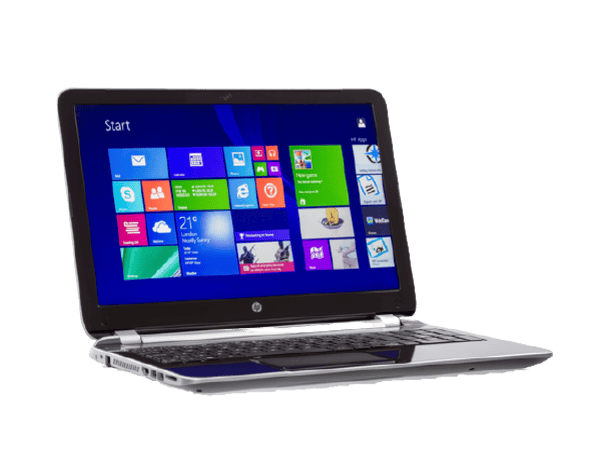
When you need a laptop rental service, focus on the specs that match your task. For simple web browsing or document editing, a standard Windows laptop or Chromebook is sufficient. These often have lower laptop rental prices. If you are doing video editing or graphic design, you will need a more powerful machine like a MacBook Pro. Check the processor, RAM, and storage capacity.
Consider the rental duration carefully. Daily rentals are expensive for longer periods. Weekly or monthly rates offer better value for short-term laptop rental needs. Always ask about delivery and setup fees. Some services offer on-site laptop rental support, which is crucial for events.
Rent a Laptop for Short-Term Projects
For short-term projects, choose a laptop that balances performance and cost. A business laptop rental is a good starting point. Look for models with at least 8GB of RAM and an SSD for fast performance. Ensure the operating system meets your software requirements. If you need a specific setup, ask if custom imaging is available. This saves you time setting up.
Read also: Save Hundreds: Mac Rental Near Me in NYC for Your Project
1. Brooklyn Public Library Laptop Loan
This is a fantastic option for quick, local needs. You can use these laptops within the library. It’s a great way to access the internet or do basic work for free. They are perfect for students or anyone needing temporary computer access.
Average Price: ‘Free’
Practical Tip: ‘Ideal for short, in-library tasks like research or checking email. Requires library card.’
2. Egads Computer Rental (Basic Business Laptop)
Egads offers reliable business laptops suitable for everyday tasks. These are good for general office work and presentations. They provide a cost-effective solution for temporary needs. You get a functional machine without a high price tag.
Read also: Stop Sounding Muffled: Best Conference Call Microphone and Speaker Picks
Average Price: ’75/week’
Practical Tip: ‘Great for basic business tasks or temporary office setups. Quick deployment is a plus.’
3. Computer Rents (Standard Laptop)
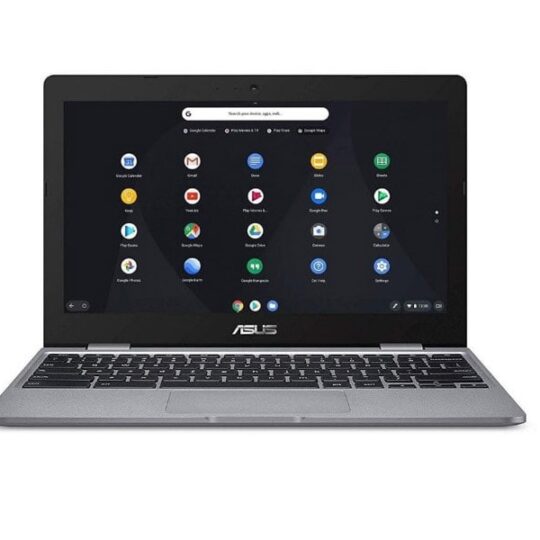
Computer Rents provides a range of well-maintained laptops. Their inventory is regularly updated with newer models. This ensures you get a decent machine for general computing needs. They cater to individuals and businesses needing reliable tech.
Average Price: ’90/week’
Practical Tip: ‘Suitable for a variety of tasks, from web browsing to running standard applications.’
4. Rentacomputer.com (Heavy-Duty Windows Laptop)
These laptops are built for demanding work. They can handle more intensive software and multitasking. Rentacomputer.com offers fast delivery across the New York metro area. This is a solid choice for temporary workforces.
Average Price: ’99/rental period’
Practical Tip: ‘Use for tasks requiring more processing power or rugged use. Delivery is a key benefit.’
5. Adorama Rental Co. (MacBook Air)
Adorama offers the popular MacBook Air. It’s lightweight and excellent for creative professionals on the go. The Apple ecosystem integration is a major advantage. Pickup and drop-off in Manhattan and Brooklyn are convenient.
Average Price: ‘120/week’
Practical Tip: ‘Perfect for mobile creative work, writing, or general Apple device users. Easy local access.’
6. Meeting Tomorrow (Chromebook)
Chromebooks are ideal for cloud-based work. Meeting Tomorrow specializes in bulk rentals for events. They offer full technical support across the boroughs. This is a smart choice for large-scale deployments.
Average Price: ‘150/week’
Practical Tip: ‘Best for teams relying heavily on Google Workspace or web applications. Bulk rental support is key.’
7. Rentacomputer.com (MacBook Pro)
For more power, Rentacomputer.com offers MacBook Pro models. These have superior performance for demanding applications. The high-resolution screen is excellent for visual work. They offer quick delivery for urgent needs.
Average Price: ‘195/rental period’
Practical Tip: ‘Ideal for video editing, graphic design, or programming tasks. Performance is a major advantage.’
8. Hartford Technology Rental (Business-Class Windows Laptop)
Hartford Technology Rental provides business-class laptops. They offer custom imaging for corporate environments. On-site setup is available, which is great for events. This ensures your laptops are ready to go immediately.
Average Price: ‘200/week’
Practical Tip: ‘Essential for businesses needing specific software pre-installed or immediate network integration.’
9. Egads Computer Rental (MacBook Pro M3 Max)
Egads offers the latest MacBook Pro with M3 Max chips. This is top-of-the-line performance for the most demanding tasks. It’s perfect for high-end video production or complex simulations. You get cutting-edge technology for your project.
Average Price: ‘250/week’
Practical Tip: ‘For professionals needing maximum power for intensive creative or technical workloads. Latest tech.’
10. Hartford Technology Rental (High-End MacBook Pro)
Hartford offers premium MacBook Pros with excellent support. These machines are built for performance and reliability. They are ideal for corporate events or demanding professional use. You get advanced features and dedicated service.
Average Price: ‘300/week’
Practical Tip: ‘The best investment for mission-critical projects requiring top-tier performance and reliable support. Premium choice.’
WHICH ONE TO BUY TODAY? (VERDICT)
For the best value, consider the Brooklyn Public Library if your needs are basic and local, as it’s free. For a paid option that balances cost and capability, standard business laptops from Egads or Computer Rents offer good performance for general tasks. Always compare weekly rates versus daily rates for your specific rental duration.
The best investment for demanding professional work is a high-end MacBook Pro from Egads or Hartford Technology Rental. These offer superior performance for creative and technical applications. For businesses needing custom setups, Hartford’s on-site services are invaluable. Always check for security deposit requirements and insurance needs before renting.
Read also: 42 Private Conference Room Ideas for Professional Meetings in Revere
What to Check When You Pick Up Your Rental Laptop
Inspect the Hardware Immediately
Turn the laptop on and check the screen for dead pixels or cracks. Test the keyboard, trackpad, and all USB ports before you leave the store or accept delivery.
Verify Software and Security
Make sure the operating system is up to date and free of any previous user data. Run a quick antivirus scan if you plan to access sensitive files.
Common Mistakes to Avoid
- Not documenting existing damage with photos or the rental agent.
- Forgetting to ask about return policies for late fees or accidental damage.
- Ignoring the need for a backup power adapter for long workdays.
Step-by-Step First Use Checklist
- Charge the battery fully to test its health.
- Connect to Wi-Fi and confirm internet speed meets your needs.
- Install any essential software you require (e.g., VPN, Office suite).
- Save your work to cloud storage or an external drive regularly.
Frequently Asked Questions
What happens if I damage the rented laptop?
Most rental companies charge for repairs based on a damage assessment, so always buy the optional damage waiver if available. Report any issues immediately to avoid full replacement costs.
Can I extend my rental period after pickup?
Yes, but you must contact the provider before the original return date to avoid late fees. Extensions are usually processed at the same daily or weekly rate.
Do I need to return the laptop with all original accessories?
Yes, missing chargers, cables, or boxes can incur additional charges. Check the inventory list upon pickup and keep everything together.
Renting a laptop from a trusted New York provider gives you professional-grade equipment without the long-term commitment. You get the power you need for your project, event, or temporary job.
Now that you know what to look for and how to protect yourself, it’s time to compare prices and book your rental. Secure your device early, especially during peak seasons.
Imagine walking into your meeting with a fully loaded MacBook Pro, ready to present your best work. That confidence is just a rental away.
