


Thinking about canceling your DistroKid subscription? Before you hit that button, know that your music could disappear from Spotify and Apple Music. It’s a common mistake that costs artists their streams and hard work.
But there is a way to keep your songs online even after you stop paying. You just need to understand how DistroKid’s cancellation works and what options you have. Let’s break it down simply.
What Happens When You Cancel DistroKid? Know Before You Stop Paying
When you cancel your DistroKid subscription, your account becomes inactive at the end of your billing cycle. That means your music will be removed from all streaming services like Spotify, Apple Music, and Amazon Music unless you have the ‘Leave a Legacy’ add-on for those specific releases.
Your annual renewal date is shown on your Account page. You must cancel before that date to avoid being charged again. After cancellation, you can still log in to collect any unpaid royalties from your DistroKid Bank, but you cannot upload new music or keep your existing catalog online without an active subscription.
Ending Your DistroKid Journey: What You Need to Know
Deciding to cancel your DistroKid subscription is a significant step for any independent artist. It’s important to approach this process with clear understanding, especially regarding how it impacts your music’s availability on streaming platforms. DistroKid offers a straightforward cancellation method, but the consequences can be far-reaching if not fully considered.
This guide will walk you through the essential steps and implications of ending your DistroKid membership. We will cover everything from the direct cancellation process to what happens to your hard-earned royalties and your music’s online presence. Understanding these details ensures you make informed decisions for your music career.
| Feature | Details |
| Cancellation Process | Log in, go to ‘Account’, select ‘Manage Membership’, click ‘Cancel membership’. |
| Music Availability | Music removed from streaming services upon subscription expiry unless ‘Leave a Legacy’ is purchased. |
| Billing Cycle | Annual; renewals occur on sign-up anniversary. Cancel before this date to avoid charges. |
| Royalties | Access to DistroKid Bank to collect outstanding royalties remains active. |
| DistroVid | Separate cancellation process, may require direct support contact. |
How to Cancel Your DistroKid Account
To initiate the cancellation of your DistroKid account, you must first log in to your dashboard. Once logged in, locate the profile icon, typically in the top right corner, and click on it to access your account settings. Within the account menu, you will find an option labeled ‘Manage Membership’ or simply ‘Manage,’ usually positioned towards the bottom of the page. This is where you will begin the process of ending your subscription.
After selecting ‘Cancel membership,’ follow the on-screen instructions carefully. DistroKid will guide you through the final steps. It is critical to confirm your decision, as proceeding will set in motion the termination of your service according to their terms. Be aware of your renewal date, which is displayed on your Account page, to prevent unintended charges.
Crucial Note: Canceling your standard DistroKid subscription will lead to the removal of your music from all streaming platforms once your current subscription period ends, unless you have specifically purchased the ‘Leave a Legacy’ add-on for your releases.
Stop DistroKid Payments Easily
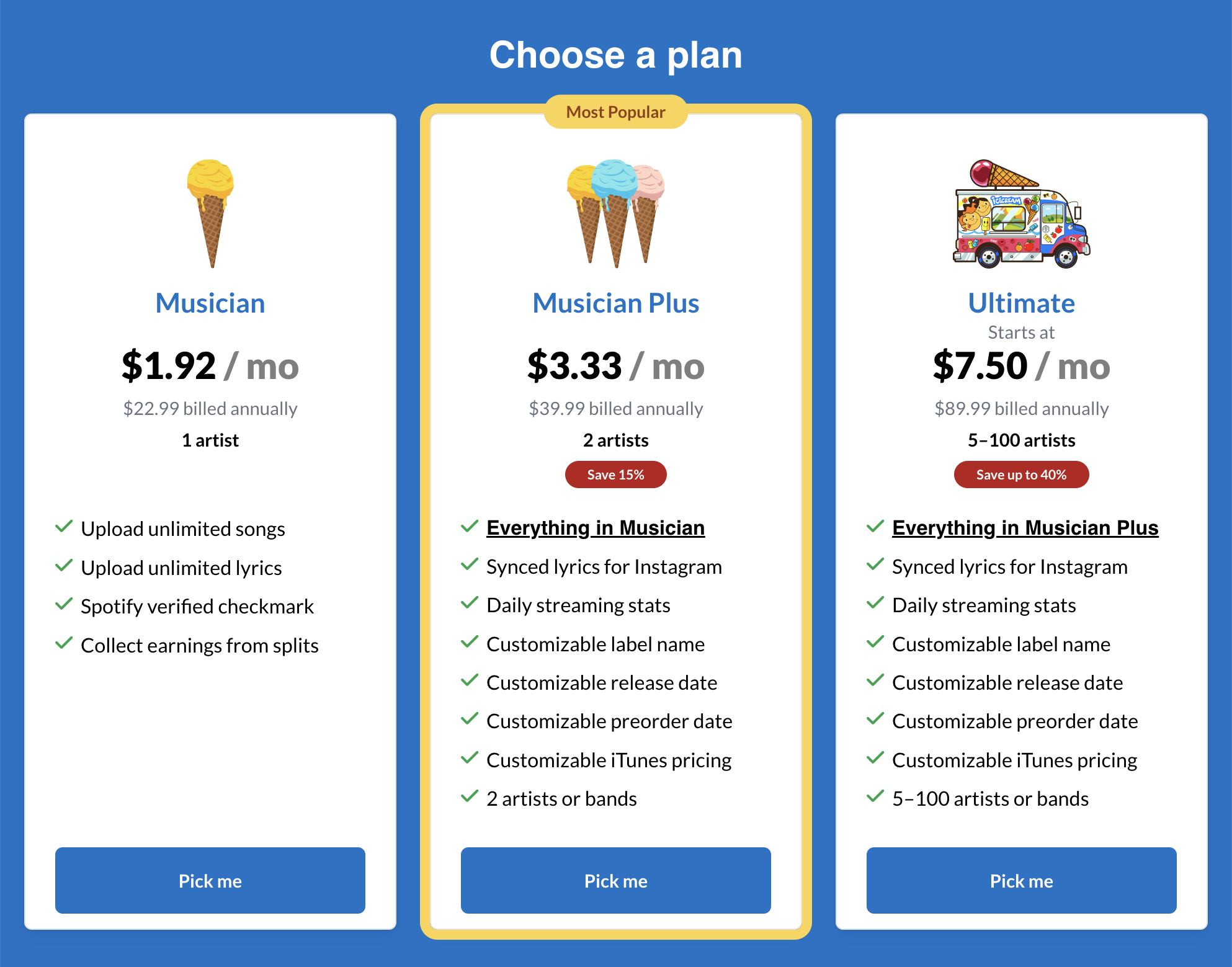
Preventing future charges from DistroKid is directly tied to the cancellation process. Since DistroKid operates on an annual billing cycle, your subscription will automatically renew on the anniversary of your sign-up date. To effectively stop DistroKid payments, you must complete the cancellation steps before this renewal date arrives. Checking your Account page for the exact renewal date is a vital step in managing your subscription.
If you miss the renewal date, you will be charged for another year. This automatic renewal policy is standard for many subscription services, and DistroKid is no exception. By proactively managing your membership status and canceling in advance, you ensure that no further payments are taken from your account. This proactive approach is key to controlling your expenses.
DistroKid Refund Policy Explained
Understanding DistroKid’s refund policy is essential before you cancel. Generally, DistroKid does not offer refunds for subscription fees that have already been paid, especially for annual plans. Once an annual fee is processed, it is considered final for that subscription term. This means that if your renewal date passes and you are charged, you typically cannot get that specific payment back unless there are extenuating circumstances or a clear error on DistroKid’s part.
It is always advisable to review the most current terms and conditions on the DistroKid website for the most accurate information regarding refunds. Proactive cancellation before the renewal date is the most effective way to avoid unwanted charges and the need to seek a refund. For specific inquiries, contacting DistroKid support directly is recommended.
What Happens to Your Music After Cancellation
The most significant consequence of canceling your DistroKid subscription is the fate of your music. Without an active subscription and unless the ‘Leave a Legacy’ feature is purchased, your music will be removed from all streaming services, including Spotify, Apple Music, and others, once your current subscription term expires. This means your songs and albums will no longer be accessible to listeners on these platforms.
The ‘Leave a Legacy’ add-on is designed to prevent this removal. It ensures that your music remains available on streaming platforms even if your DistroKid subscription lapses. However, this feature does not protect your music if you choose to manually delete your DistroKid account entirely. Therefore, carefully consider this option if long-term availability is a priority.
Frequent Error: Artists sometimes assume canceling their subscription automatically means their music stays up. This is incorrect. The ‘Leave a Legacy’ option is a separate purchase specifically for permanent availability.
Transfer Music from DistroKid to Another Service
If you decide to move your music to a different distributor, you can plan this transition before your DistroKid subscription ends. The process involves uploading your music and metadata to the new distributor. Once your music is live with the new service, you can then proceed with canceling your DistroKid subscription. It is recommended to have the new distributor set up and ready before you remove your music from DistroKid.
DistroKid allows you to collect any outstanding royalties through your DistroKid Bank even after your subscription is inactive. This ensures you receive all the money you are owed. Planning the transfer well in advance is key to a smooth transition and uninterrupted availability of your music for your fans.
Downgrade Your DistroKid Membership
Instead of a full cancellation, you might consider downgrading your DistroKid membership to a lower-tier plan. This can be a practical solution if your needs have changed or if you are looking to reduce costs. DistroKid offers various plans, and downgrading allows you to maintain your music’s presence on streaming platforms while paying less.
You can manage scheduled downgrades directly within your account settings. This feature lets you choose a new plan and set it to take effect at the end of your current billing cycle. It’s a good way to adjust your service level without the drastic step of removing your music entirely. Always review the features of each plan to ensure the downgraded option still meets your essential distribution needs.
DistroKid Royalties After Cancellation
Even after you cancel your DistroKid subscription, you will still have access to your DistroKid Bank. This is where all your earned royalties are held. You can continue to collect any outstanding payments owed to you. This feature ensures that you are not losing any money you have rightfully earned from your music streams and sales.
The ability to access your royalties persists even if your subscription is no longer active. This is a crucial benefit that allows artists to manage their earnings independently. Make sure to regularly check your DistroKid Bank for any available payouts. This ensures you receive all your due compensation.
Cancel DistroVid Subscription Steps
DistroVid, DistroKid’s service for music video distribution, has a separate cancellation process from the main music distribution service. If you wish to cancel your DistroVid subscription, you will likely need to contact DistroKid support directly. The steps for canceling DistroVid are distinct and may not be available through the standard account management portal for music distribution.
Refer to the DistroKid support section for specific instructions on canceling DistroVid. You can find detailed articles on their support site that outline the exact procedure. It is important to follow these specific steps to ensure your video distribution service is properly terminated and you avoid any further charges.
The Future of Music Distribution in 2026
As we look ahead in 2026, the landscape of music distribution continues to evolve rapidly. Services like DistroKid are adapting to artist needs, offering more flexible options such as the ‘Leave a Legacy’ feature and easier downgrading. The core challenge remains balancing accessibility and affordability for artists with the operational costs of maintaining a global distribution network.
Artists today have more power than ever to control their careers. Understanding the tools available, including how to manage subscriptions and cancellations effectively, is paramount. The trend is towards greater artist autonomy, but this freedom comes with the responsibility of informed decision-making. Always stay updated on service changes and plan your distribution strategy with foresight.
Cancel DistroKid in 3 Steps
Step 1: Log In and Navigate
Sign into your DistroKid account using your credentials.
Click your profile icon in the top-right corner and select ‘Account’.
Step 2: Access Membership Settings
Scroll down to the ‘Manage Membership’ section and click ‘Manage’.
Choose ‘Cancel membership’ from the options presented.
Step 3: Confirm and Review
Follow the on-screen prompts to finalize cancellation.
Ensure you understand the consequences, especially regarding music removal.
Frequently Asked Questions
Will my music be removed immediately after canceling?
No, your music remains on streaming services until your subscription expires.
If you don’t have ‘Leave a Legacy’, it will be removed after the billing period ends.
Can I still collect royalties after canceling?
Yes, you can access your DistroKid Bank to withdraw any accrued royalties.
Your Bank remains available even after your subscription becomes inactive.
How do I cancel my DistroVid subscription?
DistroVid cancellation requires contacting DistroKid support directly.
It is a separate service from music distribution and is not handled in account settings.
DistroKid offers a straightforward cancellation process, but the key is understanding the timing and consequences. Always check your renewal date to avoid unwanted charges.
If you plan to keep your music online, consider the ‘Leave a Legacy’ add-on before canceling. This small investment can save you from losing your catalog.
As streaming continues to dominate music consumption, maintaining control over your digital presence is essential. DistroKid empowers you to manage your releases on your terms.
