


You’ve heard the buzz about cloud computing but worry about the cost. Microsoft Azure offers a free trial that hands you $200 in credits to start without any upfront payment.
Many assume it’s complicated or a trap for hidden fees. In reality, with proper management, you can explore powerful services for 30 days and even keep some free forever after that.
What You Get with the Microsoft Azure Free Trial
The standard Azure free account gives you a $200 credit valid for the first 30 days. You can spend this on any service, from virtual machines to AI tools, without worrying about a bill.
After the credit expires or 30 days pass, your services pause automatically unless you upgrade. Plus, you get 12 months of free access to popular services like Windows Virtual Machines and Azure SQL Database within usage limits.
Beyond the first year, over 55 services remain always free, including Azure Functions and Cosmos DB. This makes the trial a safe way to test the cloud without financial risk.
Unlock the Cloud: Your Guide to the Windows Azure Trial in 2026
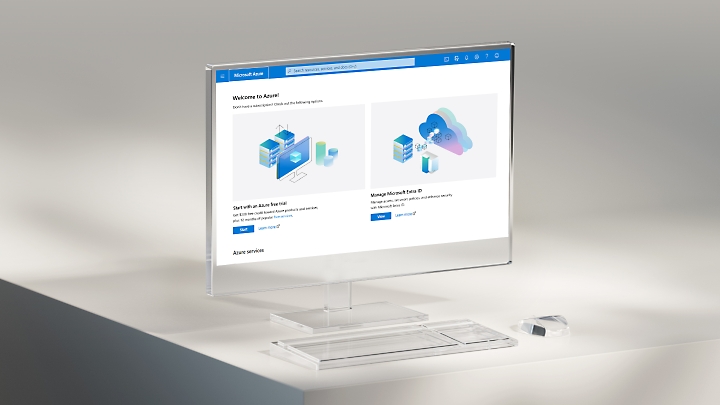
Microsoft Azure’s free account is your gateway to powerful cloud computing. In 2026, it offers a smart mix of temporary credits and services that are always free. This is the best way to start exploring without upfront costs.
You get real value right away, with options for learning, testing, or even running small projects. Understanding the details helps you make the most of this generous offer and avoid surprises.
| Offer | Credit/Duration | Details |
| Standard Free Account | $200 Credit (30 Days) + Free Services (12 Months) | Covers most Azure services. Identity verification via card, no charge unless upgraded. |
| Azure for Students | $100 Credit (12 Months) | No credit card needed at sign-up. Ideal for academic use. |
| Azure Government | $500 Credit per 30 Days (90-Day Trial) | For eligible US government entities. Designed for specific cloud solutions. |
| Azure for Startups | $1,000 to $5,000 Credit + Partner Access | For new ventures. Scalable credit based on verification. Fosters growth. |
Azure Free Tier: What You Get
The standard Azure Free Account is your initial entry point. It provides new users with a $200 credit to spend within the first 30 days. This credit applies to virtually all Azure services, including virtual machines, databases, and storage.
Beyond the initial credit, many popular services have an ‘always free’ tier. This means certain resources, like specific virtual machine sizes or Azure Functions, remain free indefinitely, provided you stay within defined monthly limits. This is crucial for ongoing, low-cost projects.
Azure Free Credits: How to Use Them
Your $200 credit is a powerful tool for experimentation. You can use it to deploy virtual machines, set up databases, explore AI services, or test web applications. Think of it as a sandbox for your ideas.
It’s important to monitor your usage. Azure provides tools to track your spending against the credit. Once the $200 is used or the 30 days expire, services using the credit will pause. This prevents unexpected bills.
The $200 credit is your initial runway. Plan your tests and learning path to maximize its value before it’s gone.
Azure Trial Period: Duration and Limits
The main trial period is defined by the $200 credit, lasting 30 days. After this, or when the credit is depleted, services that consumed the credit are suspended. This is a protective measure.
However, the ‘always free’ services continue to function beyond the initial 30 days. These have their own monthly usage caps. Exceeding these caps might incur charges, so always check the specific limits for each ‘always free’ service.
Azure Free Services List: Top Picks
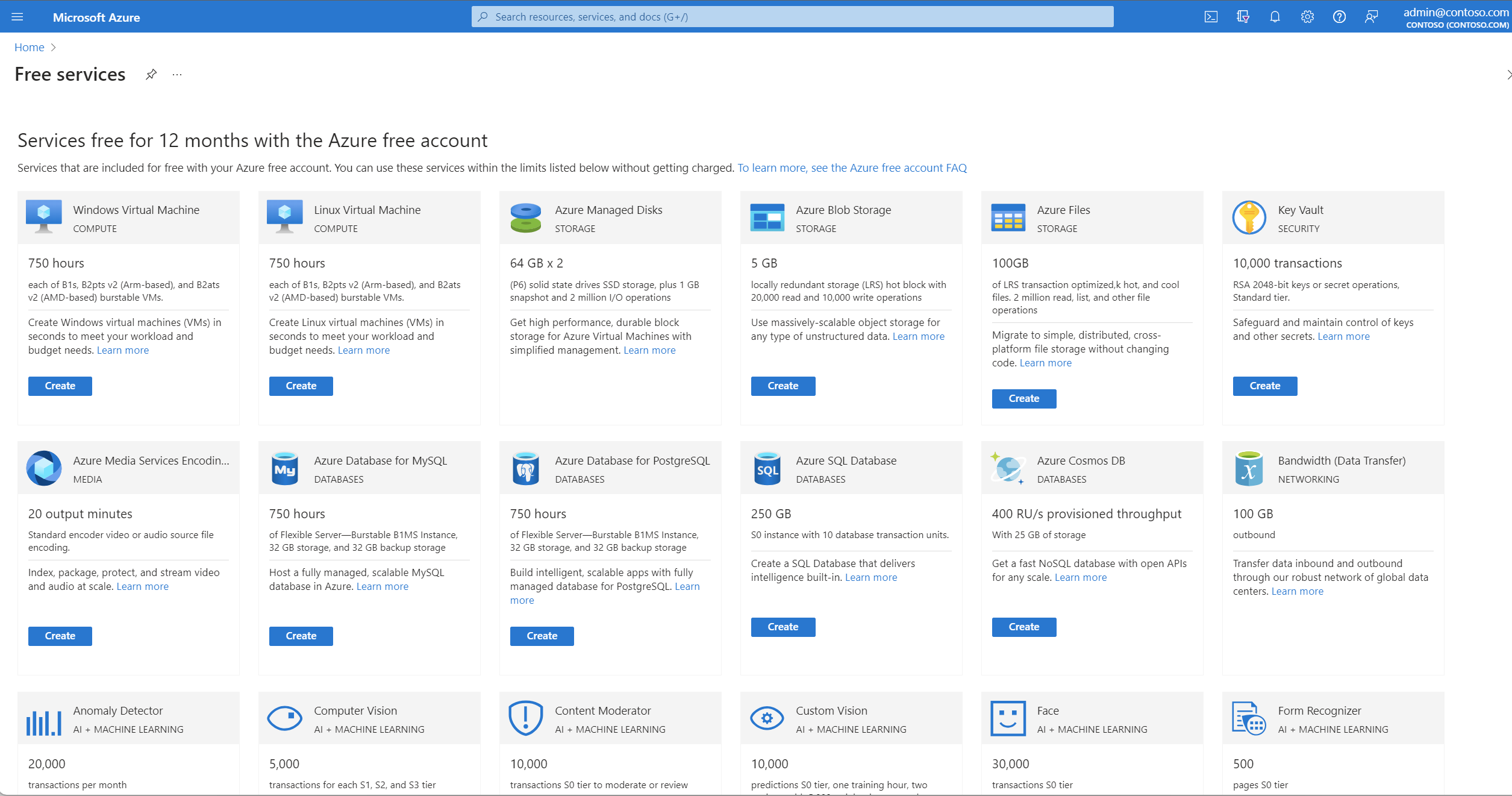
Microsoft offers a curated list of popular services available for free. This includes Linux and Windows Virtual Machines, Azure SQL Database, and Azure Storage for the first 12 months, up to certain limits. These are excellent for getting started with core cloud infrastructure.
Beyond the first year, over 55 services remain in the ‘always free’ tier. This includes powerful options like Azure Functions for serverless computing and Azure Cosmos DB for NoSQL databases. These are ideal for applications that need to scale cost-effectively.
Azure for Students: Free Trial Benefits
Azure for Students is a fantastic resource for learners. It offers a $100 credit, valid for 12 months. The key benefit here is that no credit card is required to sign up, making it highly accessible.
This program is designed to support education. Students can use the credits to learn about cloud technologies, work on academic projects, and build their skills without financial barriers.
Azure Government Free Trial: Eligibility and Access
For eligible US government entities, Azure provides a specialized free trial. This includes a substantial $500 credit that renews every 30 days for a 90-day period. It’s tailored for government-specific cloud solutions.
Access requires verification of government status. This trial ensures that government organizations can explore and implement secure cloud services compliant with their unique requirements.
Azure Startup Credits: How to Apply
New ventures can significantly benefit from Azure for Startups. The program typically starts with a $1,000 credit. This can increase to $5,000 after business verification, providing substantial resources.
Beyond credits, startups gain access to Azure’s partner network and technical support. This ecosystem is designed to help new businesses grow rapidly and innovate using cloud technology.
Azure Pay-As-You-Go: Transitioning from Free Trial
When your free credits run out or the trial period ends, you have options. You can choose to upgrade to an Azure Pay-As-You-Go subscription. This allows you to continue using services beyond the free limits.
The transition is managed within your Azure account. You can set spending limits and monitor costs closely. This model offers flexibility, allowing you to pay only for what you use after the free tier benefits are exhausted.
Avoid unexpected charges by always reviewing your subscription settings and spending limits before your free trial concludes.
The Verdict: Azure’s Free Offer in 2026
In 2026, the Microsoft Azure free account and its various specialized trials remain an industry-leading offer. It provides unparalleled access for individuals, students, governments, and startups to explore and utilize advanced cloud services.
The combination of time-limited credits and perpetually free services ensures that learning and innovation can continue cost-effectively. Azure’s commitment to accessibility through these free tiers solidifies its position as a dominant force in the cloud market for years to come.
This content is for informational purposes only. Always consult a qualified specialist.
Your 3-Step Azure Free Trial Action Plan
Step 1: Sign Up and Secure Your Credits
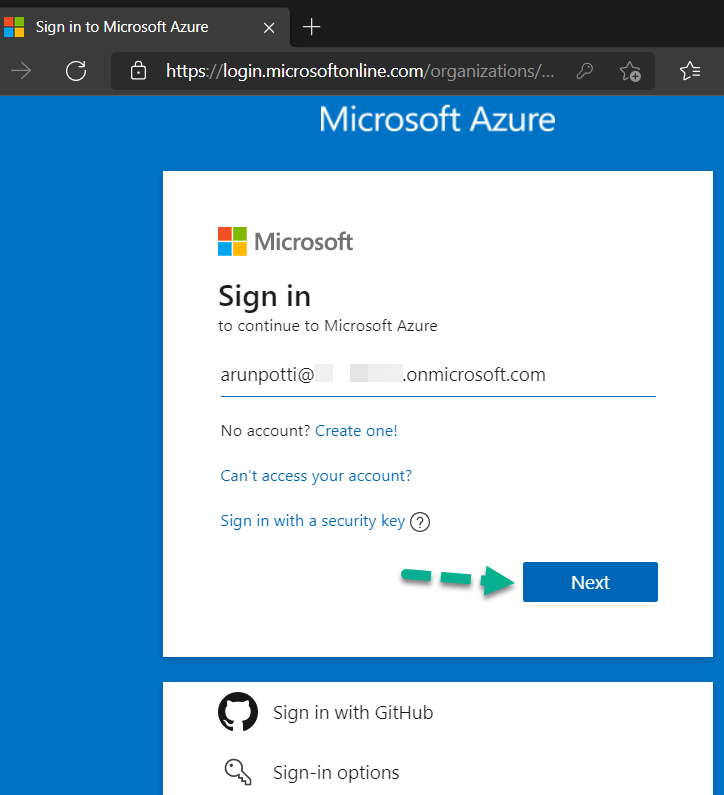
Visit the Azure Free Account page and click the green ‘Start free’ button. Use a valid credit card for identity verification; you won’t be charged unless you upgrade.
Step 2: Prioritize Your $200 Credit
Deploy the services that matter most in the first 30 days. Focus on high-value resources like Virtual Machines and Azure SQL Database to maximize your trial.
Step 3: Leverage Always-Free Services
After the credit expires, shift to the 12-month free tier and then to the always-free services. Monitor your usage with the Azure Cost Management tool to avoid surprises.
Common Mistakes to Avoid
- Forgetting to set a budget alert – this can lead to accidental charges after the credit runs out.
- Ignoring the per-service caps – exceeding them will incur costs even during the free period.
Frequently Asked Questions
Do I need a credit card to sign up for the Azure free trial?
Yes, a valid credit or debit card is required for identity verification. However, you won’t be charged unless you explicitly upgrade to a paid plan.
What happens when my $200 credit runs out?
Your services are automatically suspended to prevent unexpected charges. You can resume them by upgrading to a pay-as-you-go subscription.
Can I use the Azure free trial for production workloads?
Yes, but only if you stay within the free usage caps. For heavy production loads, consider upgrading to a paid tier to avoid service interruptions.
Choosing the Azure free trial gives you a risk-free way to explore enterprise-grade cloud services. The $200 credit and 12-month free tier provide ample room for learning and small projects.
Start your trial today and see how Azure fits your workflow. Next, consider building a small application to test performance and scalability.
Imagine deploying a solution that scales effortlessly with your business growth. That future begins with a single, smart step into the cloud.
