

Are you tired of writing checks by hand and worrying about fraud? Laser check printing lets you print professional, secure checks directly from your accounting software, saving time and reducing errors. It’s a simple upgrade that can transform your payment process.
Many business owners think printing checks at home is complicated or illegal. The truth is, it’s perfectly legal as long as you use the right materials, like MICR toner and security check stock. Let’s clear up the confusion and show you how it works.
Disclaimer: This article provides general information about laser check printing and does not constitute financial or legal advice. Always consult a professional for your specific situation.
Why Businesses Are Switching to Laser Check Printing with QuickBooks
Laser check printing is the go-to method for businesses using QuickBooks, Sage, or Quicken. It’s fast, secure, and cost-effective. A standard laser printer can churn out 38 to 55 pages per minute, making it ideal for high-volume check runs.
The secret sauce is MICR toner, which contains magnetic particles that bank scanners read. Without it, your checks will be rejected. You also need security check stock with features like watermarks, microprinting, and ‘void’ pantographs to prevent fraud.
Popular formats include voucher checks (with detachable stubs for record-keeping), 3-per-page checks (economical and efficient), and blank check stock (flexible for multiple accounts). Prices vary: Deluxe’s High Security 3/Pg Laser Checks (600 ct) run about $180, while Check Depot offers 1,000 QuickBooks checks for around $100.
The Modern Way to Print Business Checks: Laser Check Printing
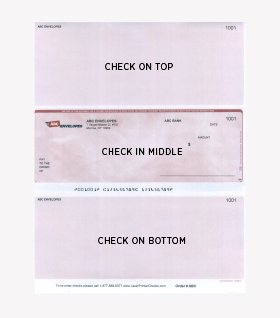
Laser check printing is the smart, secure, and efficient solution for businesses today. It allows you to print checks directly from your accounting software, like QuickBooks. This modern method uses specialized paper and a laser printer with MICR toner. It ensures your checks are readable by banks and hard to counterfeit.
This process is vital for accurate payments and strong financial security. By using the right equipment and materials, you avoid costly errors and protect your business from fraud. It’s a professional step that enhances your company’s credibility.
| Component | Description | Importance |
|---|---|---|
| Laser Printer | High-speed printing, 38-55 ppm | Efficiency for high volume |
| MICR Toner | Magnetic Ink Character Recognition | Bank scanner readability |
| Security Check Stock | Watermarks, microprinting, void pantographs | Fraud deterrence |
| Accounting Software | QuickBooks, Sage, Quicken | Direct printing integration |
Laser Check Printing for Business Checks
Printing your own business checks with a laser printer offers significant advantages. It provides control over your finances and reduces reliance on external printing services. This method is cost-effective, especially for businesses that issue a high volume of checks regularly. You can print checks as needed, avoiding large upfront inventory costs.
Read also: Stop Wasting Money on Copiers: Best for Business 2026
The speed of laser printers, often between 38 to 55 pages per minute, means you can produce many checks quickly. This is crucial when you need to make urgent payments. It ensures your business operations run smoothly without payment delays.
Using MICR Toner for Secure Checks
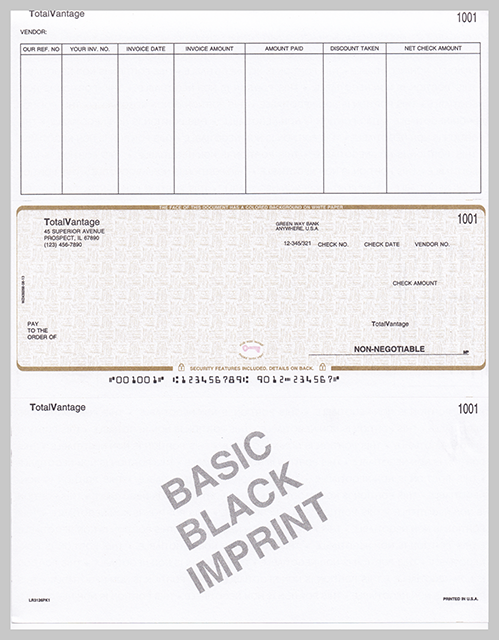
The most critical component for secure check printing is MICR toner. This special magnetic ink is what allows bank sorting machines to read the account and routing numbers at the bottom of your checks. Without MICR toner, your checks will be rejected by the banking system, causing significant payment issues.
Standard toner simply does not have the magnetic properties required for automated processing. Using MICR toner ensures compliance with banking standards and guarantees that your payments are processed accurately and efficiently. It is a non-negotiable element for professional check printing.
MICR toner is the key to making your laser printed checks readable by bank scanners. It’s essential for avoiding rejections and ensuring smooth transactions.
Choosing the Right Check Stock
The paper you use, known as check stock, plays a huge role in security and professionalism. For laser check printing, you need specialized stock designed to work with laser printers and MICR toner. This paper often includes built-in security features to prevent counterfeiting.
Look for features like watermarks, microprinting (tiny text visible only under magnification), and pantographs that show ‘VOID’ if a check is copied. These elements make it much harder for fraudsters to create fake checks, offering robust protection for your business funds.
Voucher Checks and 3-Per-Page Formats
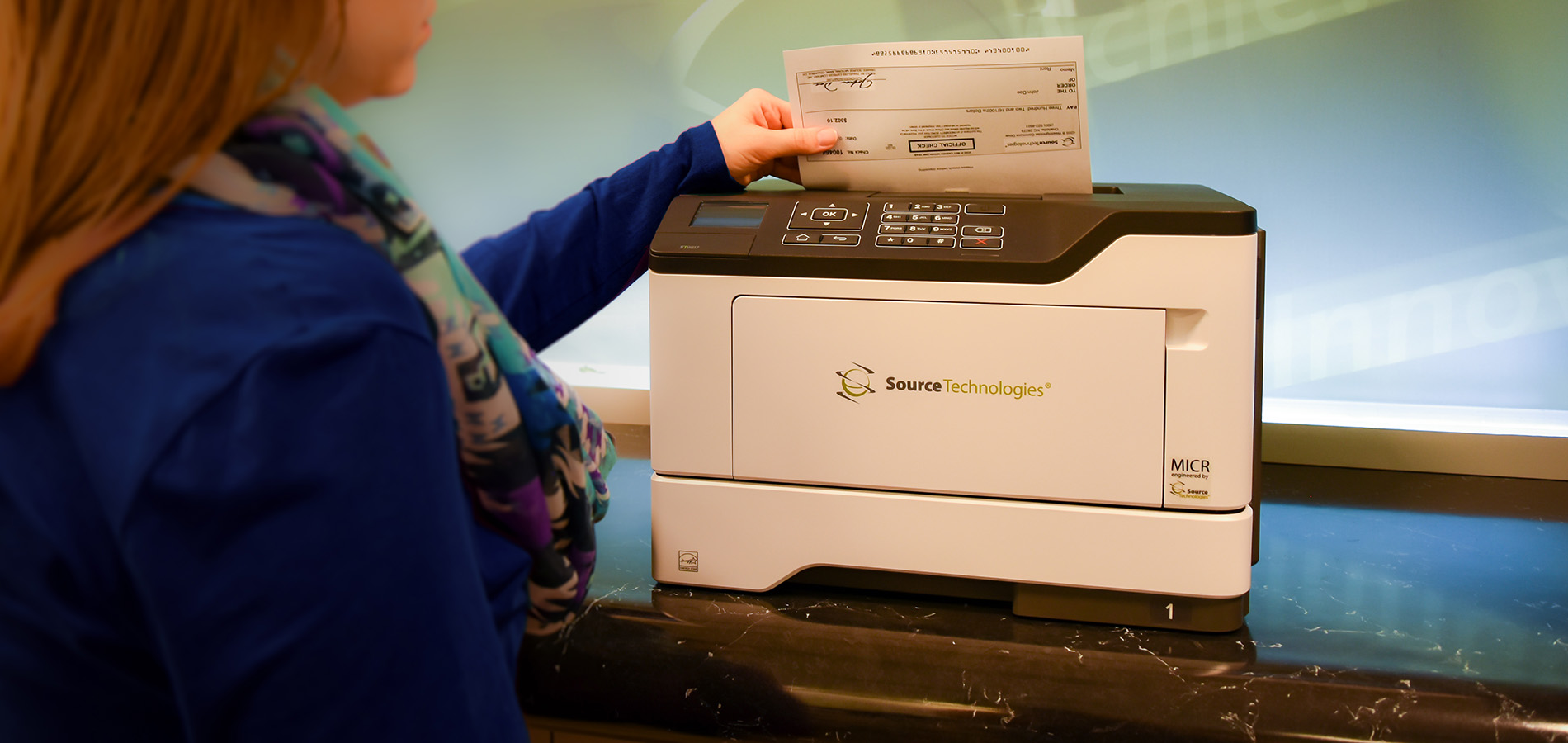
When selecting your check stock, you’ll encounter different formats. Voucher checks are popular because they include a stub or voucher section. This section provides space for detailed payment information, like invoice numbers and descriptions, which is excellent for record-keeping. They come in top, middle, or bottom configurations.
The 3-per-page checks format is a very economical option. It allows you to print three checks on a single sheet of paper, which can significantly reduce paper costs. This format is ideal for businesses looking to maximize efficiency and minimize expenses while maintaining clear records.
Integrating QuickBooks with Laser Check Printing
One of the biggest benefits of laser check printing is its seamless integration with popular accounting software. Programs like QuickBooks are designed to work with this system. You can set up your software to print checks directly, pulling payee information, amounts, and dates automatically.
This integration eliminates manual data entry, reducing the chance of errors and saving valuable time. It streamlines your entire payment process, from recording transactions to printing the physical checks. Ensure your software is configured correctly for optimal performance.
ANSI Standards for Magnetic Ink Character Recognition
The American National Standards Institute (ANSI) sets the guidelines for check printing. For Magnetic Ink Character Recognition (MICR), these standards ensure that the numbers at the bottom of your checks are printed correctly for machine readability. Following ANSI standards is crucial for your checks to be accepted by all banks.
These standards cover everything from the font type to the spacing and ink properties. Using MICR toner and compatible check stock designed to meet these specifications is essential. Adhering to these guidelines guarantees that your business checks function correctly within the banking system.
Strict adherence to ANSI standards for MICR ensures your checks are processed without issues. It’s a fundamental requirement for legitimate business transactions.
Fraud Prevention in Laser Check Printing
Fraud prevention is a top priority for any business. Laser check printing offers several layers of security to combat this. The use of specialized, secure check stock with anti-counterfeiting features is your first line of defense.
Combining this with MICR toner and printing directly from your secure accounting software minimizes opportunities for fraud. Many suppliers also offer additional services, like FraudArmor, for an extra layer of protection. This comprehensive approach safeguards your business finances effectively.
Blank Check Stock for Accounting Software
Blank check stock offers maximum flexibility, especially if you manage multiple bank accounts. Instead of ordering pre-printed checks for each account, you can use blank stock. Your accounting software can then print all the necessary details, including your account and routing numbers in MICR format, directly onto the blank sheets.
This method is not only flexible but also very secure. It reduces the risk of sensitive account information falling into the wrong hands. You simply load the blank stock into your laser printer and print as needed, ensuring accuracy and control over your check production.
The Future of Check Printing in 2026
Laser check printing, especially with MICR toner and secure check stock, remains a robust and reliable method for businesses in 2026. While digital payments are growing, checks are still essential for many types of transactions and vendor payments. The security and control offered by printing your own checks are unmatched.
Businesses will continue to rely on this method for its efficiency, cost-effectiveness, and strong fraud prevention capabilities. Investing in compatible laser printers and quality supplies ensures smooth operations and financial security. It is a proven system that adapts to modern business needs.
Your 3-Step Action Plan for Laser Check Printing
Step 1: Gather Your Gear
Start with a laser printer that supports MICR toner. Check your printer manual for MICR compatibility.
Buy genuine MICR toner—standard toner will cause bank rejections. Order secure check stock with built-in fraud features.
Step 2: Set Up Your Software
Open your accounting software—QuickBooks, Sage, or Quicken. Go to the check printing settings and select your check format.
Align the check stock in the paper tray. Print a test on plain paper first to verify alignment.
Step 3: Print and Protect
Load the secure check stock and print your first batch. Store unused checks in a locked drawer.
Review each printed check for errors before mailing. Enable positive pay with your bank to stop fraudulent checks.
Frequently Asked Questions
Can I use any laser printer for check printing?
No, you need a printer that accepts MICR toner, which is specially formulated for magnetic character recognition. Most standard laser printers work, but some low-end models may not fuse MICR toner properly.
Is printing checks at home legal?
Yes, it is legal in the US as long as you follow ANSI standards for check layout and use MICR toner. Banks may charge a fee for checks that don’t meet standards.
What’s the difference between blank stock and pre-printed checks?
Blank stock lets you print everything—including bank and account info—giving flexibility for multiple accounts. Pre-printed checks come with your bank details already printed, which is faster but less flexible.
Laser check printing puts you in control of your payments with professional results and bank-grade security. You now have the knowledge to choose the right printer, toner, and stock.
Start by checking your current printer’s MICR compatibility and ordering a sample pack of check stock. Test a few prints before committing to a bulk order.
Imagine issuing payments from your home office with the same speed and security as a corporate treasury. That level of efficiency is yours with just a few smart purchases.
