


You are paying for Microsoft 365 Family but only using it on one computer? That is like buying a family-sized pizza and eating just one slice. The subscription lets you share with up to five other people, each getting their own 1 TB of cloud storage and full access to Word, Excel, and PowerPoint. Stop leaving money on the table.
Most people think Microsoft 365 Family is just for big families. The truth is it works for roommates, partners, or even a small business team. Each of the six users gets their own login, their own apps, and their own private OneDrive space. No one sees your files unless you share them.
Microsoft 365 Family vs. Personal: Which One Saves You More Money?
The biggest mistake is buying the Personal plan when you can split the Family plan with just one other person. Microsoft 365 Family costs $129.99 per year for up to six users. That is about $21.67 per person per year. The Personal plan is $99.99 for a single user. Even if you only share with one other person, you save over $78 a year.
Each user gets premium apps like Word, Excel, PowerPoint, Outlook, and OneNote. Windows users also get Access and Publisher. Plus, everyone gets 1 TB of OneDrive storage for their own files. That means 6 TB total for the whole household. The subscription also includes Microsoft Defender for device protection and ransomware recovery in OneDrive.
Overview
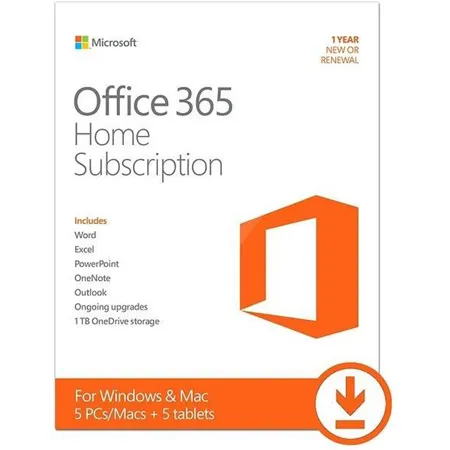
Microsoft 365 Family is the new name for Office 365 Home. It is a subscription service for your household. You can share one license with up to six people. Each person gets full versions of Word, Excel, and PowerPoint. Windows users also get Access and Publisher. This plan is built for families and shared use. It offers great value for productivity and cloud storage. As of 2026, this is the top offering for families. It provides continuous updates and AI features. This is different from one-time purchase software. Microsoft 365 Family offers more than just apps. It includes significant cloud storage and security. The annual cost is competitive for the features provided.
| Feature | Details |
| Product Name | Microsoft 365 Family |
| Max Users | 6 |
| Included Apps | Word, Excel, PowerPoint, Outlook, OneNote, (Access, Publisher for Windows) |
| Cloud Storage | 1 TB per user (up to 6 TB total) |
| AI Features | Microsoft Copilot (in select apps) |
| Security | Microsoft Defender, OneDrive ransomware recovery |
| Device Sign-ins | 5 simultaneous per user |
| Annual Price (Standard) | $129.99 USD |
| Monthly Price (Standard) | $12.99 USD |
| Typical Discounted Price | $94.99 – $99.99 USD (annual) |
Microsoft 365 Family vs. Personal: Which Plan Fits You?
Microsoft 365 Family is designed for sharing. It allows up to six people to use the subscription. Each person gets their own 1 TB of OneDrive storage. This plan is ideal for households with multiple users.
Microsoft 365 Personal is for one individual. It includes the same apps and 1 TB of OneDrive storage. However, it cannot be shared. Choose Personal if you are the only user. Family is the better value for multiple people. The decision hinges on how many people need access.
Key Features of Office 365 Home You Should Know
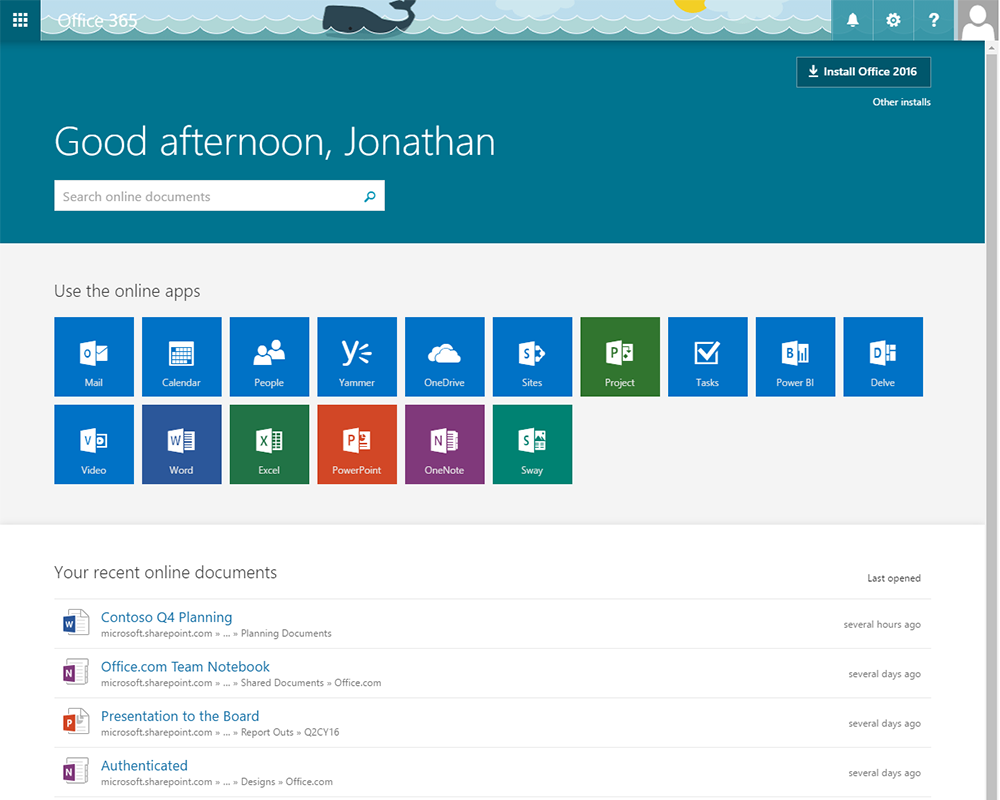
Premium Applications are included. You get the latest versions of Word, Excel, PowerPoint, and Outlook. Windows users also gain Access and Publisher. These are powerful tools for any task.
Cloud Storage is a major benefit. Each of the six users gets 1 TB of OneDrive. This totals 6 TB for the household. It is perfect for backing up files and photos.
AI Assistance is integrated. Microsoft Copilot offers advanced help. It can assist with writing, data analysis, and presentations. This feature enhances productivity significantly.
Robust Security is built-in. Microsoft Defender protects devices. OneDrive includes ransomware recovery. This keeps your data safe from threats.
Breaking Down the Microsoft 365 Family Cost
Standard Annual Cost is about $129.99 USD. This breaks down to roughly $21.67 per user per year. This is a very affordable price for six users.
Monthly Option costs about $12.99 USD. This is more expensive if used long-term. The annual plan offers better savings. It is about $155.88 USD per year.
Retailer Discounts are common. You can often find it for $94.99 or $99.99 USD annually. Always check different retailers. This makes the subscription even more budget-friendly. Look for deals at stores like Adorama or My Choice Software.
How Microsoft 365 Family Sharing Works
Easy Invitation Process is key. The subscription owner invites others. They send a link via email or a Microsoft account.
Individual Accounts are created. Each invited person accepts the offer. They then link their Microsoft account to the subscription.
Separate Workspaces are maintained. Each user has their own apps and OneDrive storage. Their files and settings are private. This ensures a personalized experience for everyone.
Microsoft 365 Family vs. Office Home 2024: A Cost-Benefit Analysis
Office Home 2024 is a one-time purchase. It costs around $150 USD for a single user. You own that version forever. However, it lacks cloud storage and continuous updates.
Microsoft 365 Family costs $129.99 annually. It includes apps for six users. You get 6 TB of cloud storage. Plus, you always have the latest features and AI tools.
Long-Term Value favors Microsoft 365 Family. For families, it is more cost-effective. The subscription model provides ongoing value. Perpetual licenses become outdated quickly. Microsoft 365 Family is the superior choice for modern needs.
AI Features in Microsoft 365 Family Explained
Microsoft Copilot is the main AI tool. It works within Word, Excel, and PowerPoint.
Content Creation is enhanced. Copilot can help draft emails or documents. It can summarize text or generate ideas.
Data Analysis becomes simpler. In Excel, Copilot can help analyze trends. It can create charts or identify patterns.
Presentation Development is streamlined. Copilot can help design slides. It can suggest layouts and content. This AI integration boosts efficiency.
OneDrive Storage in Microsoft 365 Family: What You Get
Generous Cloud Storage is provided. Each of the six users receives 1 TB. This is a total of 6 TB for the household.
File Backup and Sync are essential. Store documents, photos, and videos securely. Access them from any device.
Ransomware Protection is included. OneDrive can recover your files if attacked. This is a critical security measure. It ensures your data is safe.
Security Features Included in Microsoft 365 Family
Microsoft Defender offers protection. It covers identity and device security. This helps prevent unauthorized access.
Advanced Threat Protection is part of the package. It guards against malware and phishing attempts.
OneDrive Ransomware Recovery is a key feature. It allows you to restore files. This is vital for business continuity. These security layers provide peace of mind.
Usage and Style Inspiration
Here are practical ways to use Microsoft 365 Family:
- Family Budgeting: Use Excel templates to track household expenses. Share the budget file via OneDrive for everyone to see.
- School Projects: Students can use Word and PowerPoint for assignments. Parents can help using shared access. Store all project files in a dedicated OneDrive folder.
- Home Office Setup: Use Outlook for professional communication. Organize client information with Access. Store all business documents securely.
- Photo Management: Upload family photos to OneDrive. Use PowerPoint to create slideshows for events. Share albums with relatives easily.
- Collaborative Writing: Work on shared documents with family members. Use Word’s co-authoring features. Track changes and provide feedback in real-time.
Verdict
Microsoft 365 Family is a robust solution. It offers excellent value for households. The inclusion of premium apps and AI is a major plus. The extensive cloud storage and security features are also significant benefits.
Pros:
- Shared access for up to six users.
- 1 TB cloud storage per user (6 TB total).
- Latest versions of Office apps included.
- AI features like Microsoft Copilot.
- Strong security with Microsoft Defender.
- Affordable annual subscription, especially with discounts.
Cons:
- Requires an ongoing subscription fee.
- Some advanced features may have a learning curve.
- Access and Publisher only for Windows users.
- AI features are integrated but require specific usage.
For families needing productivity tools and cloud services, Microsoft 365 Family is a smart investment. It provides continuous updates and comprehensive features. For more details on Office 365 vs. Microsoft 365, visit advisicon.com. You can also explore Microsoft 365 apps at office.com.
Read also: How to safely download Microsoft Office in 2026
Read also: I Need a Business Email Address – Here’s the Cheapest Way to Get One
How to Keep Your Microsoft 365 Family Subscription Running Smoothly
What to Avoid
- Sharing your main account password. Use the Family group feature to invite members securely.
- Letting storage get full. Monitor each user’s OneDrive usage to avoid sync issues.
Step-by-Step Maintenance
- Review subscriptions yearly. Check for unused licenses and reassign them.
- Update apps regularly. Enable automatic updates to get the latest security patches and features.
- Clean up cloud storage. Delete old or duplicate files to free up space.
Frequently Asked Questions
Can I switch from a monthly to an annual plan?
Yes, you can change your billing frequency in your Microsoft account settings. The switch takes effect at the next billing cycle.
What happens when my subscription expires?
Your apps enter read-only mode, and you lose access to premium features. You have 30 days to renew before data is deleted.
Can I use Microsoft 365 Family for a small business?
No, this plan is for household use only. For business, you need Microsoft 365 Business Basic or higher.
Microsoft 365 Family is the smartest choice for households that need premium productivity tools and generous cloud storage. It offers unbeatable value with six user licenses and AI features.
Now is the time to upgrade your family’s digital workspace. Compare current deals from trusted retailers to lock in the best price.
Imagine each family member creating, collaborating, and securing their data seamlessly. With Microsoft 365 Family, your home becomes a hub of efficient creativity.
