

Is your office still wasting time on slow, clunky printers that can’t handle tabloid-size documents? The Xerox C7120 might be the upgrade you need to cut frustration and boost productivity. This A3 color MFP is built for real work, not just promises.
With speeds up to 20 pages per minute and a duty cycle of 87,000 images per month, this machine can keep up with a busy workgroup. Plus, ConnectKey technology makes scanning to cloud services like Google Drive nearly effortless.
Xerox VersaLink C7120: A Reliable A3 Color MFP for Modern Workgroups
The Xerox VersaLink C7120 is not just another office printer. It is a dedicated workhorse designed for small to mid-sized teams that need consistent color output on paper up to 11×17 inches. With a 1.05 GHz dual-core processor and 4 GB of RAM, it handles complex jobs without slowing down.
Setup is straightforward thanks to the 7-inch color touchscreen and NFC Tap-to-Pair for mobile devices. You can print directly from Apple AirPrint or Mopria, and scanning to email or cloud folders takes just a few taps. The standard paper capacity is 1,140 sheets, expandable to 5,140 sheets for high-volume needs.
Overview
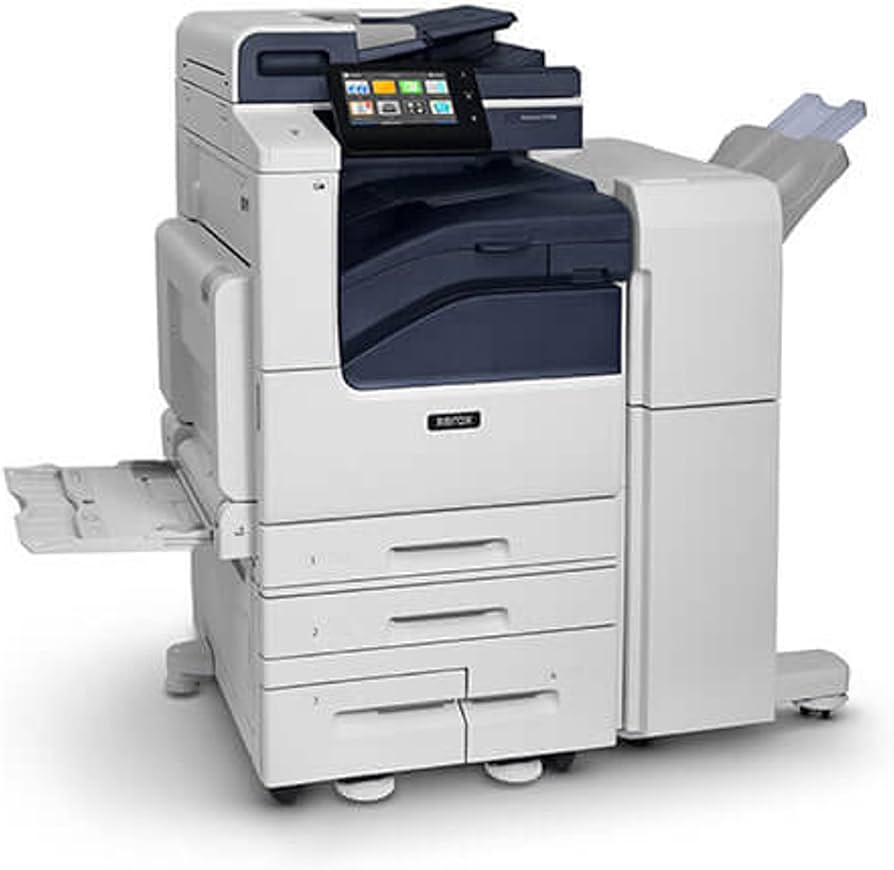
The Xerox VersaLink C7120 is a powerful color tabloid MFP. It handles printing, copying, scanning, and emailing. This machine is built for small to mid-sized workgroups in 2026. Xerox ConnectKey Technology powers its cloud and mobile features. It offers robust workflows for modern offices. This printer supports up to 20 pages per minute in color and black. Its resolution reaches up to 1200 x 2400 dpi. It handles paper sizes up to 11 x 17 inches. The standard paper capacity is 1,140 sheets. This can expand to 5,140 sheets. A 130-sheet DADF speeds up document processing. It has a 1.05 GHz Dual-Core processor and 4 GB memory. The monthly duty cycle is up to 87,000 images. Recommended volume is up to 5,500 pages. A 7-inch touchscreen makes it easy to use. Mobile printing via AirPrint and Mopria is supported. NFC pairing is also included. Direct printing from Google Drive and OneDrive is possible. Security features include AES-256 encryption and TLS 1.3. High-yield toner cartridges are available. Black yields about 31,300 pages. Color yields about 18,500 pages. Optional upgrades add Wi-Fi and finishing. Get support from official Xerox channels.
| Feature | Specification |
| Print Speed | Up to 20 ppm (Color/Mono) |
| Resolution | Up to 1200 x 2400 dpi |
| Paper Size | Up to 11 x 17 (Tabloid/A3) |
| Standard Paper Capacity | 1,140 sheets |
| Maximum Paper Capacity | 5,140 sheets |
| Document Feeder | 130-sheet DADF |
| Processor | 1.05 GHz Dual-Core |
| Memory | 4 GB |
| Monthly Duty Cycle | Up to 87,000 images |
| Recommended Monthly Volume | Up to 5,500 pages |
| Touchscreen | 7-inch color |
| Mobile Printing | AirPrint, Mopria |
| Security | AES-256, TLS 1.3 |
| Black Toner Yield | Approx. 31,300 pages |
| Color Toner Yield | Approx. 18,500 pages |
Xerox VersaLink C7120DN Review
The Xerox VersaLink C7120DN offers excellent performance for its class. It prints and copies at a consistent 20 pages per minute. This speed is suitable for busy workgroups. The high resolution ensures sharp text and vibrant images. Its robust build handles a high monthly duty cycle of 87,000 images. This makes it a reliable choice for demanding environments. The standard 1,140-sheet paper capacity reduces refills. Optional trays can expand this significantly. The 130-sheet DADF is efficient for scanning multi-page documents. It supports single-pass duplex scanning, saving time.
Xerox C7120 vs C7125 Comparison
The main difference between the Xerox C7120 and the C7125 is speed. The C7120 prints up to 20 ppm. The C7125 increases this to 25 ppm for both color and monochrome. Both models share the same robust features. This includes the 7-inch touchscreen and ConnectKey technology. Paper handling and scanning capabilities are also identical. For workgroups needing slightly faster output, the C7125 is an upgrade. However, the C7120 provides excellent value for many small to mid-sized businesses. Consider your print volume carefully when deciding.
Xerox C7120 Specifications Overview
Understanding the Xerox C7120 specifications is key. It boasts a 1.05 GHz Dual-Core processor. Coupled with 4 GB of memory, it handles complex jobs smoothly. The monthly duty cycle of 87,000 images shows its durability. Recommended monthly volume is up to 5,500 pages. This ensures optimal performance and longevity. The 130-sheet DADF supports single-pass duplex scanning. This is a significant efficiency gain. Media support includes up to 11 x 17 inch paper. This flexibility is crucial for diverse printing needs.
Xerox C7120 Toner Cost Analysis
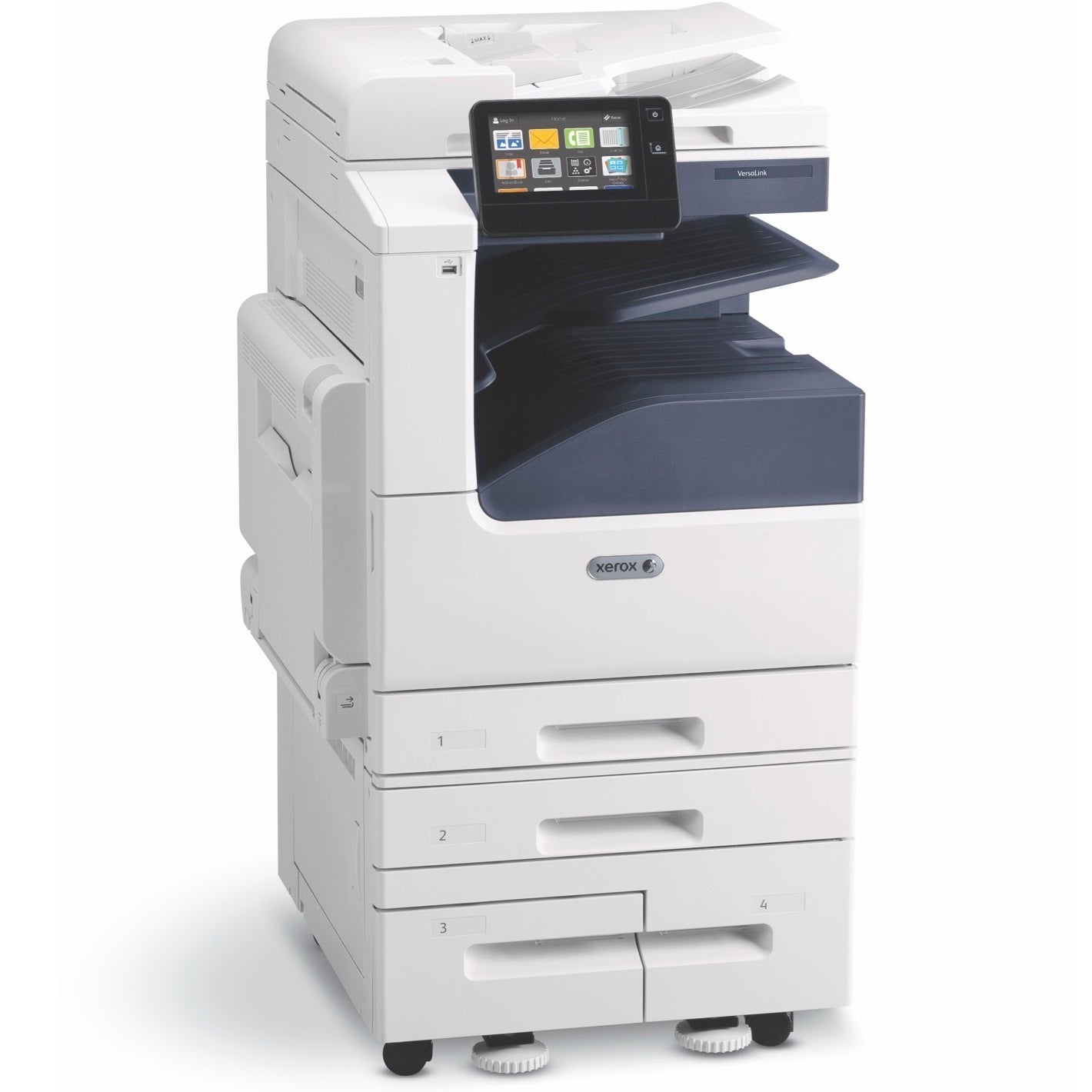
Toner cost is a major factor for any MFP. The Xerox C7120 toner cartridges offer high yields. The extra high capacity black cartridge prints about 31,300 pages. Color cartridges yield around 18,500 pages each. This translates to a lower cost per page over time. For example, printing 5,500 pages per month, the black toner could last nearly six months. Color printing will require more frequent replacement. It is important to budget for consumables based on your print mix. Buying genuine Xerox toner ensures quality and reliability. High-yield options are generally more cost-effective for higher volumes.
| Toner Type | Approx. Yield | Color |
| Extra High Capacity | 31,300 pages | Black |
| High Capacity | 18,500 pages | Cyan, Magenta, Yellow |
Xerox C7120 Setup Guide
Setting up the Xerox C7120 is straightforward. First, unpack the printer and remove all packing materials. Install the toner cartridges following the on-screen prompts. Connect the printer to your network using an Ethernet cable or optional Wi-Fi. Power on the device. The 7-inch touchscreen will guide you through initial configuration. This includes setting the date, time, and language. You will also connect to your Wi-Fi network if applicable. Install the necessary Xerox C7120 drivers on your computers. Network administrators can use tools like CentreWare Internet Services for advanced setup. Refer to the official setup guide for detailed instructions.
Xerox C7120 Driver Download
Keeping your printer drivers up-to-date is essential. You can find the latest Xerox C7120 drivers on the official Xerox support website. Navigate to the support section and search for the C7120 model. Download the appropriate drivers for your operating system (Windows, macOS, Linux). It is recommended to download drivers directly from Xerox to ensure authenticity and security. These drivers enable full functionality, including advanced print settings and scanning features. Regular driver updates can improve performance and resolve potential issues. Always check for updates periodically.
Xerox C7120 Price and Value
The Xerox C7120 price can vary depending on the configuration and vendor. Expect pricing to be competitive within the A3 color MFP market. For instance, you might find it listed around $3,000 to $4,500 depending on options. Considering its robust features, speed, and high-volume capabilities, it offers strong value. The expandable paper capacity and efficient DADF add to its utility. Its durable design suggests a long operational life. This makes it a sound investment for businesses. Compare offers from different authorized dealers to find the best deal. CDW often has competitive pricing. For a business-class MFP, the total cost of ownership is reasonable.
The Xerox C7120 is engineered for reliability, offering a substantial monthly duty cycle that supports consistent high-volume output.
Xerox C7120 vs C7130: Which to Choose
The choice between the Xerox C7120 and the C7130 hinges on speed requirements. The C7120 operates at up to 20 ppm. The C7130 significantly boosts this to 30 ppm for both color and monochrome. Both printers share the same core ConnectKey technology, paper handling capabilities up to 11×17, and the 7-inch touchscreen interface. If your workgroup consistently handles very large print jobs and speed is critical, the C7130 is the better option. For moderate to high volumes where 20 ppm is sufficient, the C7120 presents a more cost-effective solution. Evaluate your current and future printing needs to make the right selection. Xerox Business Solutions details these models. Both are excellent A3 color MFPs.
Usage and Style Inspiration
- Office Productivity Hub: Position the Xerox VersaLink C7120 in a central location for easy access. Use its scanning features to digitize important documents directly to cloud storage like Google Drive or OneDrive. This streamlines document management and improves collaboration.
- Marketing Material Creation: Leverage the tabloid size (11×17) capability to print in-house marketing materials. Create flyers, brochures, or posters with vibrant color output. This can save costs compared to outsourcing small print runs.
- Secure Document Handling: Utilize the secure print feature for sensitive documents. Users must authenticate at the printer to release their jobs. This prevents unauthorized access to confidential information.
- Mobile Workforce Integration: Enable mobile printing via AirPrint or Mopria. Staff can print directly from their smartphones or tablets. NFC Tap-to-Pair makes connecting quick and easy for compatible devices.
- Workflow Automation: Explore Xerox ConnectKey apps. These can automate repetitive tasks. For example, scan directly to email or a specific network folder with a single touch. This enhances efficiency for common office routines.
Verdict
The Xerox VersaLink C7120 is a capable A3 color MFP. It offers a solid balance of features, performance, and cost. Its robust build and high duty cycle make it suitable for demanding environments. The ConnectKey technology provides modern workflow capabilities. High-yield toner offers good long-term value.
- Pros
- Excellent tabloid (A3) color printing.
- High-volume capable with robust duty cycle.
- Efficient 130-sheet DADF with duplex scanning.
- Modern ConnectKey technology for cloud and mobile.
- Secure print and data protection features.
- Expandable paper capacity.
- Cons
- Base speed of 20 ppm may be slow for extremely high-volume offices.
- Higher initial cost compared to smaller desktop MFPs.
- Color toner yields, while good, require careful volume monitoring.
- Optional features can increase the overall price significantly.
Keep Your Xerox VersaLink C7120 Running Like New
A high-performance printer needs regular care to avoid costly downtime. Here is how to maintain your C7120 for years of reliable service.
What to Avoid
- Never use generic or remanufactured toner. They can cause poor print quality and damage the imaging unit.
- Don’t overload the paper trays beyond the fill line. This leads to paper jams and misfeeds.
- Avoid using paper that is bent, damp, or has exposed glue. Stick to fresh, high-quality office paper.
- Do not ignore warning messages on the screen. Address low toner or service alerts promptly to prevent bigger issues.
Daily and Weekly Cleaning Routine
Clean the scanner glass and document feeder rollers weekly with a lint-free cloth and isopropyl alcohol. This prevents streaks on scans and paper feed errors.
Remove any paper dust from the paper trays using a soft brush or vacuum. Dust buildup can cause sensor misreads.
Run the printer’s built-in calibration routine after every toner change. This ensures consistent color accuracy.
Environmental Tips
Place the printer on a sturdy, level surface away from direct sunlight and heat vents. Extreme temperatures can warp plastic parts.
Keep the area around the printer clear of clutter to allow proper airflow. Overheating can reduce component life.
Use a surge protector to guard against power fluctuations. Voltage spikes can damage the main board.
Frequently Asked Questions
How do I clear a paper jam in the Xerox C7120?
Open the front cover and remove the toner cartridges to access the jam area. Follow the on-screen instructions to remove all jammed paper pieces carefully.
Can I print from my phone without a computer?
Yes, the C7120 supports Apple AirPrint and Mopria for direct mobile printing. You can also use the Xerox Print Service Plug-in on Android devices.
What is the difference between standard and high-yield toner?
High-yield toner cartridges print significantly more pages than standard ones. For the C7120, the extra high yield black lasts about 31,300 pages, reducing replacement frequency.
The Xerox VersaLink C7120 delivers the speed, quality, and reliability that busy workgroups demand. Its robust build and advanced security make it a smart investment for your office.
To get the most out of your printer, follow the maintenance tips above and always use genuine Xerox supplies. Regular care will extend its life and keep your team productive.
As workflows evolve, the C7120’s cloud and mobile features ensure your office stays ahead. This is the printer that grows with your business.
