


Waiting for a client to figure out how to share their screen is costing you billable hours. LogMeIn Rescue’s free trial gives you instant, secure remote control without the hassle.
You can connect to any device, including mobile phones, in under 20 seconds. No credit card is required for the 14-day trial, so you can test every feature risk-free.
Test Drive LogMeIn Rescue: Free Trial with Full Remote Support
The LogMeIn Rescue free trial is a fully functional 14-day test of their enterprise-grade remote support platform. You get access to the Technician Console, which lets you control PCs, Macs, and even Android or iOS devices using one-time PINs or email invitations.
Connections are protected with TLS 1.2 and AES-256-bit encryption, and an integrated scam warning page protects your end users. You can choose between the Standard Rescue Trial for full remote control or the Rescue Live Lens Trial, which uses a smartphone camera to troubleshoot physical hardware.
LogMeIn Rescue Trial in 2026: Your IT Support Power-Up
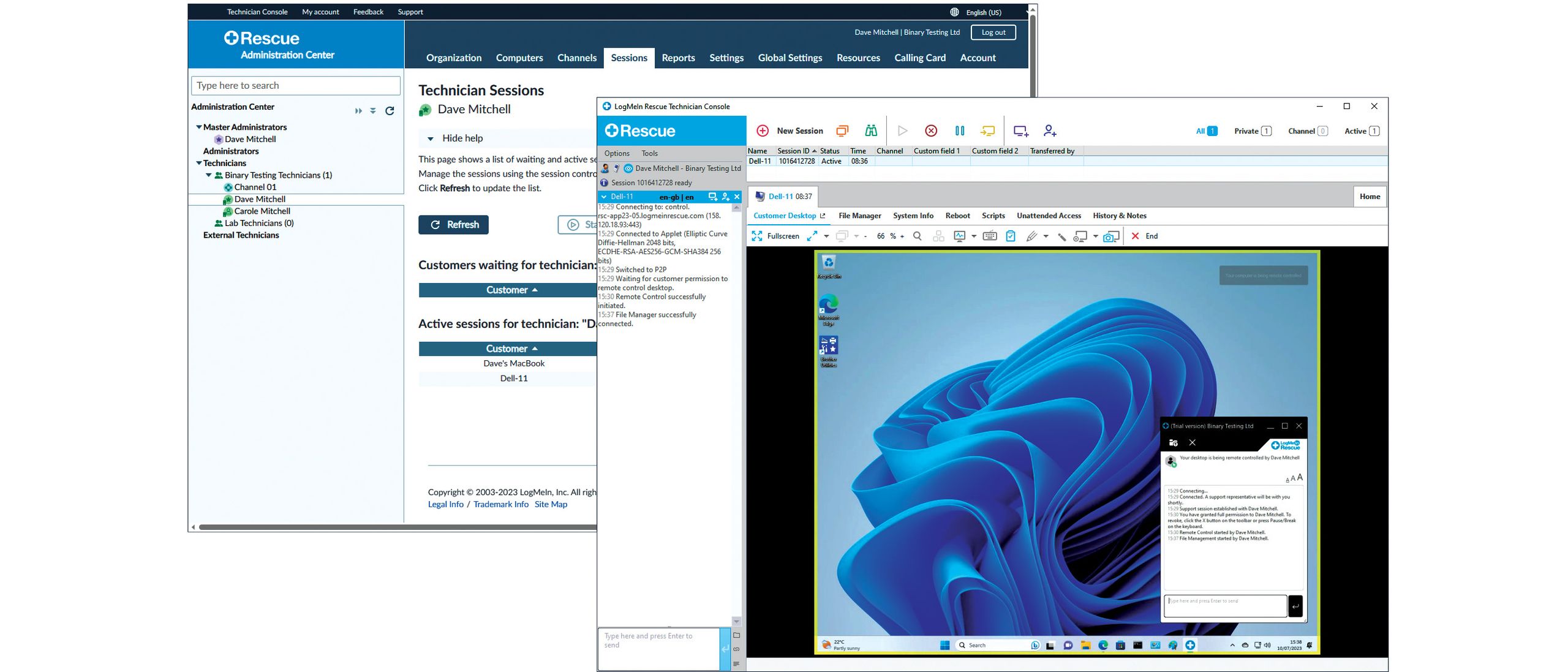
In 2026, LogMeIn Rescue offers a powerful 14-day free trial. It’s designed for IT pros needing top-tier remote support. This trial lets you test everything without commitment. You can support PCs, Macs, and mobile devices. Get started quickly with connections under 20 seconds. This is crucial for fast problem-solving.
| Feature | Details |
| Trial Length | 14 days |
| Cost | Free (No credit card needed) |
| Supported Devices | PCs, Macs, iOS, Android |
| Connection Speed | Under 20 seconds |
| Security | TLS 1.2, AES-256-bit encryption |
Test Drive the Full Power
The LogMeIn Rescue free trial gives you a fully functional experience. You can test remote control and screen viewing. This helps you see how easily you can fix issues. It’s a great way to evaluate the software’s capabilities for your team. The trial ensures you can experience the core functions firsthand. You can explore how it fits your support workflow before buying.
Getting Started with Your Demo

Starting your LogMeIn Rescue demo is simple. Register with your business email. You will get an email to verify your account. Then, you can access the Technician Console. This console is your main control center. It’s designed for easy navigation and quick access to tools. If you don’t get the email, a recovery tool is available.
Understanding LogMeIn Rescue Pricing
While the trial is free, understanding LogMeIn Rescue pricing is key for long-term planning. Plans are built for businesses of all sizes. They offer different feature sets. Consider your team’s needs and budget. This helps you choose the right plan after the trial. LogMeIn offers flexible options to fit various IT departments.
LogMeIn Rescue vs TeamViewer
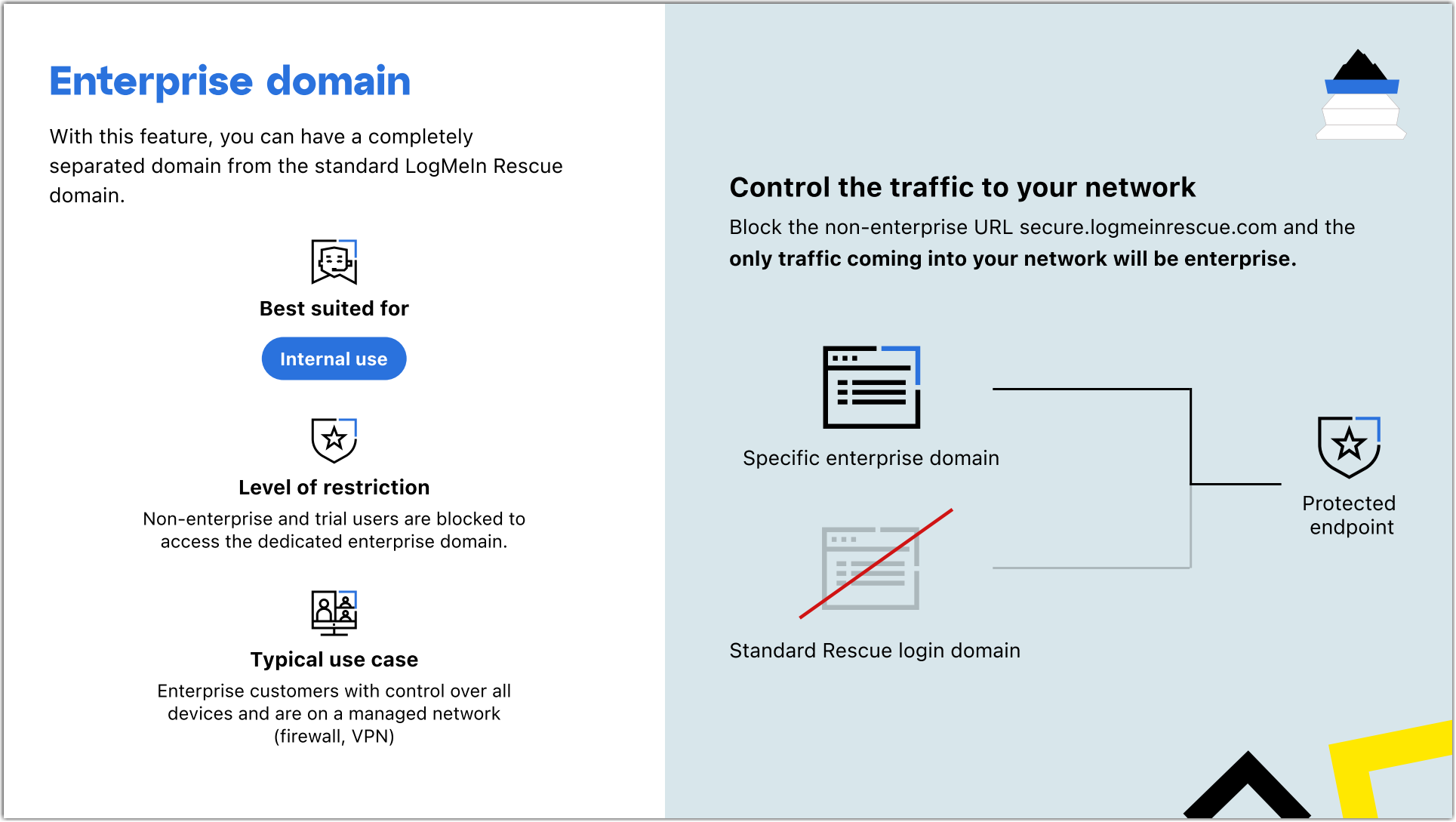
When comparing remote support tools, LogMeIn Rescue vs TeamViewer is a common question. LogMeIn Rescue focuses on enterprise-grade features and security. TeamViewer is also popular but may have different pricing structures. Consider which platform best suits your security needs and user management. LogMeIn Rescue’s trial lets you directly compare performance.
Seamless Mobile Support for Android
The trial includes options for testing advanced mobile features. You can evaluate LogMeIn Rescue mobile support for Android devices. This is vital for supporting a mobile workforce. It allows technicians to troubleshoot smartphones and tablets remotely. This ensures productivity for users on the go. Support for mobile devices is a growing necessity in IT.
Visual Support with Live Lens
Try the LogMeIn Rescue Live Lens trial. This tool uses a smartphone camera. It lets end-users show you what they see. This is perfect for hardware issues or physical setups. It cuts down on guesswork and speeds up diagnosis. Visual support can dramatically reduce resolution times for complex problems.
The Technician Console at Work
The LogMeIn Rescue Technician Console is where the magic happens. It centralizes diagnostics and system information. You can transfer files easily. The console is customizable with your company’s branding. This professional touch is important for client interactions. It provides all the tools you need in one place.
Robust LogMeIn Rescue Security
LogMeIn Rescue security is a top priority. Connections use financial-grade TLS 1.2 and AES-256-bit encryption. This protects sensitive data during remote sessions. There is also a scam warning page for end-users. Strong security builds trust and protects your company. It ensures that support sessions are safe and private.
System Requirements for Smooth Operation
To use the LogMeIn Rescue trial, you need a stable internet connection. The Technician Console runs in a web browser. End-users need a small download to connect. Ensure your system meets basic browser requirements. This ensures a smooth and uninterrupted support experience. Compatibility is key for efficient remote assistance.
The Verdict: Is LogMeIn Rescue Trial Worth It?
The LogMeIn Rescue trial is a smart move for IT departments in 2026. It offers a comprehensive test of a leading remote support solution. The focus on speed, security, and multi-platform support is clear. You can test features like LogMeIn Rescue Live Lens and mobile support. This hands-on experience is invaluable. It helps you make an informed decision about your IT support tools. For a no-commitment test, it’s highly recommended. You can explore the full capabilities at LogMeIn Rescue Trial. Learn more about mobile support options at LogMeIn Rescue Mobile Support.
Your 3-Step Action Plan for the LogMeIn Rescue Trial
Step 1: Register and Verify. Visit the official LogMeIn Rescue Trial page and sign up using your business email. Check your inbox for the verification link and click it to access the Technician Console.
Step 2: Run a Test Session. From the console, generate a one-time PIN code. On a separate device, open the LogMeIn Rescue app or website, enter the PIN, and initiate a remote connection.
Step 3: Explore Key Features. Use the session to transfer files, view system information, and test the chat function. Customize the console with your company branding to see how it fits your workflow.
Common Mistake to Avoid: Skipping the email verification step. If you don’t see the activation link, use the dedicated recovery tool on the login page to resend it.
Frequently Asked Questions
Do I need a credit card to start the trial?
No, the 14-day trial requires no payment information upfront. You can use all features without any financial commitment.
Can I support mobile devices during the trial?
Yes, the trial includes support for iOS and Android via the Rescue+Mobile Add-on. You can request this add-on during registration.
What happens after the trial ends?
Your access will be suspended until you purchase a subscription. All session data and configurations are saved for 30 days after expiration.
LogMeIn Rescue’s trial delivers enterprise-grade remote support without any upfront cost, making it a risk-free way to evaluate its speed and security. IT teams can confidently test multi-platform access and advanced diagnostics in real-world scenarios.
To continue your evaluation, schedule a demo with a LogMeIn specialist to discuss pricing and custom integrations. This step ensures you choose the right plan for your organization’s scale.
Imagine a support workflow where connections happen in under 20 seconds, every session is encrypted, and you can assist any device from one dashboard. That future starts with this trial.
