


You’ve spent hours typing domain names one by one into a search bar, only to find each one taken. That’s a huge waste of time, especially when you need multiple domains for a project or investment. A bulk domain name search tool lets you check hundreds of names at once, so you can find available domains fast and move on with your day.
Think of it as speed dating for domain names. You paste in your list, hit search, and within seconds you see which .com, .net, or .org options are free. No more clicking back and forth, no more frustration. Whether you’re a small business owner, a blogger, or a domain investor, this tool is a game changer.
What a Bulk Domain Search Tool Does for You
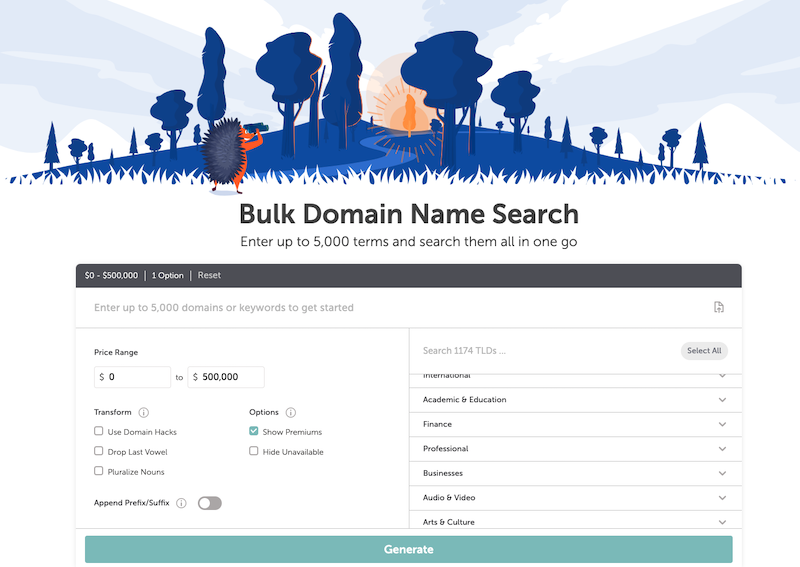
These platforms let you check availability for dozens or even thousands of domains at once. You can upload a CSV file or paste a list directly. The best tools, like Instant Domain Search, handle up to 5,000 queries with lightning-fast responses under 25 milliseconds. That means you get results almost instantly.
Namecheap’s ‘Beast Mode’ is another powerful option, supporting up to 5,000 terms with creative suggestions. It helps you generate domain ideas based on keywords you enter. For expiring domains, Name.com offers a handy backorder feature and lets you filter by TLD groups like .com, .net, or .org. GoDaddy keeps it simple with a 500-domain limit, perfect if you’re already using their services.
If you need to check international domain names (IDNs), Dynadot provides a free tier for up to 1,000 domains and scales for high-volume users. Many tools also include advanced filters to show only premium domains or those about to expire. This saves you from sifting through hundreds of ‘taken’ results.
Bulk Domain Search: Your 2026 Advantage
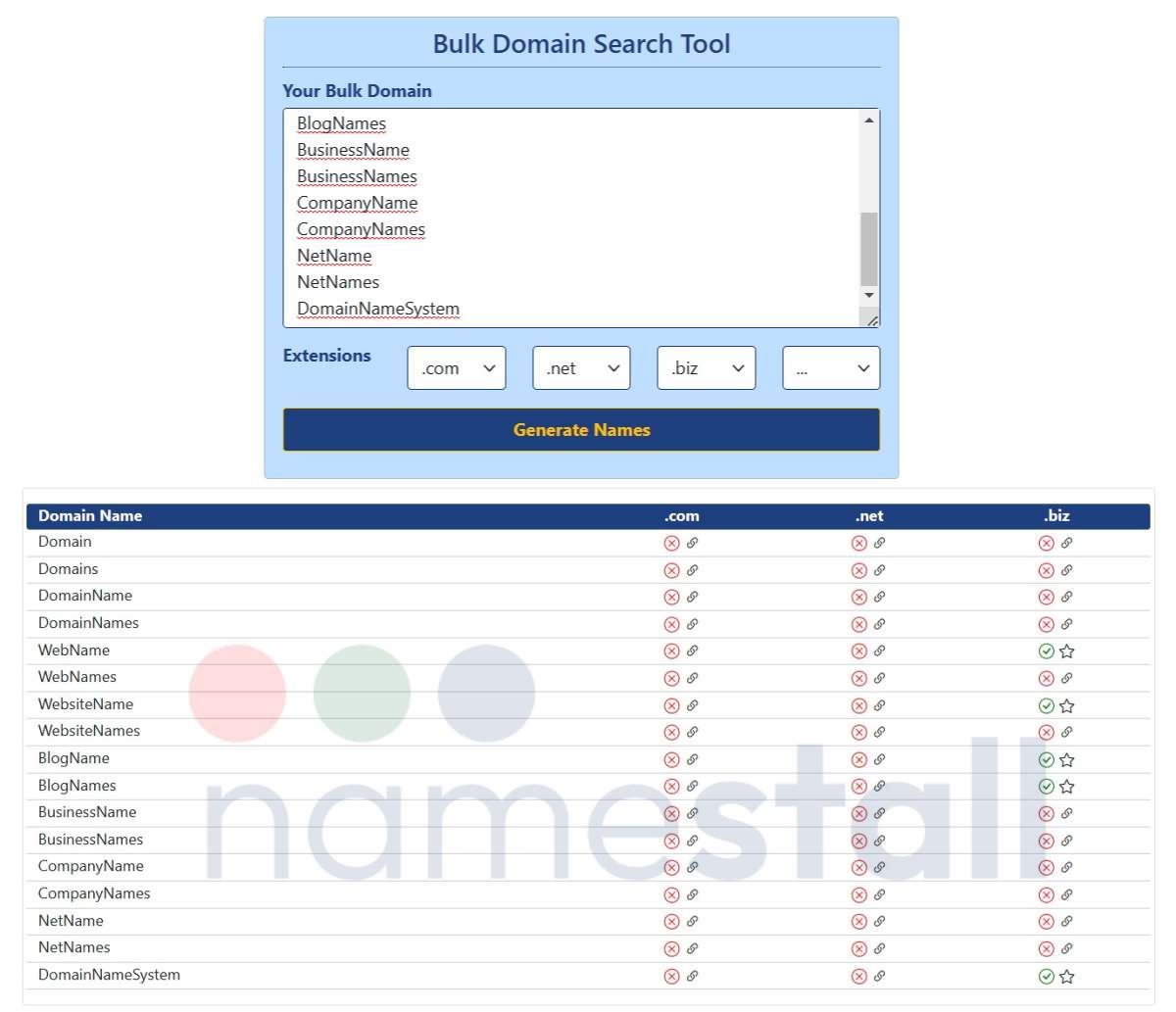
In 2026, finding many domain names fast is key. Bulk domain search tools are essential for investors and businesses. They check many names at once. This saves time and effort.
| Tool | Max Queries | Speed | Cost | Key Feature |
| Instant Domain Search | 5,000 | < 25ms | Free (Basic) | Speed and Privacy |
| Namecheap (Beast Mode) | 5,000 | Fast | Paid Plans | Creative Generation |
| Name.com | Varies | Fast | Paid Plans | Backorder Feature |
| GoDaddy | 500 | Fast | Free (Basic) | Simple Interface |
| Dynadot | 1,000 (Free) | Fast | Free Tier / Paid | IDN Support |
Check Many Names Fast
Use a batch domain name availability checker to see if your ideas are free. You can upload a list. This is faster than checking one by one. It helps you find good names quickly.
These tools connect to domain registries. They get real-time updates. This ensures you see accurate availability.
Read also: Domain for Sale Search: How to Find the Perfect Name in 2026
Bulk Domain Registration Made Simple
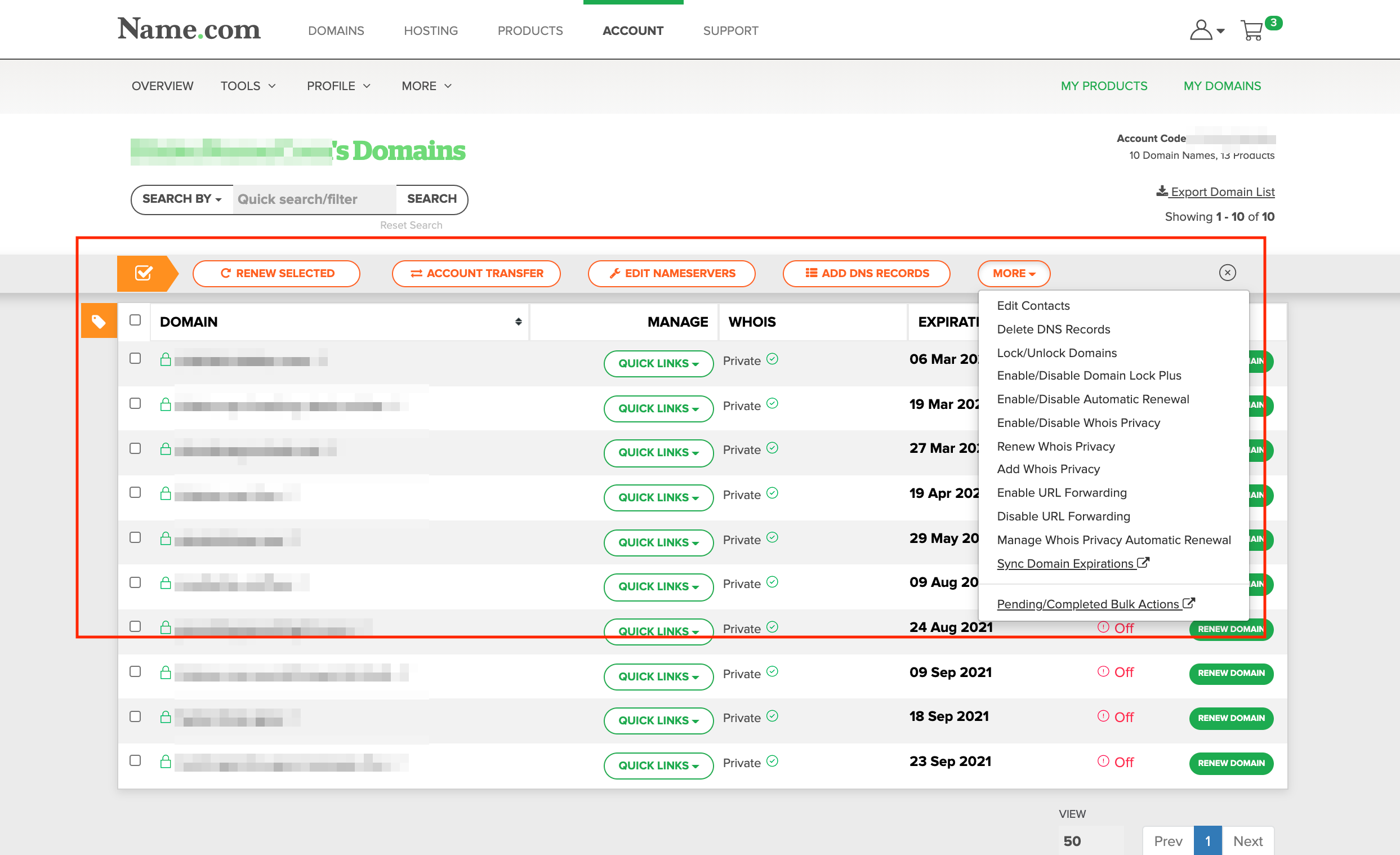
Once you find available names, you need to register them. Bulk domain registration features streamline this process. You can often register many at once. This saves you from repetitive tasks.
Many platforms link directly to registrars. This makes buying multiple domains easy. It’s a crucial step for building a portfolio.
Find Available Domains in Bulk
Knowing how to find available domains in bulk is a skill. Use tools that let you filter by TLD. You can also check for expired domains. This widens your search for good opportunities.
Some advanced tools use AI. They can predict future availability. They also suggest alternative TLDs. This helps you discover overlooked names.
Domain Portfolio Analysis Tools
Managing many domains requires good tools. Domain portfolio analysis tools help you track your assets. You can see their performance. You can also monitor renewal dates.
These tools offer insights into market value. They help you decide which domains to keep. They are vital for serious investors.
Premium Domain Bulk Search Strategies
Looking for valuable names? A premium domain bulk search is your starting point. These tools often highlight premium domains. They might be already registered but for sale.
Be aware of pricing. Premium domains can be expensive. Always check the listed price before committing.
Domain Expiration Search for Expired Names
Expired domains can be goldmines. Use a domain expiration search to find them. These are names that were dropped. They might be valuable and available again.
Name.com’s backorder feature is useful here. You can try to grab an expiring domain. This requires quick action.
Bulk Domain Name Generator for Ideas
Stuck for ideas? A bulk domain name generator can help. Input keywords. It suggests many variations. This sparks creativity for new projects.
Namecheap’s ‘Beast Mode’ is great for this. It offers many customization options. It helps generate a large list of possibilities.
Multiple Domain Checker for Investors
For domain investors, speed is money. A multiple domain checker is non-negotiable. It must be fast and accurate. Instant Domain Search is a top choice for speed.
They handle thousands of queries. Their response time is under 25 milliseconds. This allows for rapid acquisition.
Requirements: Always check the tool’s query limits. Understand their privacy policies. Ensure they don’t immediately forward your searches to registrars. This can alert others to your interest.
‘The ability to quickly assess domain availability in bulk is a significant competitive advantage in 2026.’ – Industry Analyst
Look for tools that support Internationalized Domain Names (IDNs). Dynadot offers this. It expands your options globally.
Consider tools with good filtering. This helps narrow down your search. You can focus on specific TLDs or price ranges.
Next, learn how to use these tools effectively to build your portfolio.
The Future of Domain Acquisition
Bulk domain search is evolving. Expect more AI integration. Tools will predict trends better. They will also offer more automation.
Hands-on advice: Start with free tiers. Test different platforms like Dynadot. See which interface you prefer. Master the basic features first. Then explore advanced options for your specific needs.
For serious investors, consider paid plans. They offer higher limits and better support. Investing in a good tool pays off. It helps you secure valuable digital assets efficiently. Check out Name.com’s bulk search capabilities.
Your 3-Step Action Plan for Bulk Domain Searching
Step 1: Prepare Your List
Compile a CSV or text file with up to 5,000 domain names, focusing on your niche or keywords.
Include variations across popular TLDs like .com, .net, .io, and .co to maximize availability.
Step 2: Choose Your Tool Wisely
For speed and privacy, select Instant Domain Search; for creative generation, pick Namecheap’s Beast Mode.
If you need backorder features for expiring domains, Name.com is your best bet.
Step 3: Execute and Analyze
Upload your list and run the bulk check, then filter results by availability, premium status, or TLD group.
Export the available domains and act fast – good names get taken within hours.
Frequently Asked Questions
Can I check domain availability for free?
Yes, most tools offer free searches for up to 1,000 domains, with paid plans for higher limits.
Free tiers often have slower speeds or limited features like no API access.
How do I avoid exposing my domain list to registrars?
Use tools like Instant Domain Search that don’t forward queries to registrars until you click a link.
This prevents others from seeing your desired names and registering them first.
What if a domain is taken but I really want it?
Use the backorder feature on Name.com to get notified if the domain expires and becomes available.
You can also try alternative TLDs or add a hyphen or word to create a similar name.
Choosing the right bulk domain search tool saves you hours and protects your investment strategy.
Start with a free tier to test speed and features before committing to a paid plan.
Your next move is to build that domain list and run your first bulk check today.
With the right tool, you’ll secure premium domains faster than your competitors.
Imagine having a portfolio of strong, brandable domains ready for your next project.
That future starts with the simple step of running a bulk search right now.
