


Is your office still using those old badge readers that beep but don’t really keep anyone out? You might be paying for security that’s actually a weak spot. In 2026, a badge scanner for door access needs to do more than just read a card.
The truth is, many small businesses pick the cheapest reader they find, not realizing it leaves them open to cloning and hacking. A modern badge scanner uses encrypted signals and supports mobile credentials, turning your phone into a key. This isn’t just about convenience; it’s about real protection.
What to Look for in a Badge Scanner for Door Access
First, understand the technology inside the reader. Most old systems use 125kHz proximity readers, which are unencrypted and easy to copy. A step up is the 13.56MHz smart card reader, like those from HID or iClass, which encrypts the data between card and reader. For the best security, choose a multi-technology reader that supports both old cards and new mobile credentials via Bluetooth or NFC.
Installation matters too. A mullion mount reader fits narrow door frames, while a single gang reader goes into a standard electrical box. If you need extra security, pick a reader with a built-in keypad for a PIN plus badge. For small offices with just a few doors, a standalone keypad controller can work without a computer, but for more than four doors, you’ll want a system that connects to a cloud platform.
Unlocking Doors: The Power of Badge Scanners
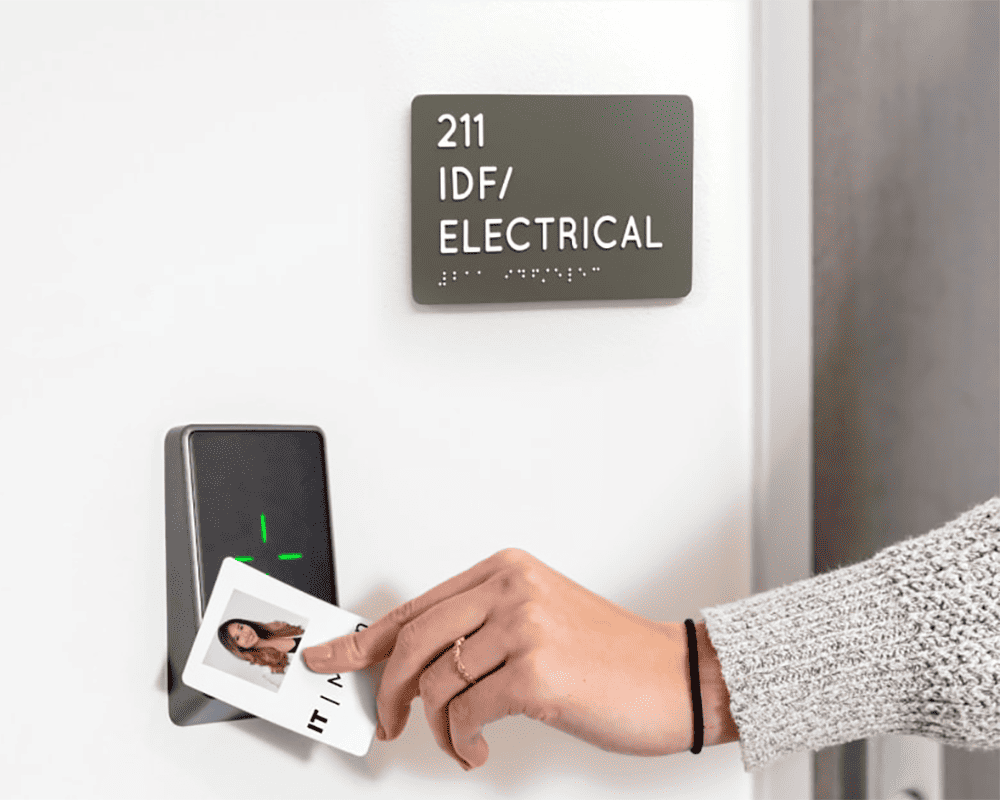
Badge scanners for door access are the gatekeepers of modern security. They use your ID card, fob, or even your smartphone to decide if you can enter. In 2026, these systems are smarter and more secure than ever before. They talk to the main system using special codes to keep data safe.
Think of them as digital bouncers, checking everyone’s credentials. They come in different types, using various technologies and fitting into different door frames. Understanding these options helps you pick the best fit for your needs. This technology is vital for businesses wanting controlled entry.
| Technology | Description | Security Level |
| 125kHz Proximity | Older, short-range, unencrypted | Low |
| 13.56MHz Smart Card | Encrypted, higher security | Medium-High |
| Multi-Technology | Supports various frequencies and mobile | High |
How Badge Scanners Work for Door Access
A badge scanner reads the unique information stored on your access credential. This could be a magnetic stripe, a chip, or a signal from your phone. The scanner sends this data to a control panel, which checks if you have permission to enter. If authorized, the lock disengages, granting you access.
This process is usually very fast, often taking less than a second. The control panel maintains a database of authorized users and their access levels. It’s a critical part of any access control system, ensuring only permitted individuals can pass through secured doorways.
RFID Badge Scanners for Secure Entry
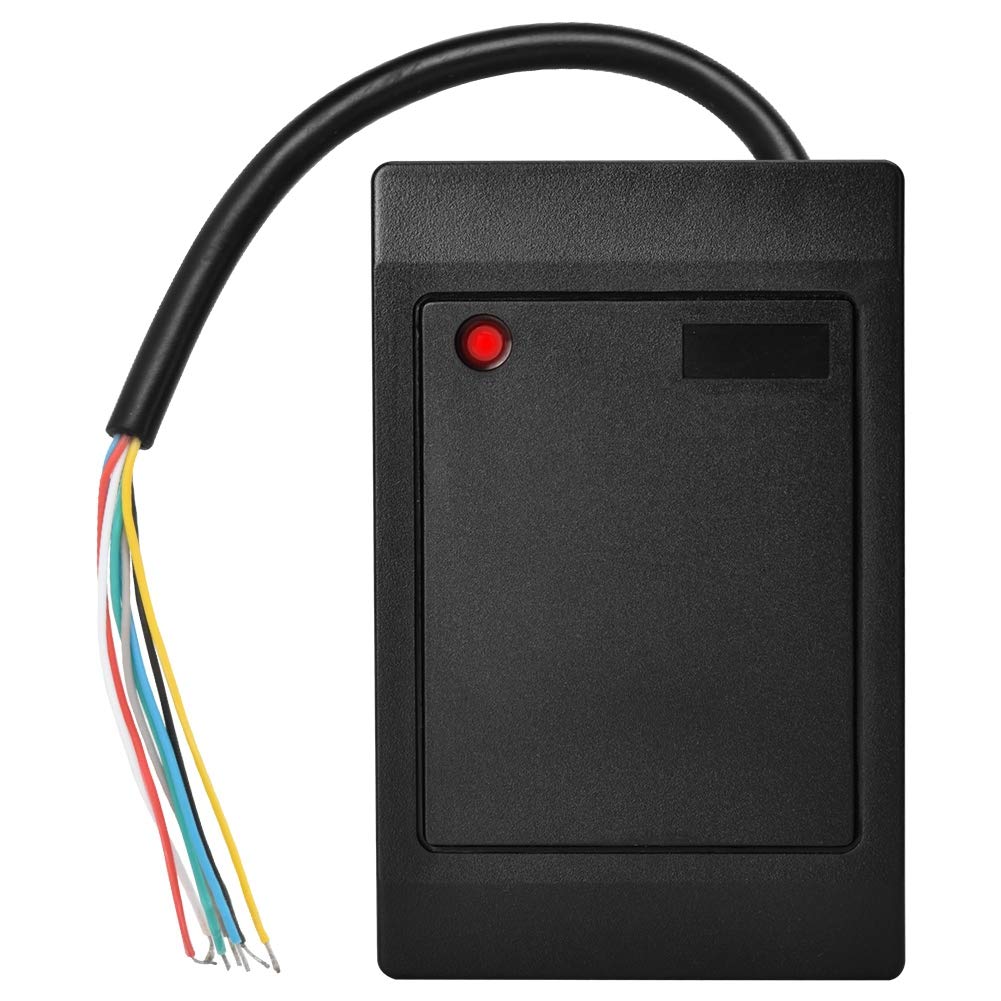
Radio-Frequency Identification (RFID) is a common technology for badge scanners. These scanners use radio waves to communicate with RFID tags embedded in badges or fobs. They offer a good balance of security and convenience for many businesses.
There are different types of RFID, like 125kHz proximity cards, which are older and less secure, and 13.56MHz smart cards, which offer encryption and higher security. For robust secure entry, 13.56MHz readers are generally recommended due to their encrypted communication capabilities.
Bluetooth Badge Scanners for Contactless Access
Bluetooth technology allows for contactless access, a feature that has become very popular. Your smartphone acts as your badge, communicating with the scanner via Bluetooth Low Energy (BLE). This eliminates the need to carry physical cards.
These systems are convenient and can offer advanced features like geofencing. The scanner detects your phone when you are within range, making entry seamless. Many modern office doors are equipped with these readers for ease of use.
Badge Scanner Installation for Office Doors

Installing a badge scanner involves wiring it to a power source and the door’s locking mechanism or access control panel. Common installation types include mullion mount readers, which fit on narrow door frames, and single-gang readers, which mount on standard electrical boxes.
Proper installation is key to the scanner’s performance and security. It’s important to follow manufacturer guidelines and local electrical codes. For complex installations, professional help is often advised to ensure everything functions correctly and securely. This ensures reliable door access.
Badge Scanner Integration with Access Control Systems
Badge scanners are just one part of a larger access control system. They need to communicate with a central management system, either on a local server or in the cloud. This system stores user data, manages permissions, and logs all access events.
Integration ensures that the scanner’s data is processed correctly and that the system can enforce security policies. Modern systems often use protocols like OSDP for secure, encrypted communication between the scanner and the control panel. This seamless integration is vital for effective security management.
Mobile Badge Scanning for Door Entry
Mobile badge scanning uses your smartphone as your access credential. Apps on your phone communicate with the scanner via technologies like Bluetooth or Near Field Communication (NFC). This offers a modern, convenient, and often more secure way to gain entry.
Many systems in 2026 support mobile credentials alongside traditional badges. This flexibility is important for businesses with diverse workforces or those looking to upgrade their security infrastructure. It provides a keyless entry experience.
Badge Scanner Troubleshooting for Door Access
Common issues with badge scanners include readers not detecting credentials, locks not engaging, or communication errors. Often, these problems can be resolved by checking power connections, ensuring the credential is held correctly near the reader, or restarting the access control system.
If a scanner is consistently failing, it might need recalibration or replacement. It’s also important to check that the credential itself is not damaged. For persistent issues, consulting the manufacturer’s documentation or contacting technical support is the best course of action for door access problems.
Badge Scanner Security Features for Doors
Security is paramount for badge scanners. Features like encrypted communication protocols (e.g., OSDP) prevent data interception. Readers with built-in tamper detection can alert administrators if someone tries to physically compromise the device.
Multi-factor authentication, combining a badge scan with a PIN code entered on a keypad, offers an even higher level of security. Advanced readers also include secure cryptographic elements to protect sensitive data. These features are crucial for protecting sensitive areas.
The Future of Door Access: Expert Verdict 2026
In 2026, badge scanners are more integrated, secure, and user-friendly than ever. Touchless entry and robust mobile credential support are becoming standard expectations, not just premium features. We are seeing a strong move towards multi-technology readers that can handle various credential types, offering maximum flexibility for businesses.
The trend is towards smarter, more connected systems that offer enhanced analytics and easier management. Expect to see even greater adoption of biometric data combined with card or mobile credentials for ultimate security. The focus remains on providing secure, convenient, and reliable access for authorized personnel while deterring unauthorized entry.
Your 3-Step Action Plan for Badge Scanner Success
Step 1: Audit Your Needs
Count your doors and users. Decide if you need physical badges, mobile credentials, or both.
Step 2: Choose Your Technology
For high security, pick 13.56MHz smart card readers. For legacy upgrades, multi-technology readers are your bridge.
Step 3: Plan for Installation
Select the right form factor: mullion for narrow frames, single gang for standard boxes. Ensure your wiring supports OSDP for encrypted communication.
Frequently Asked Questions
Can I use my smartphone as a badge?
Yes, many modern readers support Bluetooth or NFC mobile credentials. Check for native mobile support like HID Signo.
Do I need a new control panel for OSDP readers?
Not always. Some readers can work with existing panels via Wiegand, but OSDP requires compatible hardware.
How long does installation take?
A single door retrofit usually takes 1-2 hours. Multi-door systems may require a full day.
Choosing the right badge scanner protects your space and streamlines entry. Trust proven technologies and plan for future upgrades.
Start by auditing your current setup and comparing reader specs. Your next step is to contact a certified installer for a quote.
Imagine a building where entry is seamless and secure, with credentials that never get lost. That future is within reach today.
